
Dokan: Marketplace CRM Integration (Complete Guide)
Running a successful multi-vendor marketplace requires more than managing products and orders. As your marketplace grows, so does the need to efficiently manage vendors, customers, leads, support requests, and marketing campaigns. This is where CRM (Customer Relationship Management) integration becomes essential.
By integrating a CRM with your Dokan marketplace, you can automate communication, improve customer relationships, streamline vendor management, and make data-driven decisions that help your business scale.
In this guide, we’ll explore the benefits of CRM integration, the best CRM solutions for Dokan, and how to choose the right one for your marketplace.
What is CRM Integration?
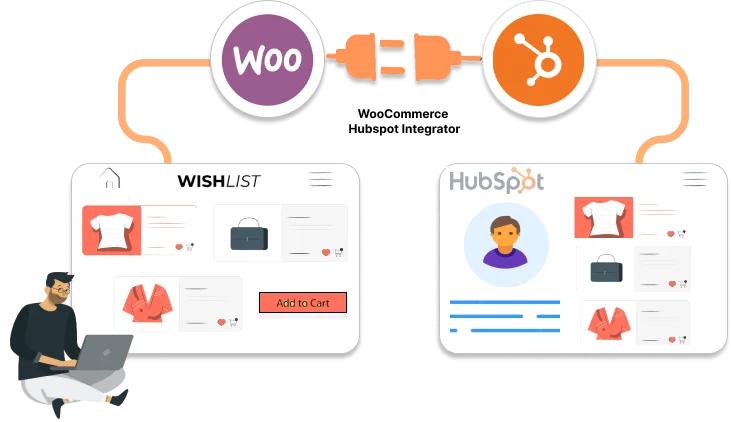
CRM integration connects your Dokan-powered marketplace with a Customer Relationship Management system, allowing customer, vendor, and order data to sync automatically.
Instead of managing information across multiple platforms, a CRM centralizes your business data and helps automate sales, marketing, and customer support workflows.
Why Your Dokan Marketplace Needs a CRM
As your marketplace grows, manually managing customer and vendor relationships becomes increasingly difficult.
A CRM helps you:
- Centralize customer information
- Manage vendor relationships
- Track sales opportunities
- Automate follow-up emails
- Improve customer support
- Increase repeat purchases
- Monitor vendor performance
- Generate business reports
Benefits of CRM Integration
Better Customer Relationships
A CRM stores complete customer histories, including orders, support requests, and interactions, enabling personalized communication.
Improved Vendor Management
Marketplace owners can monitor vendor activity, sales performance, payouts, and communication from one dashboard.
Sales Automation
Automatically assign leads, send follow-up emails, and nurture customers without manual effort.
Marketing Automation
Create targeted email campaigns based on purchase history, product categories, or vendor activity.
Better Customer Support
Support teams gain instant access to customer information, reducing response times.
Data-Driven Decisions
CRM analytics help identify top-performing vendors, customer trends, and sales opportunities.
Key CRM Features for Dokan
A good CRM should include:
- Customer Management
- Vendor Profiles
- Contact Management
- Sales Pipeline
- Lead Tracking
- Email Marketing
- Task Automation
- Ticket Management
- Customer Segmentation
- Sales Analytics
- Workflow Automation
- API Integration
- Reporting Dashboard
- Mobile Access
Best CRM Solutions for Dokan
1. HubSpot CRM
HubSpot is one of the most popular CRM platforms for businesses of all sizes.
Features
- Contact Management
- Email Automation
- Live Chat
- Sales Pipeline
- Marketing Automation
- Reporting Dashboard
Best For
Growing marketplaces that need marketing and sales automation.
2. Zoho CRM
Zoho CRM provides affordable CRM functionality with extensive customization options.
Features
- Sales Pipeline
- Workflow Automation
- Email Campaigns
- Customer Segmentation
- Analytics
- AI Assistant
Best For
Small and medium marketplaces.
3. Salesforce
Salesforce is an enterprise-grade CRM suitable for large marketplaces.
Features
- Advanced Automation
- AI Insights
- Customer Journey Mapping
- Opportunity Management
- Custom Dashboards
- API Integrations
Best For
Large marketplaces with complex workflows.
4. WP ERP CRM
WP ERP is a WordPress-native CRM solution that integrates well with WooCommerce.
Features
- Contact Management
- Sales CRM
- HR Module
- Accounting
- Customer Notes
- Email Logging
Best For
Marketplace owners who want an all-in-one WordPress solution.
5. FluentCRM
FluentCRM is a self-hosted email marketing and CRM plugin for WordPress.
Features
- Email Automation
- Customer Tags
- Funnels
- Dynamic Lists
- WooCommerce Integration
- Campaign Reporting
Best For
Email marketing and customer retention.
CRM Integration Workflow
A typical Dokan CRM workflow looks like this:
- Customer registers on your marketplace.
- Customer data syncs automatically to the CRM.
- Orders update customer purchase history.
- Automated emails are triggered.
- Vendors receive order notifications.
- Support tickets are linked to customer profiles.
- Sales reports update in real time.
Vendor Management with CRM
CRM systems can help marketplace owners:
- Track vendor onboarding
- Monitor vendor sales
- Manage commissions
- Record communication history
- Schedule follow-ups
- Identify inactive vendors
- Measure vendor performance
Customer Engagement Strategies
CRM integration enables:
- Welcome email sequences
- Abandoned cart reminders
- Birthday offers
- Loyalty rewards
- Product recommendations
- Review requests
- Re-engagement campaigns
These automated workflows increase customer retention and lifetime value.
Marketing Automation
CRM platforms simplify marketing by automating:
- Email campaigns
- Customer segmentation
- Promotional offers
- Newsletter subscriptions
- Lead nurturing
- Follow-up reminders
- Conversion tracking
Customer Support Integration
Integrating support with your CRM allows you to:
- View customer history instantly
- Track support tickets
- Assign agents
- Monitor response times
- Improve customer satisfaction
Reporting & Analytics
CRM dashboards provide valuable insights such as:
- Total customers
- Active vendors
- Customer acquisition
- Sales growth
- Repeat purchases
- Top-performing vendors
- Marketing campaign performance
- Customer lifetime value
Security Best Practices
Protect marketplace data by following these practices:
- Enable two-factor authentication
- Restrict CRM access by role
- Use secure API keys
- Encrypt customer data
- Schedule regular backups
- Monitor login activity
- Keep CRM plugins updated
Common Challenges
Data Synchronization Issues
Ensure APIs are configured correctly to avoid missing or duplicate data.
Poor Customer Segmentation
Create meaningful customer groups for better marketing performance.
Over-Automation
Balance automation with personalized communication to maintain trust.
Plugin Compatibility
Always verify compatibility between Dokan, WooCommerce, and your CRM plugin.
Best Practices
- Choose a CRM that integrates well with WordPress.
- Automate repetitive tasks.
- Keep customer data updated.
- Monitor vendor performance regularly.
- Review CRM reports monthly.
- Train your support and sales teams.
- Test workflows before going live.
CRM Integration Checklist
✅ Customer Sync
✅ Vendor Sync
✅ Order Sync
✅ Email Automation
✅ Sales Pipeline
✅ Support Integration
✅ Analytics Dashboard
✅ Workflow Automation
✅ Security
✅ Reporting
Final Thoughts
CRM integration is one of the most valuable upgrades you can make to a Dokan marketplace. By connecting your marketplace with a powerful CRM, you can automate customer engagement, streamline vendor management, improve marketing performance, and deliver better support.
Whether you’re managing a small marketplace or a large multi-vendor platform, investing in the right CRM solution will help you build stronger relationships, increase operational efficiency, and drive long-term business growth.

Hire Me on Upwork – Dokan & WooCommerce Expert

 Chat on WhatsApp