
Vendor withdrawals are one of the most critical trust factors in a multi-vendor marketplace.
If vendors cannot withdraw their earnings on time, they may stop using your platform.
If you’re using Dokan and facing withdrawal issues, this guide explains every real cause and how to fix it properly.
🔴 Common Withdrawal Problems Vendors Face
Before fixing anything, first identify the exact problem.
-
Withdraw request stuck in Pending
-
Withdraw button missing
-
Vendor balance shows money but withdrawal fails
-
Admin approved withdrawal but payment not sent
-
Works for some vendors, not others
These issues are very common and mostly configuration-related.
🧠 How Dokan Withdrawals Work (Important to Understand)
Understanding the withdrawal flow helps fix issues faster:
-
Customer places an order
-
Order status becomes Completed
-
Vendor balance is updated
-
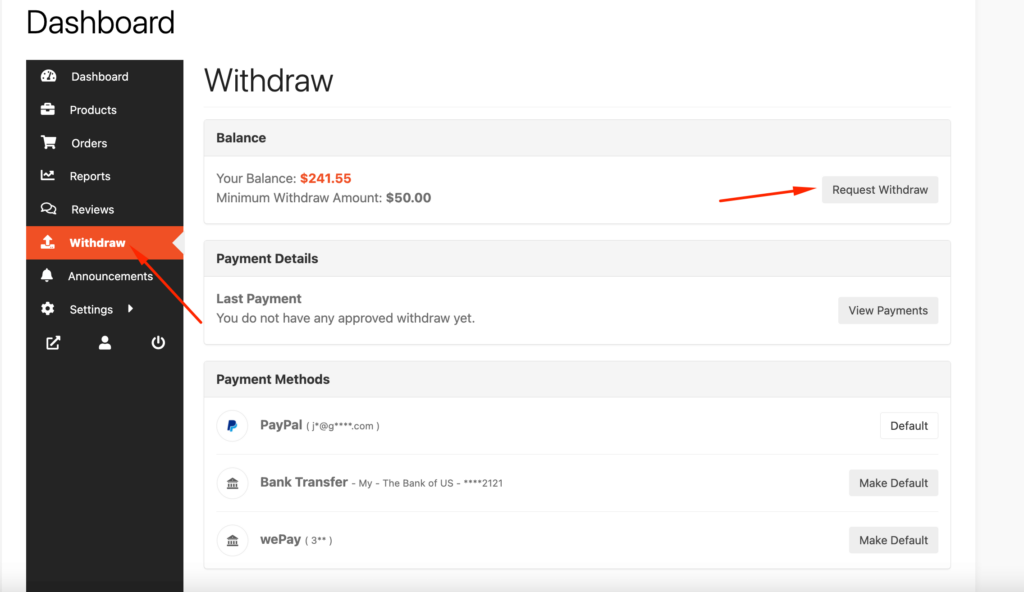
Vendor requests withdrawal
-
Admin approves (optional)
-
Payment is sent via gateway
If any step fails, withdrawals will not process.
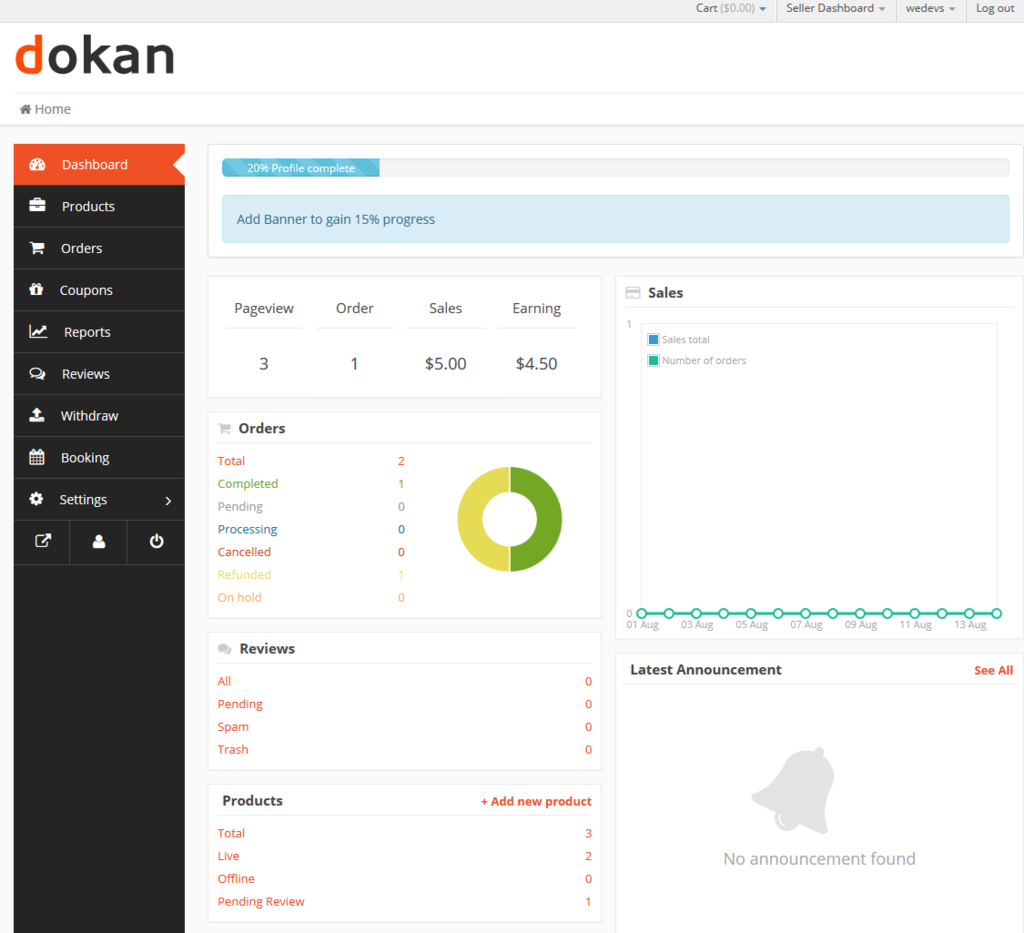
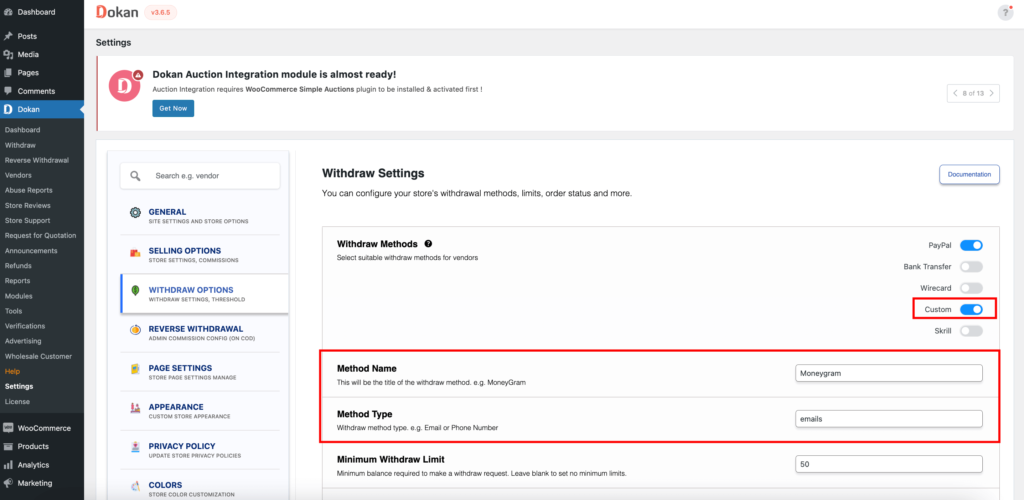
1️⃣ Minimum Withdrawal Amount Not Met
Why this happens
Dokan allows admins to set a minimum withdrawal limit.
Example:
Minimum = ₹1,000
Vendor balance = ₹800
➡ Withdraw button won’t appear
✅ How to fix
-
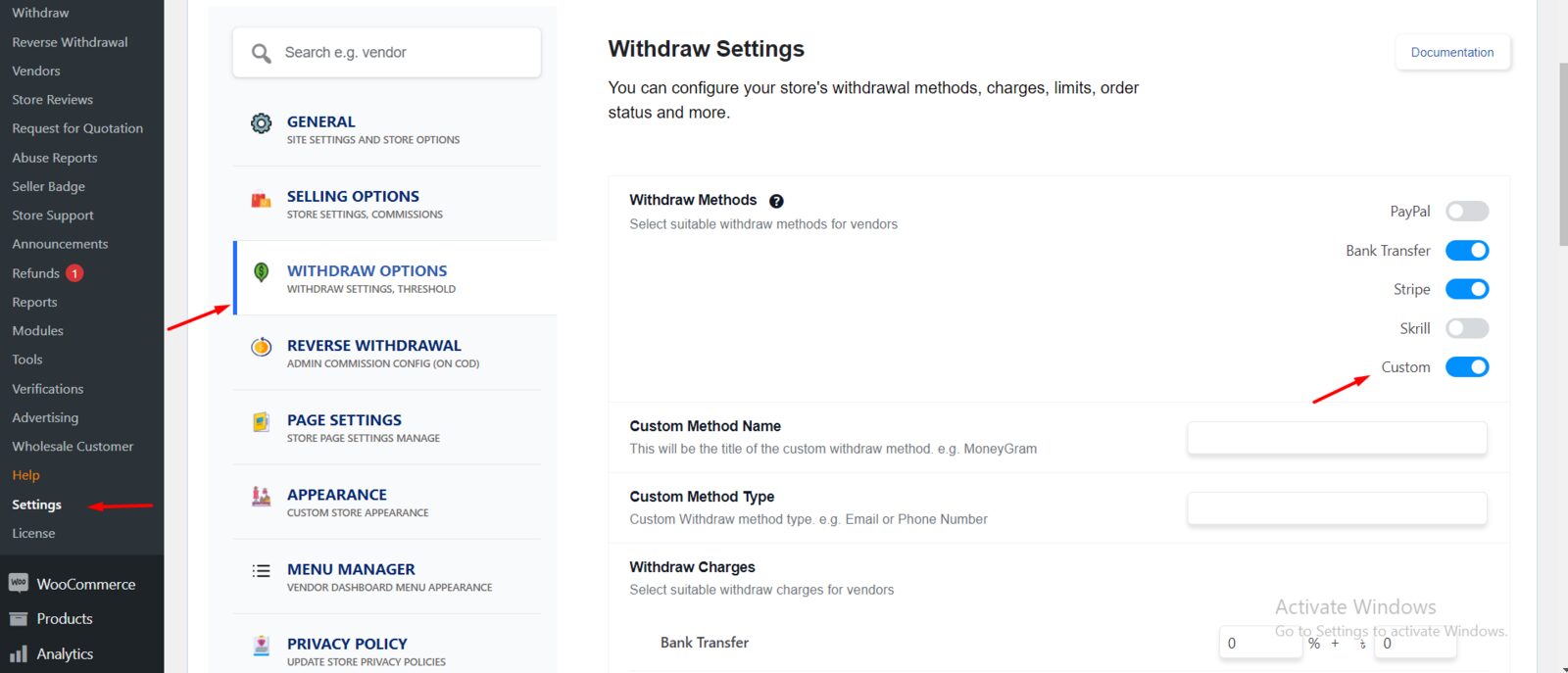
Go to Dokan → Settings → Withdraw
-
Check Minimum Withdraw Amount
-
Reduce it for testing
-
Ask vendor to try again
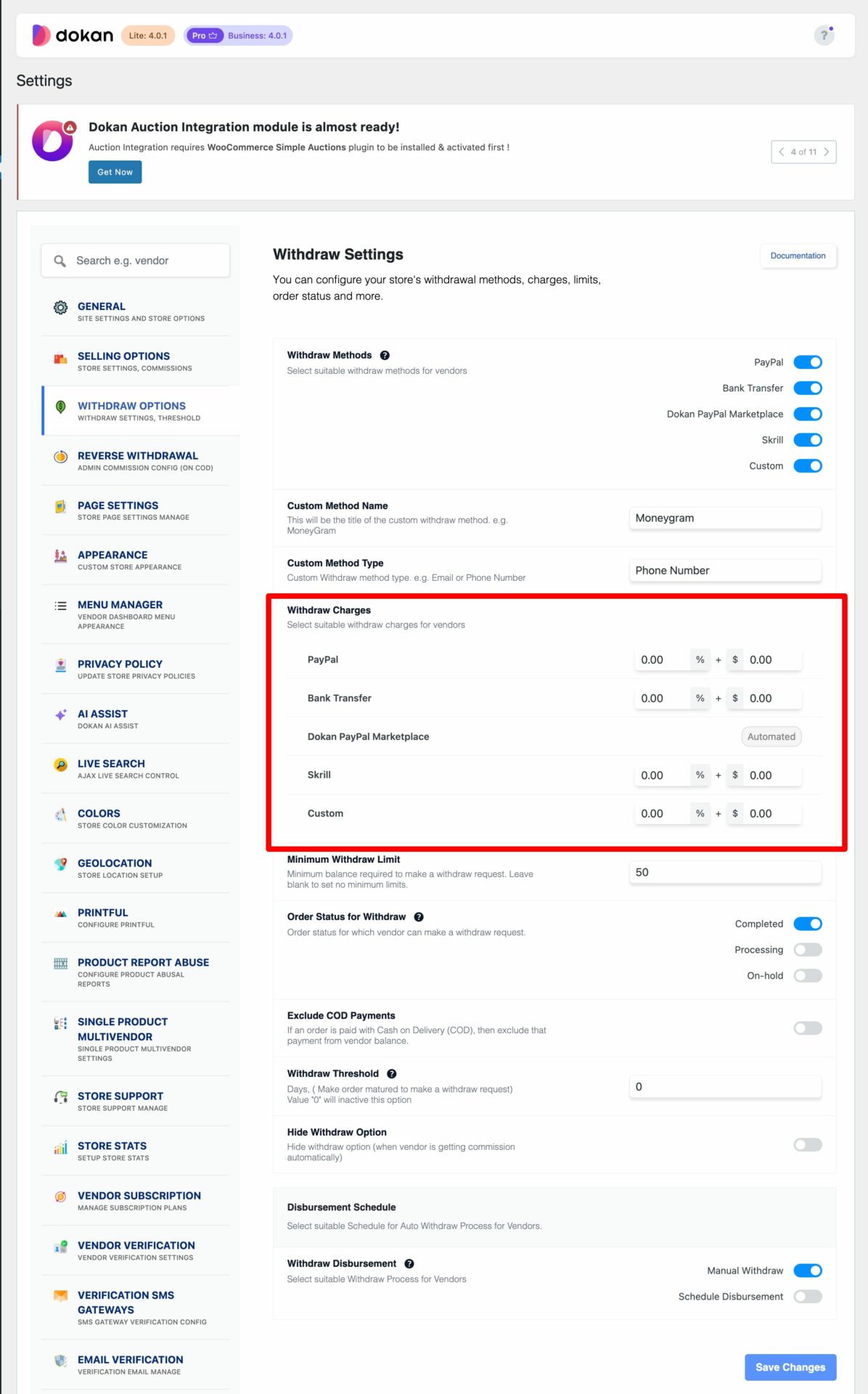
2️⃣ Withdrawal Payment Gateway Not Enabled
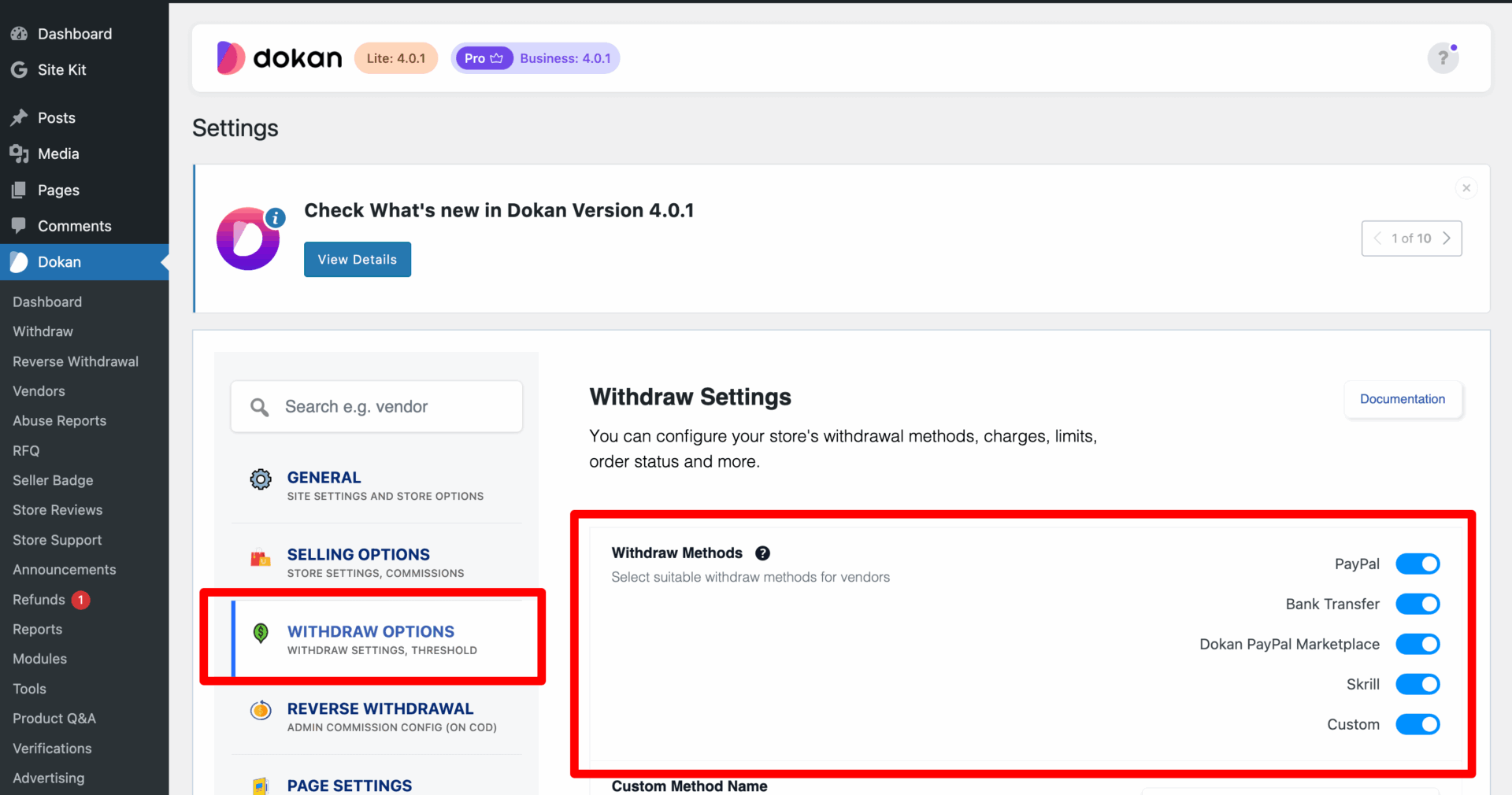
Dokan does not enable withdrawal gateways automatically.
Supported methods:
-
PayPal
-
Bank Transfer
-
Manual methods
✅ How to fix
-
Go to Dokan → Settings → Withdraw
-
Enable required gateways
-
Save settings
3️⃣ Vendor Has Not Added Payment Details
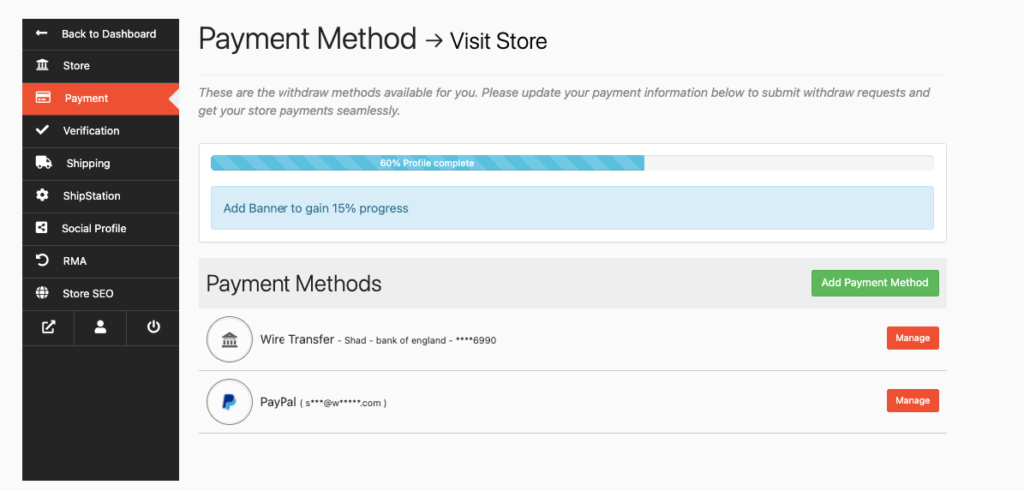
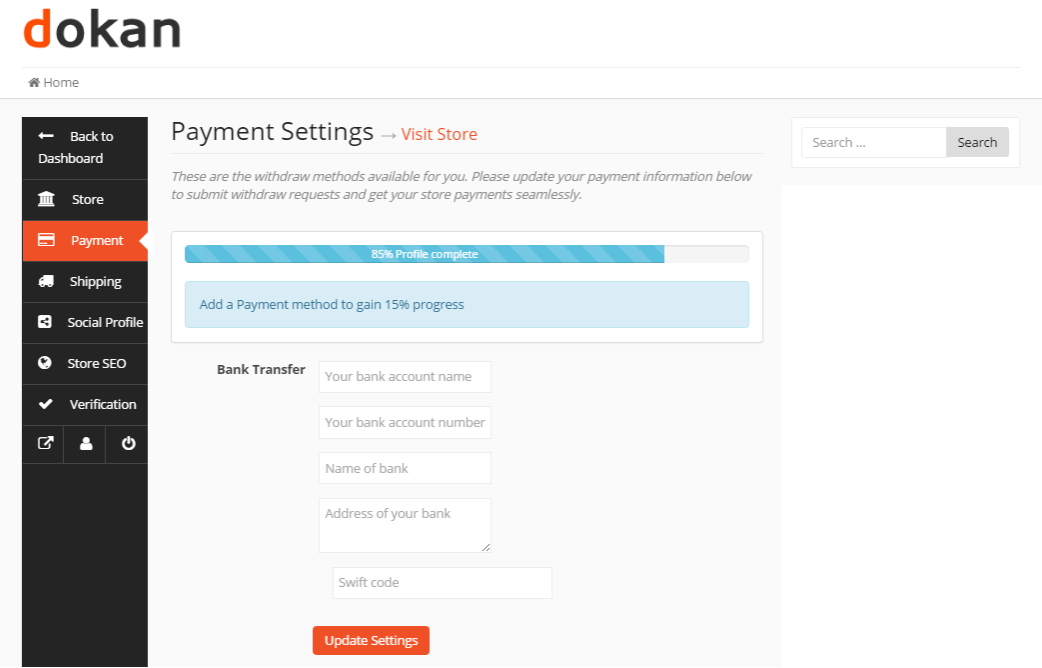
If a vendor hasn’t added PayPal email or bank details, withdrawal will fail silently.
✅ How to fix (Vendor side)
-
Vendor Dashboard → Settings → Payment
-
Add PayPal / Bank details
-
Save changes
4️⃣ Admin Approval Is Required
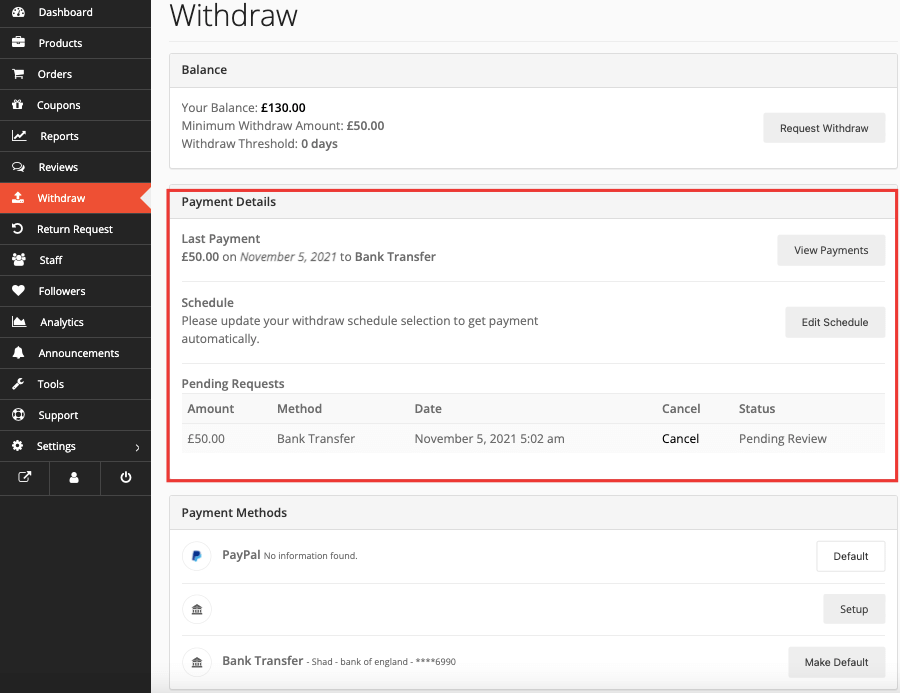
Some marketplaces require manual approval of withdrawals.
How to check
-
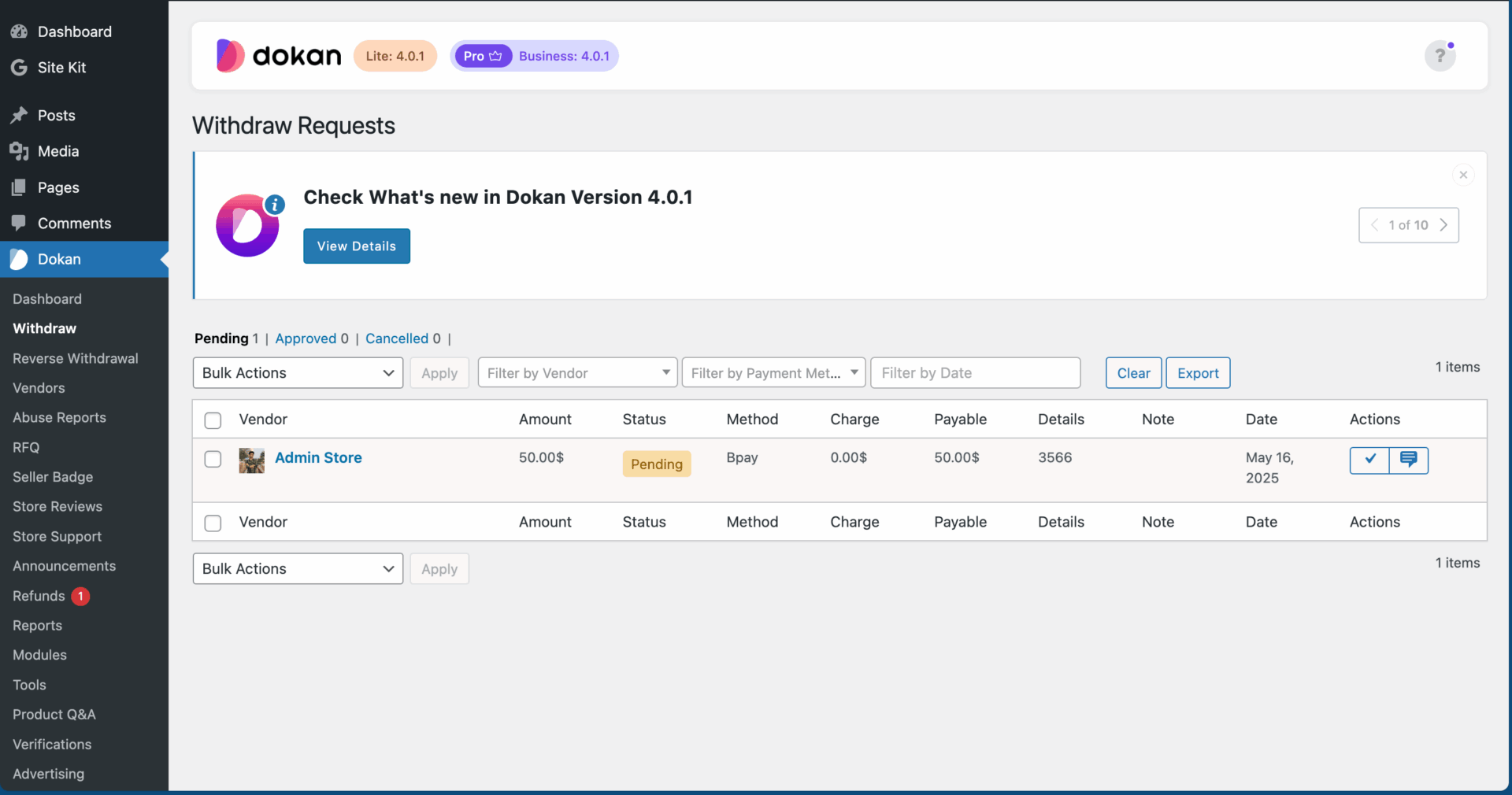
Go to Dokan → Withdraw
-
Look for Pending requests
Fix
-
Approve manually
-
Or disable manual approval if not needed
5️⃣ Order Status Is Not Completed
Dokan releases earnings only after order status = Completed.
Fix
-
WooCommerce → Orders
-
Open order
-
Change status to Completed
6️⃣ Currency or Country Restrictions
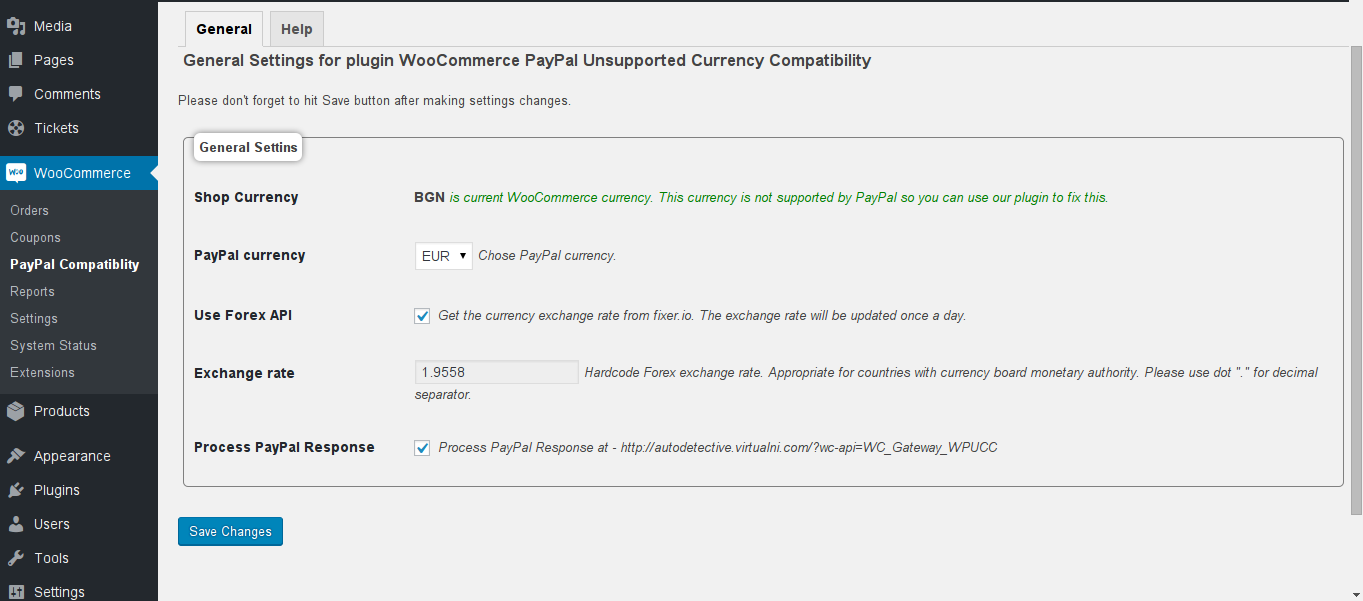
Some payment gateways:
-
Don’t support all currencies
-
Don’t work in all countries
Fix
-
WooCommerce → Settings → Currency
-
Match gateway-supported currency
-
Test with sandbox mode

7️⃣ Cache, Theme, or Plugin Conflict
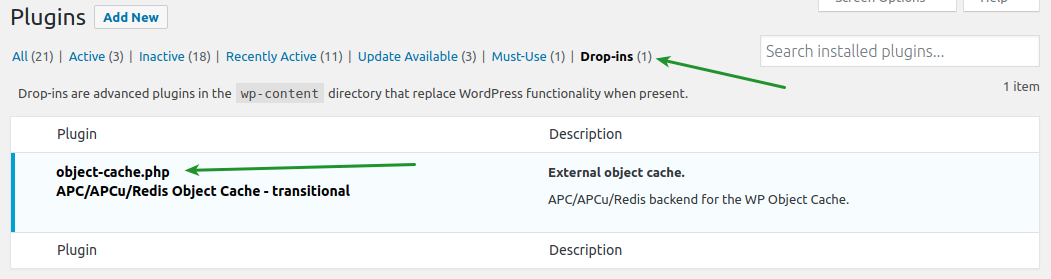
Symptoms:
-
Withdraw page not loading
-
Button missing
Fix
-
Disable cache for vendor dashboard
-
Switch temporarily to Storefront theme
-
Disable non-essential plugins

🚨 When You Need Custom Dokan Development
You need custom work if:
-
Withdrawals fail randomly
-
Automatic payouts needed
-
Multiple gateways required
-
Custom commission logic applied
📚 Also Read
Dokan Checkout Not Working – Complete Troubleshooting Guide
Vendor Products Not Showing in Dokan – Fix Guide

Hire Me on Upwork – Dokan & WooCommerce Expert

 Chat on WhatsApp