
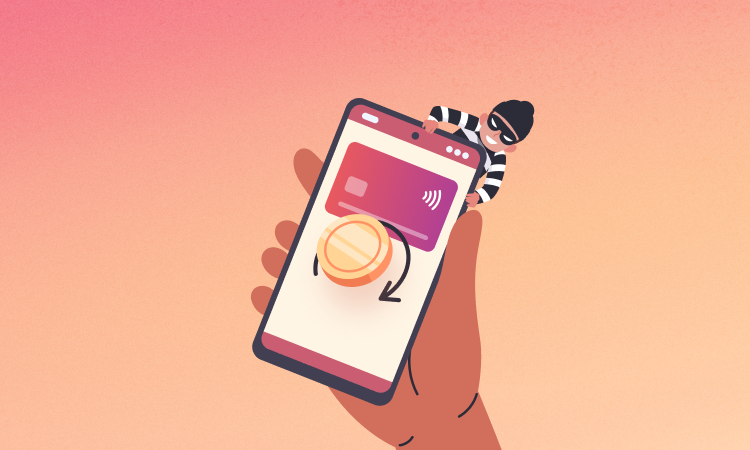

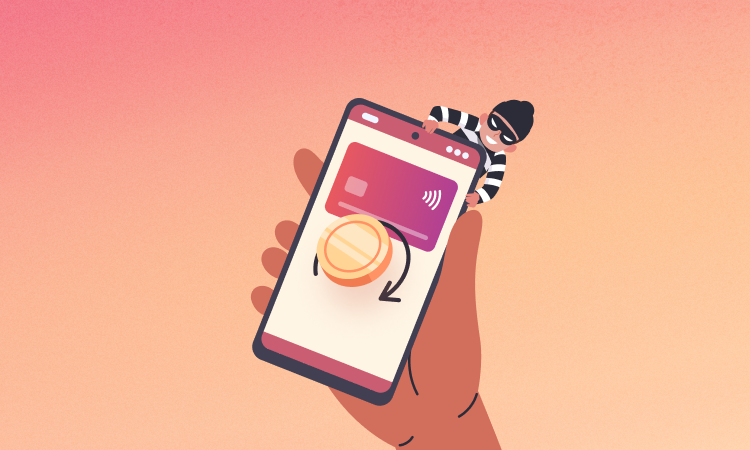

Running an online store comes with many operational challenges, and one of the most critical issues store owners face is chargebacks and payment disputes. These disputes occur when customers contact their bank or credit card provider to reverse a transaction instead of requesting a refund directly from the store.
If you run an online store using WooCommerce on WordPress, understanding how to manage chargebacks is essential to protect your revenue and maintain a healthy payment processing account.
In this guide, we’ll explore how chargebacks work, why they happen, and how to handle them effectively in a WooCommerce store.
What is a Chargeback?
A chargeback occurs when a customer disputes a payment with their bank or credit card company instead of contacting the merchant directly.
The bank temporarily reverses the transaction and investigates the dispute.
Common payment providers used with WooCommerce such as Stripe and PayPal have built-in systems to handle chargebacks and disputes.
Why Chargebacks Happen
Chargebacks can occur for many reasons, including both genuine issues and fraudulent claims.
Product Not Received
Customers claim they never received their order.
Unauthorized Transactions
The customer reports that the purchase was made without their permission.
Product Not as Described
The product received is significantly different from what was advertised.
Duplicate Charges
Customers believe they were charged more than once.
Refund Not Processed
Customers request a refund but instead dispute the payment with their bank.
Understanding these reasons helps store owners prevent disputes before they occur.
How Chargebacks Affect Your WooCommerce Store
Chargebacks can significantly impact your business.
Financial Loss
You lose the product, shipping cost, and the payment amount.
Chargeback Fees
Payment processors may charge additional fees for each dispute.
Risk of Account Suspension
Too many disputes can lead to payment gateway restrictions or account closure.
Maintaining a low dispute rate is important for long-term business stability.
Step 1: Identify the Chargeback Reason
When a chargeback occurs, the payment gateway will notify you with a reason code.
This reason code explains why the dispute was initiated.
Examples include:
-
Fraudulent transaction
-
Product not received
-
Service not provided
-
Duplicate payment
Understanding the reason helps you prepare the correct response.
Step 2: Collect Evidence
To fight a chargeback successfully, you must provide supporting evidence.
Useful evidence includes:
-
Order confirmation emails
-
Shipping tracking numbers
-
Delivery confirmation
-
Customer communication
-
Product description screenshots
This information helps prove that the transaction was legitimate.
Step 3: Respond to the Dispute Quickly
Most payment processors give merchants 7–14 days to respond to disputes.
Responding quickly increases the chances of winning the chargeback.
Submit all relevant documents through your payment provider’s dispute dashboard.
Step 4: Improve Store Policies
Clear policies reduce misunderstandings and prevent disputes.
Important policies include:
-
Refund and return policy
-
Shipping and delivery timelines
-
Customer support contact options
-
Terms and conditions
Displaying these policies clearly on your store builds customer trust.
Step 5: Use Fraud Protection Tools
Fraud detection tools can prevent many chargebacks before they happen.
Recommended tools include:
-
Address Verification System (AVS)
-
CVV verification
-
Fraud detection plugins
-
Payment gateway fraud filters
These tools help identify suspicious transactions before processing payments.
Step 6: Provide Better Customer Support
Many disputes happen because customers cannot reach support quickly.
Best practices include:
-
Responding to emails quickly
-
Offering live chat support
-
Providing clear contact information
-
Handling refund requests promptly
Good support often prevents customers from going to their bank.
Step 7: Monitor Chargeback Trends
Tracking disputes helps identify recurring problems.
Monitor:
-
Products with frequent complaints
-
Shipping delays
-
Fraudulent orders
-
Payment issues
Analyzing trends helps improve store operations and reduce future disputes.
Best Practices to Prevent Chargebacks
Follow these strategies to minimize payment disputes:
-
Use clear product descriptions and images
-
Provide accurate shipping estimates
-
Send order and shipping confirmations
-
Offer easy refund processes
-
Monitor suspicious transactions
A proactive approach helps maintain a low dispute rate and healthier payment processing account.
Conclusion
Chargebacks are a common challenge for online stores, but they can be managed effectively with the right strategies.
By improving store policies, providing strong customer support, and using fraud prevention tools, WooCommerce store owners can reduce disputes and protect their revenue.
Understanding how chargebacks work allows you to build a safer and more trustworthy eCommerce business.
- WooCommerce Database Optimization
- WordPress Database Cleaning Guide
- Dokan Managing Vendor & Customer Disputes
- WooCommerce Performance Optimization

Hire Me on Upwork – Dokan & WooCommerce Expert

 Chat on WhatsApp