


In 2026, mobile speed is one of the biggest ranking and conversion factors. A slow website not only frustrates users but also hurts your SEO and sales.
If your site is built on WordPress, optimizing for mobile speed is essential to stay competitive.
In this guide, you’ll learn how to improve WordPress mobile speed step-by-step.
🔴 Why Mobile Speed Matters
A slow mobile website leads to:
❌ High bounce rate
❌ Poor user experience
❌ Lower conversions
❌ SEO ranking drop
A fast website provides:
✔ Better user engagement
✔ Higher conversion rate
✔ Improved SEO
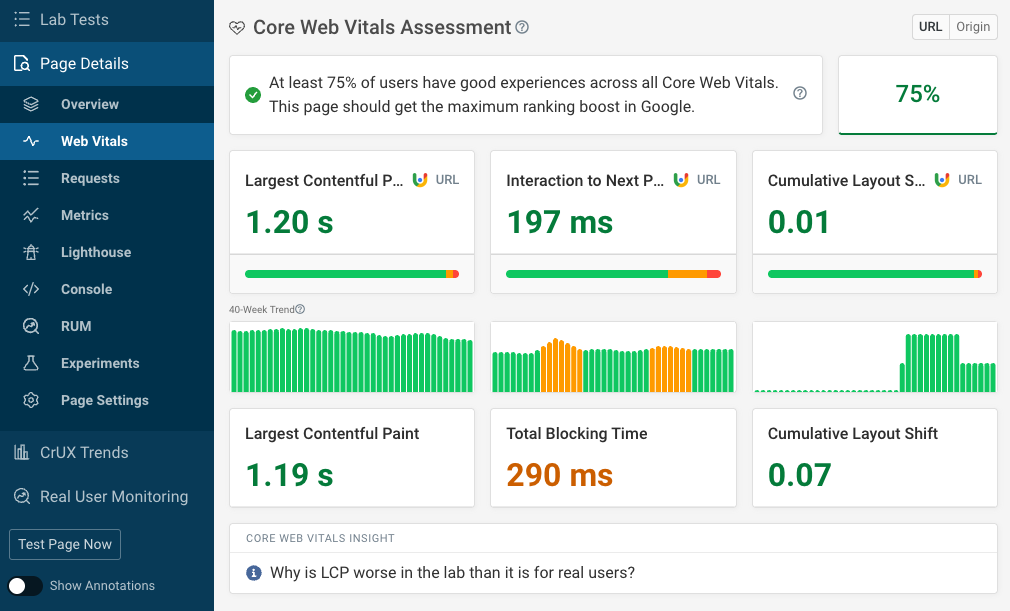
✔ Better Core Web Vitals
👉 Speed = performance + revenue
🧠 Common Causes of Slow Mobile Speed
Most WordPress sites become slow due to:
❌ Heavy Themes
Bloated themes increase load time.
❌ Too Many Plugins
Each plugin adds load.
❌ Large Images
Unoptimized images slow down pages.
❌ No Caching
Without caching, pages load repeatedly.
❌ Poor Hosting
Slow servers = slow website.
👉 These issues must be fixed first.
⚙️ 1️⃣ Use Fast Hosting
Hosting is the foundation.
Choose:
✔ LiteSpeed / NGINX servers
✔ SSD storage
✔ Good uptime
👉 Hosting impacts 40–50% performance.
⚡ 2️⃣ Enable Caching
Caching reduces load time.
Options:
✔ Page caching
✔ Browser caching
✔ Object caching
Popular plugins:
✔ WP Rocket
✔ LiteSpeed Cache
👉 Faster loading with less server work.
🖼️ 3️⃣ Optimize Images
Images are the biggest issue on mobile.
Fix:
✔ Compress images
✔ Use WebP format
✔ Enable lazy loading
👉 Reduces page size significantly.
📦 4️⃣ Minify CSS & JavaScript
Reduce file sizes:
✔ Remove unused CSS
✔ Minify JS
✔ Combine files
👉 Improves load time.
🌐 5️⃣ Use CDN (Content Delivery Network)
CDN delivers content faster globally.
Benefits:
✔ Faster loading
✔ Reduced server load
✔ Better performance worldwide
👉 Essential for scaling.
📱 6️⃣ Mobile-First Design
Design for mobile first:
✔ Lightweight layout
✔ Minimal animations
✔ Simple UI
👉 Mobile UX affects speed.
🔌 7️⃣ Remove Unused Plugins
Audit your plugins:
✔ Delete unused plugins
✔ Replace heavy plugins
✔ Avoid duplicate functionality
👉 Less plugins = faster site.
🧠 8️⃣ Optimize Database
Over time, database becomes heavy.
Fix:
✔ Remove revisions
✔ Clean transients
✔ Optimize tables
👉 Improves backend speed.
🚀 9️⃣ Use Lazy Loading
Load images only when needed.
✔ Improves initial load time
✔ Saves bandwidth
👉 Critical for mobile users.
🔍 🔟 Test & Monitor Performance
Use tools:
✔ Google PageSpeed Insights
✔ GTmetrix
✔ Lighthouse
Track:
✔ Load time
✔ Core Web Vitals
✔ Mobile score
👉 Continuous monitoring is key.
📈 Real Impact of Speed Optimization
After optimization:
✔ Faster loading (under 2 seconds)
✔ Higher SEO rankings
✔ Better user experience
✔ Increased conversions
👉 Speed directly impacts growth.
🚨 Common Mistakes to Avoid
❌ Using heavy themes
❌ Ignoring image optimization
❌ Too many plugins
❌ No caching
❌ No CDN
👉 Keep it lightweight.
📌 Speed Optimization Checklist
✔ Fast hosting
✔ Caching enabled
✔ Optimized images
✔ Minified CSS/JS
✔ CDN setup
✔ Clean database
👉 Follow this regularly.

Hire Me on Upwork – Dokan & WooCommerce Expert

 Chat on WhatsApp