

When your website starts getting high traffic, your hosting becomes the most critical factor for performance and stability. A slow or unstable server can lead to downtime, poor user experience, and lost revenue.
If you’re running a website on WordPress, choosing the right hosting for high traffic is essential for speed, scalability, and reliability.
In this guide, you’ll learn how to choose the best hosting for high-traffic WordPress sites.
🔴 Why Hosting Matters for High Traffic
As traffic increases:
❌ Server overload
❌ Slow page load
❌ Database bottlenecks
❌ Website crashes
With the right hosting:
✔ Fast performance
✔ Stable uptime
✔ Smooth user experience
✔ Better SEO
👉 Hosting = foundation of your website performance
🧠 What Defines a High-Traffic Website?
A high-traffic WordPress site typically has:
✔ 50,000+ monthly visitors
✔ High concurrent users
✔ Dynamic content (WooCommerce, membership, etc.)
✔ Frequent database queries
👉 Requires scalable infrastructure
⚙️ Types of Hosting for High-Traffic Sites
1️⃣ Shared Hosting ❌ (Not Recommended)
Limitations:
❌ Shared resources
❌ Slow performance
❌ No scalability
👉 Only suitable for beginners.
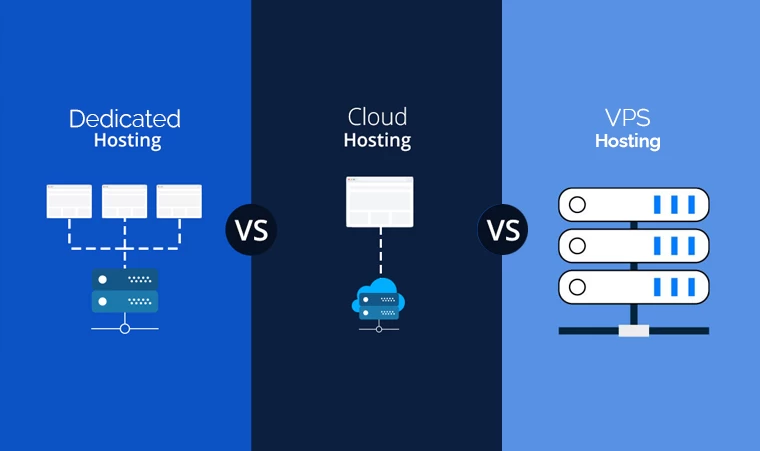
2️⃣ VPS Hosting ✔
Features:
✔ Dedicated resources
✔ Better performance
✔ More control
👉 Good for medium traffic sites.
3️⃣ Cloud Hosting ✔✔ (Best Option)
Features:
✔ Auto scaling
✔ High availability
✔ Load balancing
✔ Pay-as-you-grow
Popular providers:
- Amazon Web Services
- Google Cloud Platform
- DigitalOcean
👉 Best for high-traffic websites.
4️⃣ Managed WordPress Hosting ✔
Providers:
✔ Optimized for WordPress
✔ Built-in caching
✔ Security & updates
👉 Great for non-technical users.
⚡ Key Hosting Requirements
For high-traffic WordPress sites:
✔ 4–16 CPU cores
✔ 8–64 GB RAM
✔ SSD/NVMe storage
✔ High bandwidth
✔ PHP 8.x support
👉 Always choose scalable resources.
🚀 Essential Features You Must Have
⚡ 1️⃣ High Performance Server Stack
✔ NGINX / LiteSpeed
✔ PHP-FPM
✔ HTTP/2 or HTTP/3
👉 Improves speed significantly.
🗄️ 2️⃣ Database Optimization Support
✔ MySQL 8 / MariaDB
✔ Query optimization
✔ Indexing
👉 Prevents bottlenecks.
🔥 3️⃣ Caching System
✔ Page caching
✔ Object caching (Redis)
✔ Browser caching
👉 Reduces server load.
🌐 4️⃣ CDN Integration
Use CDN like Cloudflare:
✔ Faster global delivery
✔ Reduced server load
✔ Improved speed
👉 Essential for scaling.
📊 5️⃣ Load Balancing
For large-scale sites:
✔ Multiple servers
✔ Traffic distribution
✔ Failover systems
👉 Prevents downtime.
🔐 6️⃣ Security Features
✔ SSL certificate
✔ Firewall
✔ DDoS protection
✔ Regular backups
👉 Protects your site.
📱 Performance for Mobile Users
Ensure hosting supports:
✔ Fast mobile response
✔ Low latency
✔ Optimized API
👉 Mobile traffic is dominant.
📈 Real Hosting Setup Example
For a high-traffic WordPress site:
✔ Cloud server (AWS / DO)
✔ 8 CPU cores
✔ 16 GB RAM
✔ Redis caching
✔ CDN (Cloudflare)
✔ Load balancer
👉 Handles heavy traffic efficiently.
🚨 Common Mistakes to Avoid
❌ Using shared hosting
❌ No caching
❌ No CDN
❌ Ignoring database optimization
❌ No monitoring
👉 These cause performance issues.
📌 Hosting Selection Checklist
✔ Cloud hosting
✔ Scalable resources
✔ Fast server stack
✔ CDN + caching
✔ Security features
✔ Monitoring tools
👉 Follow this before choosing hosting.
📚 Internal Links

Hire Me on Upwork – Dokan & WooCommerce Expert

 Chat on WhatsApp