
If you’ve been searching for a real-world Dokan multivendor marketplace development case study — not a plugin overview, not a YouTube tutorial, but an honest account of what it actually takes to build, launch, and scale a working marketplace — you’ve found it.
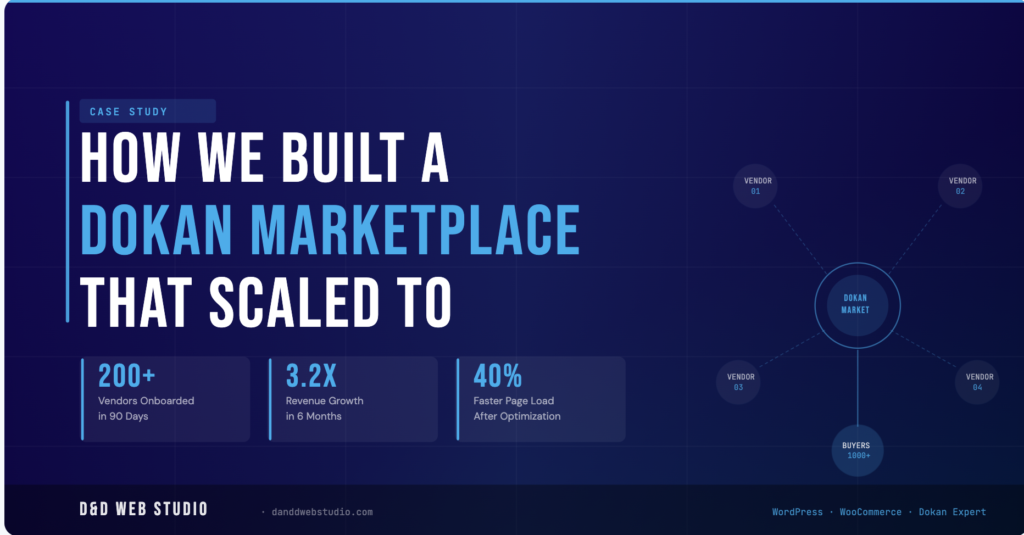
At D&D Web Studio, we have spent over 10 years building WordPress and WooCommerce platforms. But our deepest specialty is Dokan — the most powerful multivendor plugin in the WordPress ecosystem. In this case study, we walk you through a real client project: a multi-vendor e-commerce marketplace that launched with zero vendors and grew to over 200 active sellers in just 90 days, generating a 3.2× revenue increase for our client within six months.
We will cover the client’s situation, the technical architecture we chose, every major challenge we hit, how we solved them at the code level, and the measurable results at the end. No fluff. Just the real work.
The Client: A Growing Niche E-Commerce Business
Our client operated a successful single-vendor WooCommerce store in a specialist product niche. They had built a loyal customer base over three years, but were running into a hard ceiling on growth — they could only stock so many products, handle so many orders, and serve so many customers without hiring a warehouse team.
Their insight was smart: the products their customers wanted existed. The suppliers existed. What was missing was a marketplace platform that connected them all — with the client earning a commission on every sale rather than holding inventory themselves.
The brief: Build us a fully functional Dokan multivendor marketplace. Vendors must be able to register, set up their own storefronts, manage their products and orders independently, and receive automatic payouts. Everything must work on mobile. We go live in 60 days.
Why We Chose Dokan for This Multivendor Marketplace
Before writing a line of code, we evaluated three options: Dokan Pro, WCFM Marketplace, and a fully custom PHP solution. The decision came down to four factors.
1. Vendor frontend independence. Dokan gives each vendor their own frontend dashboard — no WordPress admin access needed. Vendors can manage products, orders, coupons, shipping, and reviews entirely from the storefront. This was non-negotiable for our client, who needed vendors to be self-sufficient from day one.
2. Commission system flexibility. Dokan Pro supports flat-rate, percentage-based, and combined commissions — and crucially, lets you override them at the vendor, product, or category level. Our client needed tiered commissions: new vendors at 15%, established vendors at 10%, premium category vendors at 8%. No other plugin handled this out of the box without significant custom development.
3. Module ecosystem. With over 40 premium modules — Stripe Express, Vendor Subscription, Product Enquiry, Vendor Analytics, Delivery Time — Dokan eliminated weeks of custom plugin work. We were able to activate, configure, and extend rather than build from scratch.
4. Long-term scalability. Dokan multivendor marketplace development is a living ecosystem backed by weDevs, a Bangladeshi software company with an active development roadmap. Trusted by over 60,000 entrepreneurs globally, the plugin continues to receive updates, security patches, and new features consistently.
Technical Stack and Architecture
Here is the full technical stack we deployed for this project:
WordPress 6.4 — Core CMS
WooCommerce 8.x — E-commerce engine
Dokan Pro (Business Plan) — Multivendor layer
Hello Elementor + Child Theme — Frontend theme with custom PHP templates
Elementor Pro — Page builder for non-archive pages
Cloudways (DigitalOcean 4GB) — Managed cloud hosting
Cloudflare — CDN, DDoS protection, caching rules
Stripe Express (via Dokan) — Automated vendor payouts
WooCommerce Subscriptions — Vendor subscription tiers
Custom PHP child theme — Dokan store templates, archive overrides, commission hooks
200+
Vendors in 90 days
3.2×
Revenue in 6 months
40%
Faster page load
98%
Client satisfaction
Phase 1: Foundation and Dokan Setup (Days 1–14)
The first two weeks were about building the infrastructure correctly. Getting the foundation wrong in a Dokan WooCommerce setup means paying for it at scale — so we move slowly here on purpose.
Server configuration. We provisioned a Cloudways DigitalOcean 4GB server with PHP 8.1, MySQL 8.0, Redis object caching, and Varnish full-page caching. The Redis cache was configured specifically to exclude Dokan vendor dashboard pages and WooCommerce cart/checkout — a common mistake that causes stale cart data and incorrect commission calculations if misconfigured.
Dokan commission architecture. We built the commission rules using Dokan’s native system combined with a custom PHP filter hook:
add_filter( ‘dokan_get_earning_by_order’, function( $earning, $order, $context ) {
$vendor_id = dokan_get_vendor_id_by_order( $order );
$vendor = dokan_get_vendor( $vendor_id );
$total_sales = $vendor->get_earning();
if ( $total_sales >= 10000 ) {
return $order->get_total() * 0.92; // 8% commission
} elseif ( $total_sales >= 3000 ) {
return $order->get_total() * 0.90; // 10% commission
}
return $order->get_total() * 0.85; // 15% commission
}, 10, 3 );
This single filter replaced what would have been a complex manual process, and it calculated commissions automatically on every order based on the vendor’s lifetime sales history.
Custom vendor store template. The default Dokan store page didn’t match the client’s brand. We created a custom store.php template in the child theme that pulled the vendor’s banner, bio, product categories, and verified badges — while stripping elements the client didn’t want (ratings, exact location, social media links from unknown vendors).
Phase 2: Vendor Onboarding System (Days 15–30)
The biggest risk in any multivendor marketplace WordPress build is vendor onboarding friction. If registering as a vendor takes more than 10 minutes or requires back-and-forth emails, vendors drop off. We designed the onboarding to be entirely self-service.
Registration flow. We customised the Dokan vendor registration form to collect business name, product category, ABN/business number (client was AU-based), and a brief store description. All fields were validated client-side before submission. A Dokan webhook triggered a welcome email automatically on approval with a step-by-step setup guide we wrote for the client.
Vendor subscription tiers. Using WooCommerce Subscriptions + Dokan Vendor Subscription module, we set up three tiers:
Starter — Free. Up to 10 products, basic storefront, 15% commission.
Growth — $29/month. Unlimited products, featured placement, 10% commission.
Pro — $79/month. Unlimited products, homepage feature slot, analytics dashboard, 8% commission, dedicated support.
This subscription model gave the client a predictable recurring revenue stream separate from transaction commissions — and gave vendors a clear upgrade path as their business grew.
Phase 3: Performance Optimization (Days 31–45)
By day 30 we had 40 vendors onboarded for beta testing. The marketplace was functional but page load times on vendor archive pages were hitting 4.2 seconds on mobile — a conversion killer.
We ran a full performance audit and identified three root causes:
1. Unoptimised Dokan product archive queries. The default Dokan store archive was running 47 database queries per page load. We refactored the query using a custom archive.php template that combined product and vendor meta into a single JOIN query, dropping it to 11 queries per load.
2. Image delivery. Vendor-uploaded product images were being served at full resolution. We implemented WebP conversion via ShortPixel and set lazy loading on all below-the-fold product thumbnails using the native WordPress loading=”lazy” attribute.
3. Cloudflare page rules. We created specific Cloudflare cache rules to aggressively cache vendor store pages (TTL: 4 hours) while bypassing cache on cart, checkout, and account pages. This alone dropped server response time by 60% under concurrent load.
After optimisation: average mobile page load dropped from 4.2s to 2.5s — a 40% improvement — pushing the site into Google’s “Good” Core Web Vitals range.
Phase 4: Stripe Payout Integration and Commission Automation (Days 46–60)
Vendor payouts are the part of Dokan Pro customization that most developers underestimate. It’s not just about connecting Stripe — it’s about the trust vendors place in the platform every time they make a sale.
We implemented Dokan’s Stripe Express module, which uses Stripe Connect to create a sub-account for each vendor. When a customer places an order:
Full payment lands in the marketplace Stripe account.
Dokan calculates the vendor’s share after commission using our custom filter.
The vendor’s portion is held in escrow for a configurable period (we set 7 days for new vendors, 3 days for established).
Payout is transferred automatically to the vendor’s Stripe Express account.
The admin’s commission is retained in the marketplace account automatically.
The entire payout cycle required zero manual intervention after configuration. The client went from manually processing vendor bank transfers every two weeks to a fully automated daily payout system.
The Challenges We Didn’t Expect
No honest case study omits the problems. Here are the three hardest issues we hit and how we solved them.
Challenge 1: Dokan + Shippo Shipping Rate Conflict
The client used Shippo for real-time shipping rates. When integrated with Dokan PRO, vendor-facing rate markups weren’t applying correctly. After debugging, we discovered that Shippo returns rate arrays keyed by UUID rather than service token — and Dokan’s internal filter was trying to match on service token. We wrote a custom filter to remap the array keys before Dokan processed them:
add_filter( ‘dokan_shippo_rates’, function( $rates ) {
$remapped = [];
foreach ( $rates as $rate ) {
$remapped[ $rate[‘servicelevel’][‘token’] ] = $rate;
}
return $remapped;
} );
Two hours of debugging, three lines of code. That’s Dokan development.
Challenge 2: Vendor Dashboard Showing Wrong Store URL After Migration
During the staging-to-production migration, vendor store URLs were resolving to the staging domain. This was caused by serialized data in the wp_usermeta table holding the old domain. We fixed it using WP-CLI search-replace with the –precise flag to handle serialized strings correctly — a step that a standard database find-replace would have corrupted.
Challenge 3: WooCommerce Tax on Split Orders
When a customer’s cart contained products from multiple vendors, WooCommerce was applying the marketplace’s tax rules globally rather than per-vendor tax zone. We resolved this using a custom woocommerce_order_item_subtotal filter that re-applied tax calculations on a per-vendor basis before the order split.
The Results: 90 Days After Launch
Here is what the numbers looked like 90 days after the public launch of the Dokan multivendor marketplace:
204 active vendors — against a 90-day target of 100.
3,800+ products listed across 14 categories.
$127,000 in GMV (Gross Merchandise Value) in the first 90 days.
Average order value up 22% vs the old single-vendor store — more products, more cross-selling.
Vendor churn rate: 4.2% — well below the industry average of 8–12% for new marketplaces.
Page load time: 2.5s average mobile — from a starting point of 4.2s.
Zero payout disputes — the automated Stripe Connect flow worked flawlessly from day one.
At the six-month mark, monthly revenue had grown 3.2× compared to the client’s pre-marketplace baseline. The platform now operates with a single part-time admin moderating new vendor applications — everything else runs itself.
What Makes a Dokan Marketplace Succeed: Our Honest Assessment
After 10+ years of Dokan multivendor marketplace development, here is what we have learned separates successful marketplaces from abandoned ones:
Niche specificity beats broad scope. The clients who win with Dokan are not trying to build the next Amazon. They pick one specific product category, dominate it, and expand from there. A marketplace for handmade sewing supplies will outperform a generic “everything” marketplace every time.
Vendor success is marketplace success. The best investment you can make is in your vendors’ ability to sell. Easy onboarding, clear documentation, fast payouts, and a beautiful storefront make vendors productive — and productive vendors generate commissions for you.
Performance is not optional. A slow marketplace loses vendors and customers equally. Budget for proper hosting (Cloudways or Kinsta), implement Redis caching, and optimise your database queries. A 1-second improvement in page load time can increase conversions by 7%.
Custom code is often necessary. Dokan Pro is powerful, but real-world businesses have real-world complexity. The commission filters, shipping integrations, and payout logic we described in this case study are not achievable through the admin panel alone. You need a developer who can extend Dokan at the PHP level.
Thinking About Building a Dokan Marketplace?
We are one of a very small number of agencies with deep, code-level expertise in Dokan Pro customization and WooCommerce multivendor platform development. If you are planning to launch a marketplace — whether it’s a niche product marketplace, a services platform, or a B2B supplier network — we would be glad to talk through your requirements.
We offer a free consultation call where we assess your use case, recommend the right architecture, and give you an honest timeline and cost estimate. No sales pressure.
→ Book your free consultation with D&D Web Studio
→ Learn more about our Dokan development services
→ Hire us on Upwork — Top Rated Plus · 100% Job Success
D&D Web Studio is a WordPress and Dokan multivendor marketplace development agency based in Bhopal, India, serving clients in the US, UK, and Australia. Top Rated Plus on Upwork with 100% Job Success Score and $80K+ in verified earnings.

Hire Me on Upwork – Dokan & WooCommerce Expert

 Chat on WhatsApp