
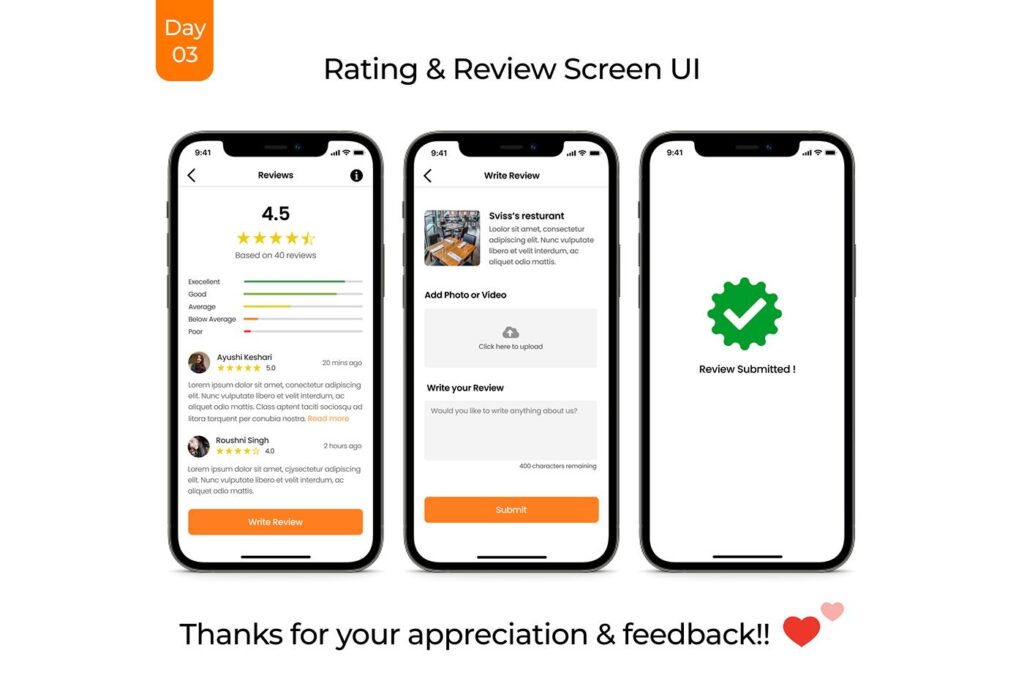
Customer reviews and ratings are among the most influential factors in any successful multi-vendor marketplace. Buyers often rely on reviews before making purchasing decisions, while vendors use ratings to build trust and improve their reputation.
A well-designed review and rating system can increase conversions, improve customer confidence, and help marketplace owners maintain quality standards.


Dokan provides vendor review functionality that allows customers to rate stores and share their experiences. However, many marketplace owners choose to customize the review system to better fit their business requirements.
In this guide, you’ll learn how to customize vendor reviews and ratings in Dokan to improve trust, engagement, and marketplace performance.
Why Vendor Reviews Matter
Reviews help customers evaluate vendors before making purchases.
Benefits include:
- Increased customer trust
- Higher conversion rates
- Better vendor accountability
- Improved marketplace quality
- Stronger vendor reputation
- Increased repeat purchases
Customers often compare:
- Vendor ratings
- Product quality
- Customer service
- Delivery experience
- Communication quality
Before placing an order.
Understanding Dokan Vendor Reviews
Dokan allows customers to leave reviews for vendor stores.
The review system typically includes:
- Star ratings
- Written feedback
- Store reviews
- Vendor reputation scores
These reviews appear on vendor store pages and help buyers make informed decisions.


Benefits of Customizing Vendor Reviews
Default review systems may not meet all marketplace requirements.
Customization allows you to:
- Collect detailed feedback
- Improve review accuracy
- Prevent fake reviews
- Increase user engagement
- Highlight trusted vendors
- Improve review moderation
This creates a more transparent marketplace experience.
Add Multi-Criteria Vendor Ratings
Instead of a single star rating, marketplaces can use multiple rating categories.
Common Rating Categories
Examples include:
- Product Quality
- Communication
- Shipping Speed
- Customer Support
- Overall Experience
Benefits include:
- More detailed feedback
- Better vendor insights
- Improved customer decision-making
Customers gain a clearer understanding of vendor strengths and weaknesses.


Enable Verified Customer Reviews
Fake reviews can damage marketplace credibility.
Allow Reviews from Verified Buyers
Only customers who completed purchases should be allowed to leave reviews.
Benefits include:
- More trustworthy ratings
- Better review quality
- Reduced spam
- Improved credibility
Display Verified Purchase Badges
Badges help customers identify authentic reviews.
Examples:
- Verified Buyer
- Confirmed Purchase
- Trusted Review
Customize Review Forms
Advanced review forms collect more valuable feedback.
Add Custom Questions
Examples include:
- Was the delivery on time?
- Was customer support helpful?
- Would you purchase again?
- Was the product description accurate?
Use Review Categories
Allow customers to select review types such as:
- Product quality
- Service quality
- Delivery experience
This improves review organization.
Improve Vendor Review Display
Presentation plays an important role in trust building.
Highlight Average Ratings
Display:
- Overall rating
- Total review count
- Rating breakdown
Show Rating Statistics
Examples:
- 5-star reviews
- 4-star reviews
- 3-star reviews
This helps customers evaluate vendors quickly.
Feature Top Reviews
Show the most useful and helpful reviews first.


Implement Review Moderation
Review moderation helps maintain quality.
Review Approval System
Marketplace admins can:
- Approve reviews
- Reject spam
- Remove offensive content
Detect Fake Reviews
Monitor:
- Duplicate reviews
- Suspicious activity
- Automated spam
Use Anti-Spam Protection
Recommended tools:
- Google reCAPTCHA
- Cloudflare Turnstile
Useful tool:
Allow Vendor Responses
Vendor responses improve communication and transparency.
Benefits of Vendor Replies
Vendors can:
- Address complaints
- Thank customers
- Explain issues
- Build trust
Customers appreciate active vendor engagement.
Encourage Professional Responses
Marketplace policies should promote:
- Respectful communication
- Helpful responses
- Problem resolution
Use Review Analytics
Review data provides valuable marketplace insights.
Monitor Vendor Performance
Track:
- Average ratings
- Review volume
- Customer satisfaction
- Complaint trends
Identify Top Vendors
Reward vendors with:
- Featured placement
- Promotional opportunities
- Lower commission rates
Detect Problem Vendors
Low ratings may indicate:
- Service issues
- Product quality concerns
- Fulfillment problems


Improve SEO with Reviews
Reviews contribute valuable user-generated content.
Benefits include:
- Fresh content
- Increased trust signals
- Better engagement
- Rich snippets potential
Enable Review Schema
Schema markup helps search engines display:
- Star ratings
- Review counts
- Vendor reputation
This can improve click-through rates.
Optimize Review System Performance
Large marketplaces may process thousands of reviews.
Use Caching
Recommended solutions:
- LiteSpeed Cache
- Redis Object Cache
Optimize Database Queries
Review systems generate:
- Rating calculations
- Review searches
- Vendor statistics
Proper optimization improves speed.
Useful tools:
Improve Mobile Review Experience
Many customers submit reviews from mobile devices.
Use Mobile-Friendly Forms
Ensure:
- Responsive layouts
- Large touch targets
- Easy star selection
Simplify Review Submission
Reduce unnecessary fields.
Enable Image Uploads
Customers may share:
- Product photos
- Delivery photos
- Usage examples
This improves review quality.


Common Vendor Review Challenges
Fake Reviews
False reviews reduce trust.
Review Spam
Open systems attract spam submissions.
Negative Review Abuse
Unfair reviews can harm vendors.
Poor Moderation
Unmoderated systems may contain inappropriate content.
Performance Issues
Large review databases require optimization.
Best Plugins for Review Customization
Recommended Plugins
Dokan Pro
Provides advanced marketplace functionality.
Customer Reviews for WooCommerce
Adds advanced review features.
WP Review
Enhances review presentation.
Wordfence Security
Protects review forms from spam.
Useful tools:
Vendor Review Customization Checklist
Enable Verified Reviews
Allow reviews from actual buyers only.
Add Multi-Criteria Ratings
Collect detailed feedback.
Moderate Reviews
Prevent spam and fake reviews.
Allow Vendor Replies
Improve communication and trust.
Display Rating Statistics
Help customers evaluate vendors.
Optimize Performance
Use caching and database optimization.
Improve Mobile UX
Support mobile review submissions.
Monitor Analytics
Track vendor reputation and satisfaction.
Final Thoughts
Vendor reviews and ratings play a critical role in building trust and transparency within a multi-vendor marketplace.
With Dokan, marketplace owners can create powerful review systems that help customers make informed decisions while encouraging vendors to maintain high service standards.
By implementing:
- Verified reviews
- Multi-criteria ratings
- Vendor responses
- Review moderation
- Mobile optimization
- Analytics tracking
- Review schema
- Performance optimization
you can create a more trustworthy and successful marketplace experience.
Whether you operate a niche marketplace, wholesale platform, service marketplace, or large-scale multi-vendor ecosystem, customizing vendor reviews can significantly improve customer confidence and marketplace growth.