
Vendor onboarding is one of the most critical processes in any multi-vendor marketplace. A smooth onboarding experience helps attract quality sellers, reduces administrative workload, improves vendor satisfaction, and accelerates marketplace growth.
As your marketplace scales, manually reviewing, approving, and guiding every vendor becomes time-consuming and inefficient. This is where vendor onboarding automation becomes essential.
With Dokan and the right automation tools, marketplace owners can streamline vendor registration, verification, approval workflows, training, notifications, and account setup while maintaining quality control.
In this guide, you’ll learn how to automate vendor onboarding in Dokan and create a seamless experience for new marketplace sellers.
Why Vendor Onboarding Matters
The onboarding process directly impacts vendor success.
A complicated registration process may lead to:
- Vendor drop-offs
- Incomplete registrations
- Poor seller engagement
- Increased support requests
An optimized onboarding system helps:
- Increase vendor registrations
- Improve seller retention
- Reduce administrative work
- Accelerate vendor activation
- Improve marketplace quality
The easier it is for vendors to get started, the faster your marketplace can grow.
What Is Vendor Onboarding Automation?
Vendor onboarding automation uses workflows, triggers, notifications, and integrations to guide vendors through the registration and approval process automatically.
Instead of manually handling every step, the system performs tasks such as:
- Registration processing
- Email notifications
- Document verification
- Account approvals
- Welcome sequences
- Training delivery
Automation saves time while ensuring consistency.
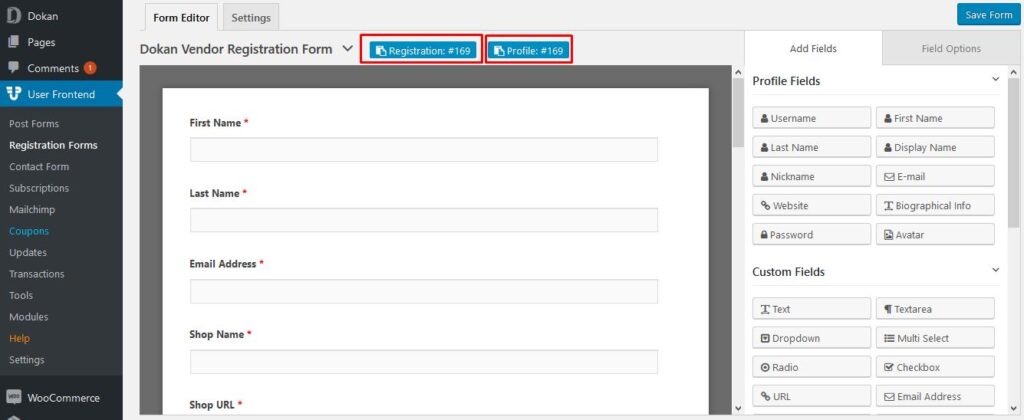
Creating an Optimized Vendor Registration Process
The registration form is the first interaction vendors have with your marketplace.
Collect only essential information such as:
Basic Information
- Name
- Email address
- Phone number
Business Details
- Company name
- Business type
- Tax information
Store Information
- Store name
- Store description
- Product categories
Avoid overwhelming vendors with unnecessary fields during initial registration.
Multi-Step Vendor Registration Forms
Long registration forms often reduce completion rates.
A multi-step process improves user experience.
Example:
Step 1
Personal Information
Step 2
Business Details
Step 3
Store Information
Step 4
Verification Documents
Step 5
Review and Submit
Breaking forms into smaller sections increases completion rates significantly.
Automating Vendor Verification
Verification is essential for marketplace trust and security.
Automated verification workflows can process:
Email Verification
Verify email ownership before activation.
Phone Verification
Use OTP verification systems.
Identity Verification
Collect:
- Government IDs
- Business licenses
- Tax documents
Address Verification
Confirm business locations when necessary.
Verification helps reduce fraud and maintain marketplace quality.
Automated Vendor Approval Workflows
Not every marketplace requires manual vendor approval.
Common approval models include:
Automatic Approval
Ideal for low-risk marketplaces.
Vendors can start selling immediately after registration.
Conditional Approval
Approval depends on:
- Verification completion
- Document submission
- Business category
Manual Review
Recommended for high-value marketplaces.
Automation can still assist by organizing applications and notifying administrators.
Welcome Email Automation
The onboarding experience should begin immediately after registration.
Automated welcome emails can include:
- Marketplace introduction
- Dashboard access information
- Vendor guidelines
- Next steps
Welcome emails help vendors feel supported from day one.
Vendor Training Automation
Many vendors need guidance before launching their stores.
Automated training systems can provide:
Video Tutorials
Explain marketplace workflows.
Knowledge Base Articles
Answer common questions.
Setup Checklists
Guide vendors through:
- Store setup
- Product uploads
- Payment configuration
Email Training Series
Deliver educational content over time.
Training automation improves vendor success rates.
Automated Store Setup Assistance
New vendors often struggle with store configuration.
Automation can guide them through:
Profile Completion
Encourage vendors to:
- Upload logos
- Add banners
- Complete store descriptions
Payment Setup
Assist with:
- Bank accounts
- PayPal integration
- Stripe configuration
Product Creation
Provide onboarding tips and templates.
Store setup automation accelerates seller readiness.
Notification Automation
Communication is essential during onboarding.
Automatically notify vendors about:
Registration Confirmation
Verification Status
Approval Updates
Missing Information
Store Setup Progress
Timely communication reduces confusion and support requests.
Progress Tracking Systems
Progress tracking motivates vendors to complete onboarding.
Examples include:
Completion Percentages
Display onboarding progress.
Task Checklists
Show pending requirements.
Achievement Milestones
Reward completed onboarding steps.
Progress tracking improves engagement and completion rates.
Automating Vendor Support
New vendors often require assistance.
Automation can provide:
Live Chat Bots
Answer common questions.
Knowledge Base Suggestions
Recommend relevant articles.
Ticket Routing
Automatically direct support requests.
FAQ Automation
Reduce repetitive support inquiries.
Support automation improves efficiency while maintaining vendor satisfaction.
Integrating CRM Systems
Vendor onboarding data can be synchronized with CRM platforms.
Benefits include:
- Vendor segmentation
- Automated follow-ups
- Lifecycle management
- Marketing automation
Popular CRM solutions include:
- FluentCRM
- HubSpot
- ActiveCampaign
CRM integration creates long-term vendor engagement opportunities.
Vendor Performance Monitoring
Automation should continue after onboarding.
Track:
Store Completion Rates
Product Upload Activity
Sales Performance
Customer Ratings
Vendor Engagement
Monitoring helps identify vendors who may require additional support.
Mobile-Friendly Vendor Onboarding
Many vendors register using mobile devices.
Ensure:
- Responsive registration forms
- Mobile verification workflows
- Easy document uploads
- Touch-friendly interfaces
Mobile optimization improves registration completion rates.
Security Best Practices
Vendor onboarding should prioritize security.
Implement:
CAPTCHA Protection
Prevent automated registrations.
Email Verification
Confirm account ownership.
Document Validation
Verify submitted information.
Fraud Detection
Monitor suspicious registrations.
Strong security protects the marketplace ecosystem.
Performance Optimization
Large marketplaces may process hundreds of vendor applications daily.
Recommended optimizations include:
LiteSpeed Cache
Improve dashboard performance.
Redis Object Cache
Reduce database load.
Cloudflare
Enhance speed and security.
Optimized Hosting
Support marketplace scalability.
Fast onboarding systems create better user experiences.
Recommended Plugin Stack
For advanced vendor onboarding automation:
Dokan Pro
Marketplace management.
Fluent Forms
Multi-step registration forms.
FluentCRM
Email automation and onboarding sequences.
WP Mail SMTP
Reliable email delivery.
Cloudflare
Security and performance.
LiteSpeed Cache
Marketplace optimization.
This stack creates a scalable onboarding environment.
Common Vendor Onboarding Challenges
Complex Registration Forms
Too many fields reduce completion rates.
Slow Approval Processes
Manual workflows delay activation.
Poor Communication
Lack of updates frustrates vendors.
Incomplete Profiles
Vendors may skip important setup steps.
Limited Training
Insufficient guidance impacts seller success.
Automation helps solve these challenges effectively.
Vendor Onboarding Automation Checklist
✓ Multi-Step Registration Form
✓ Email Verification
✓ Phone Verification
✓ Document Verification
✓ Automated Approval Workflow
✓ Welcome Email Sequence
✓ Vendor Training System
✓ Store Setup Guidance
✓ Progress Tracking
✓ CRM Integration
✓ Mobile Optimization
✓ Security Configuration
Final Thoughts
Vendor onboarding automation is one of the most effective ways to scale a Dokan marketplace. By automating registration, verification, approval, communication, training, and support processes, marketplace owners can create a smoother experience for vendors while reducing administrative workload.
With the right automation workflows, vendors can become productive sellers faster, leading to improved marketplace growth, better seller retention, and higher overall platform quality.
Whether you’re launching a new marketplace or scaling an established platform, investing in vendor onboarding automation is essential for long-term success.

Hire Me on Upwork – Dokan & WooCommerce Expert

 Chat on WhatsApp