
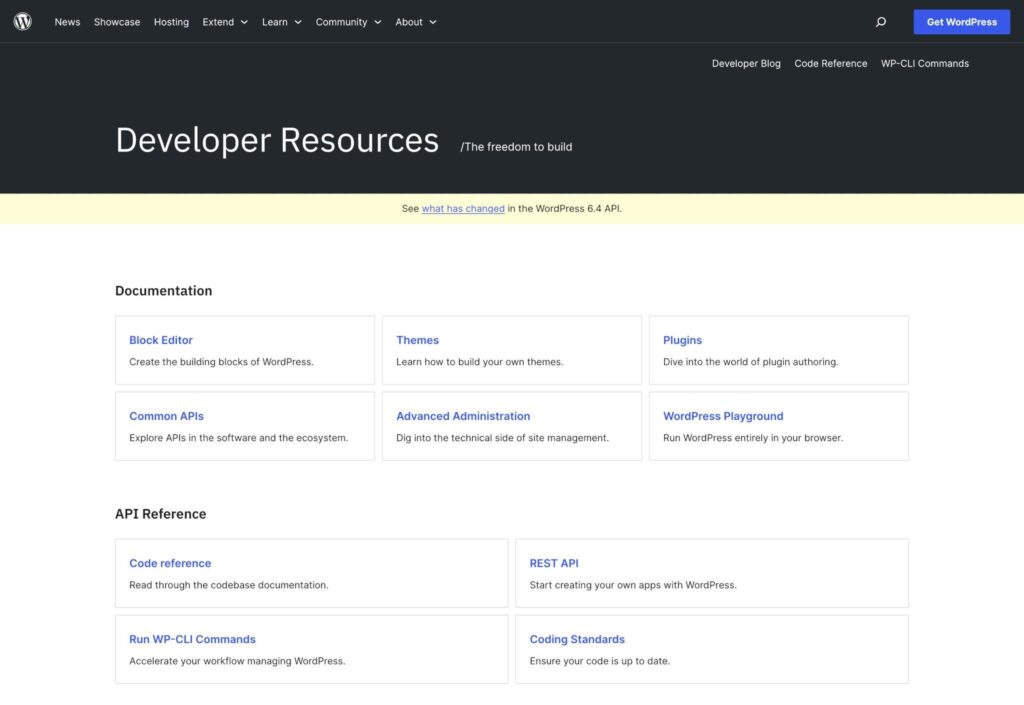
WordPress powers millions of websites worldwide, and one of the primary reasons for its popularity is its powerful plugin ecosystem. Plugins allow developers to extend WordPress functionality without modifying core files, making websites more flexible, scalable, and feature-rich.
Whether you’re a beginner WordPress developer or an experienced programmer looking to expand your skills, learning plugin development is one of the most valuable investments you can make.
In this guide, we’ll cover the basics of WordPress plugin development, including plugin structure, hooks, custom functionality, security, and best practices.
What Is a WordPress Plugin?
A WordPress plugin is a collection of PHP files, scripts, styles, and functions that add new features or modify existing functionality within a WordPress website.
Plugins can perform tasks such as:
- Creating custom forms
- Adding WooCommerce features
- Building membership systems
- Integrating APIs
- Creating custom dashboards
- Automating workflows
Plugins allow developers to customize WordPress without altering the core software.
Why Learn Plugin Development?
Learning plugin development offers several advantages.
Unlimited Customization
Build features that existing plugins don’t provide.
Client Solutions
Create custom functionality for client projects.
Better Performance
Develop lightweight solutions instead of installing multiple plugins.
Business Opportunities
Sell plugins or offer custom development services.
Marketplace Development
Create custom Dokan and WooCommerce extensions.
Plugin development is one of the most in-demand WordPress skills.
Understanding WordPress Plugin Architecture
A WordPress plugin works by interacting with WordPress core through hooks and APIs.
Key components include:
Plugin Files
Contain PHP code.
Hooks
Allow plugins to interact with WordPress.
Database Integration
Store and retrieve custom data.
Admin Interfaces
Provide settings and management screens.
Frontend Functionality
Display features to website visitors.
Understanding this architecture is essential before building advanced plugins.
Creating Your First Plugin
Every plugin starts with a folder and a PHP file.
Example structure:
my-custom-plugin/
└── my-custom-plugin.php
Inside the main plugin file, WordPress requires plugin information.
Example:
<?php
/*
Plugin Name: My Custom Plugin
Plugin URI: https://example.com
Description: A simple WordPress plugin.
Version: 1.0
Author: Your Name
*/
After saving the file, WordPress will detect the plugin automatically.
Plugin Folder Structure
As plugins grow, organization becomes important.
Recommended structure:
my-plugin/
│
├── assets/
│   ├── css/
│   ├── js/
│
├── includes/
│   ├── functions.php
│   ├── admin.php
│
├── templates/
│
└── my-plugin.php
This structure improves maintainability and scalability.
Understanding WordPress Hooks
Hooks are the foundation of WordPress plugin development.
There are two types:
Actions
Actions execute custom code at specific points.
Example:
add_action( 'wp_footer', 'custom_footer_message' );

function custom_footer_message() {
    echo 'Hello World!';
}
Filters
Filters modify existing data.
Example:
add_filter( 'the_title', 'custom_title' );

function custom_title( $title ) {
    return $title . ' ★';
}
Hooks allow developers to extend WordPress safely.
Creating Admin Menus
Many plugins require admin settings pages.
Example:
add_action('admin_menu', 'custom_plugin_menu');

function custom_plugin_menu() {
    add_menu_page(
        'Plugin Settings',
        'My Plugin',
        'manage_options',
        'my-plugin',
        'plugin_settings_page'
    );
}
Admin menus allow users to configure plugin settings.
Working with Custom Settings
WordPress provides a Settings API for storing plugin options.
Example:
update_option('plugin_name', 'My Plugin');Retrieve data:
$value = get_option('plugin_name');Settings help store plugin configurations efficiently.
Creating Custom Post Types
Many plugins use custom post types.
Examples:
- Events
- Listings
- Courses
- Portfolios
Example:
register_post_type('events');Custom post types create structured content systems.
Using Shortcodes
Shortcodes allow plugin functionality to appear anywhere on a website.
Example:
add_shortcode('hello_world', 'display_message');

function display_message() {
    return 'Hello from my plugin!';
}
Usage:
[hello_world]Shortcodes remain widely used in WordPress development.
Database Integration
Some plugins require custom database tables.
Example:
global $wpdb;
$table_name = $wpdb->prefix . 'custom_data';
Custom tables are useful for:
- Analytics
- Marketplace data
- Booking systems
- CRM applications
Always follow WordPress database standards.
AJAX in WordPress Plugins
AJAX improves user experiences by updating content without page reloads.
Common use cases:
- Live search
- Product filters
- Form submissions
- Notifications
WordPress provides built-in AJAX handlers for both logged-in and guest users.
AJAX is essential for modern plugin development.
REST API Integration
The WordPress REST API enables communication with external applications.
Examples:
- Mobile apps
- CRM systems
- Third-party platforms
- SaaS integrations
Example endpoint:
register_rest_route();REST API support improves scalability and flexibility.
Security Best Practices
Security should always be a priority.
Sanitize Input
Example:
sanitize_text_field();Escape Output
Example:
esc_html();Verify Nonces
Protect forms from CSRF attacks.
User Permissions
Check capabilities before allowing actions.
Example:
current_user_can();Security mistakes can compromise entire websites.
Plugin Performance Optimization
Poorly developed plugins can slow websites significantly.
Best practices include:
Minimize Database Queries
Avoid unnecessary requests.
Use Caching
Implement:
- Object caching
- Transients API
Load Assets Selectively
Only load scripts where needed.
Optimize AJAX Requests
Reduce server load.
Performance optimization improves user experience.
Plugin Internationalization
Prepare plugins for translation.
Example:
__('Hello World', 'plugin-text-domain');Benefits include:
- Multilingual support
- Global reach
- Better adoption
Translation-ready plugins appeal to wider audiences.
Plugin Licensing and Distribution
Popular distribution methods include:
WordPress Plugin Repository
Free plugins.
Premium Marketplaces
Sell commercial plugins.
Direct Sales
Independent licensing models.
Client Projects
Custom solutions for businesses.
Choose a model based on your goals.
Recommended Development Tools
Visual Studio Code
Popular code editor.
LocalWP
Local WordPress development.
Git
Version control.
Query Monitor
Debugging and performance analysis.
WP-CLI
WordPress command-line management.
These tools improve productivity and development quality.
Common Plugin Development Mistakes
Editing Core Files
Never modify WordPress core.
Ignoring Security
Always sanitize and validate data.
Poor Code Organization
Use modular structures.
Excessive Database Queries
Optimize performance.
Lack of Documentation
Maintain clear code comments.
Avoiding these mistakes improves long-term maintainability.
Plugin Development Checklist
✓ Create Plugin Structure
✓ Add Plugin Headers
✓ Register Hooks
✓ Build Admin Pages
✓ Create Settings
✓ Implement Security
✓ Optimize Performance
✓ Add AJAX Support
✓ Enable REST API Integration
✓ Prepare for Translation
✓ Test Thoroughly
✓ Document Code
Final Thoughts
WordPress plugin development is one of the most powerful skills a developer can learn. It allows you to create custom functionality, solve complex business problems, and build scalable solutions for clients and businesses.
By understanding hooks, custom post types, AJAX, REST APIs, security, performance optimization, and WordPress development standards, you can create professional plugins that integrate seamlessly with WordPress.
Whether you’re building WooCommerce extensions, Dokan marketplace features, custom business tools, or SaaS integrations, mastering plugin development opens endless opportunities within the WordPress ecosystem.

Hire Me on Upwork – Dokan & WooCommerce Expert

 Chat on WhatsApp