
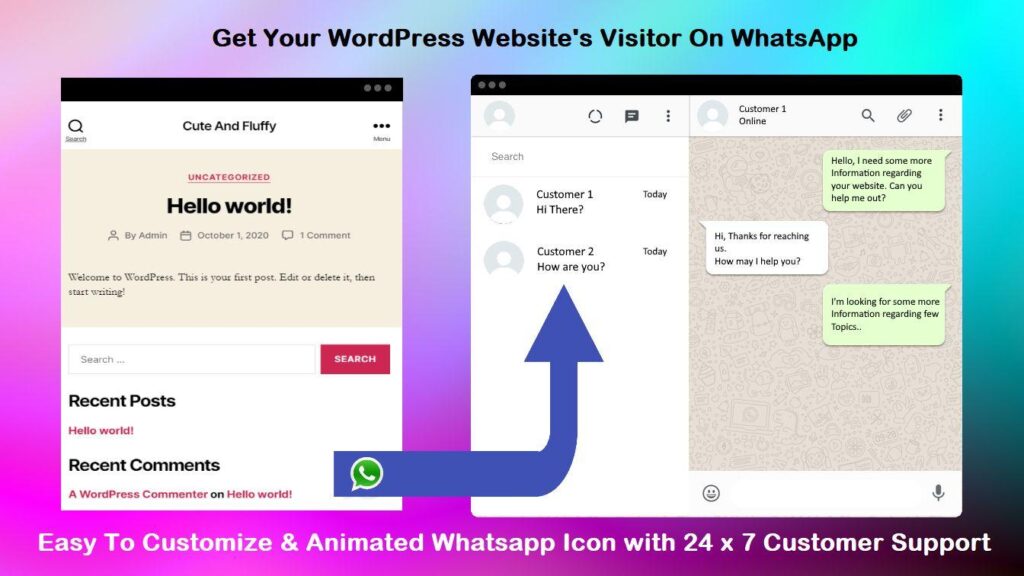
WordPress: WhatsApp Plugins for WordPress
Customer communication is a critical part of any successful website. Whether you’re running a business website, WooCommerce store, online course platform, membership website, or multi-vendor marketplace, providing instant communication can significantly improve user experience and increase conversions.
One of the most effective communication tools today is WhatsApp. With over two billion active users worldwide, WhatsApp has become the preferred messaging platform for businesses and customers alike.
Fortunately, WordPress offers several excellent WhatsApp plugins that make it easy to connect with visitors, automate communication, and provide better customer support.
In this guide, we’ll explore the best WhatsApp plugins for WordPress and how they can benefit your website.
Why Add WhatsApp to WordPress?
Adding WhatsApp to your website provides several advantages:
Instant Communication
Customers can contact you immediately.
Better Customer Support
Answer questions quickly and efficiently.
Higher Conversion Rates
Fast responses increase sales opportunities.
Improved Customer Trust
Direct communication builds confidence.
Mobile-Friendly Experience
Perfect for smartphone users.
WhatsApp has become an essential communication channel for modern businesses.
Benefits of WhatsApp Integration
Businesses use WhatsApp for:
- Customer support
- Product inquiries
- Appointment bookings
- Lead generation
- Sales conversations
- Order updates
- Marketing campaigns
The ability to communicate instantly often leads to higher engagement and conversions.
Best WhatsApp Plugins for WordPress
1. Join.chat
One of the most popular WhatsApp plugins for WordPress.
Features:
- Floating WhatsApp button
- Multiple support agents
- Pre-filled messages
- WooCommerce support
- Mobile optimization
Best For
- Business websites
- WooCommerce stores
- Service providers
Advantages
- Easy setup
- Lightweight
- Highly customizable
Join.chat is one of the best all-around solutions.
2. Click to Chat
Simple and lightweight WhatsApp integration plugin.
Features:
- Floating chat button
- Custom messages
- Mobile support
- Page targeting
Best For
- Small businesses
- Blogs
- Landing pages
Advantages
- Fast setup
- Minimal performance impact
A great solution for beginners.
3. WP Social Chat
Advanced WhatsApp communication plugin.
Features:
- Multiple agents
- Business hours
- Agent photos
- Pre-filled messages
Best For
- Customer support teams
- Agencies
- Service businesses
Advantages
- Professional support experience
- Team collaboration
Ideal for businesses with multiple support staff.
4. Buttonizer
Multi-channel communication plugin.
Features:
- WhatsApp buttons
- Phone call buttons
- Email buttons
- Social media integration
Best For
- Businesses needing multiple communication options.
Advantages
- Flexible communication setup
- Highly customizable
Excellent for lead generation websites.
5. Chaty
Multi-channel messaging solution.
Features:
- WhatsApp integration
- Messenger integration
- Telegram support
- Email buttons
Best For
- International businesses
- Multi-platform communication
Advantages
- Supports numerous communication channels.
Perfect for businesses serving diverse audiences.
6. Fluent Support with WhatsApp Integration
Customer support system with automation capabilities.
Features:
- Ticket management
- Customer communication
- Automation workflows
Best For
- Customer support teams
- WooCommerce stores
Advantages
- Centralized support management
Ideal for growing businesses.
WhatsApp for WooCommerce Stores
WhatsApp can improve eCommerce experiences significantly.
Popular use cases:
Product Inquiries
Order Support
Shipping Questions
Custom Orders
Cart Recovery
Communication often increases sales conversions.
WhatsApp for Service Businesses
Service providers can use WhatsApp for:
Appointment Scheduling
Consultation Requests
Project Discussions
Customer Support
Many customers prefer messaging over phone calls.
WhatsApp for Multi-Vendor Marketplaces
Marketplace owners can enable:
Vendor Communication
Product Questions
Store Inquiries
Order Support
Direct communication improves customer satisfaction.
Pre-Filled WhatsApp Messages
Pre-filled messages simplify customer interactions.
Example:
Hi, I would like more information about your services.
Or:
I am interested in purchasing this product.
Pre-filled messages increase engagement.
WhatsApp Click-to-Chat Links
Simple format:
https://wa.me/919876543210
Pre-filled message:
https://wa.me/919876543210?text=I%20need%20support
These links can be added anywhere on your website.
WhatsApp Business API Integration
Larger businesses may require advanced features.
Capabilities include:
Automated Replies
Message Templates
Customer Segmentation
Marketing Campaigns
Analytics
The WhatsApp Business API supports enterprise-level communication.
WhatsApp Automation Possibilities
Automate:
Welcome Messages
Order Notifications
Appointment Confirmations
Follow-Up Messages
Customer Surveys
Automation saves time and improves user experience.
Mobile Experience Benefits
Most WhatsApp users are mobile users.
Advantages include:
One-Click Communication
Faster Responses
Better User Experience
Improved Conversion Rates
Mobile optimization is a major benefit of WhatsApp.
Security and Privacy Considerations
Protect customer information by implementing:
Privacy Policies
User Consent
Secure Integrations
Data Protection Measures
GDPR Compliance
Security and transparency build customer trust.
Performance Considerations
Most WhatsApp plugins are lightweight, but always monitor:
Page Speed
Third-Party Scripts
Mobile Performance
Core Web Vitals
Choose optimized plugins to avoid slowing your website.
Recommended Plugin Stack
For business websites:
Join.chat
WhatsApp communication.
Fluent Forms
Lead generation forms.
FluentCRM
Marketing automation.
WP Mail SMTP
Reliable notifications.
LiteSpeed Cache
Performance optimization.
Cloudflare
Security and CDN.
This stack provides an excellent communication system.
Common WhatsApp Plugin Mistakes
Using Too Many Chat Widgets
Can clutter the website.
No Mobile Optimization
Hurts user experience.
Poor Message Customization
Reduces engagement.
Ignoring Privacy Regulations
Creates compliance risks.
Not Tracking Performance
Misses optimization opportunities.
Avoiding these mistakes improves results.
WhatsApp Plugin Selection Checklist
✓ Easy Setup
✓ Mobile Optimization
✓ Multiple Agent Support
✓ Pre-Filled Messages
✓ WooCommerce Compatibility
✓ Automation Features
✓ Customization Options
✓ Performance Optimization
✓ Privacy Compliance
✓ Analytics Support
✓ Customer Support Features
✓ Business Scalability
Final Thoughts
WhatsApp has become one of the most effective communication channels for businesses of all sizes. By integrating WhatsApp into your WordPress website, you can provide instant support, improve customer engagement, increase conversions, and build stronger relationships with your audience.
Whether you’re running a blog, business website, WooCommerce store, service platform, or multi-vendor marketplace, the right WhatsApp plugin can significantly improve your communication strategy and customer experience.
Choose a plugin that aligns with your business goals, keep performance in mind, and continuously optimize your communication workflows for the best results.

Hire Me on Upwork – Dokan & WooCommerce Expert

 Chat on WhatsApp