
WordPress: Inventory Management Plugins Compared
Managing inventory efficiently is essential for any online business. Whether you operate a WooCommerce store, a multi-vendor marketplace, a wholesale business, or a retail operation, choosing the right inventory management plugin can significantly improve productivity, reduce stock errors, and automate daily operations.
WordPress offers dozens of inventory management plugins, each designed for different business needs. Some focus on simple stock tracking, while others provide advanced warehouse management, barcode scanning, purchase orders, supplier management, and ERP integrations.
In this guide, we’ll compare the most popular WordPress inventory management plugins, highlighting their features, strengths, limitations, and ideal use cases.
Why Use an Inventory Management Plugin?
An inventory management plugin helps automate stock control and improves operational efficiency.
Benefits include:
- Accurate stock tracking
- Automatic inventory updates
- Low-stock alerts
- Multi-warehouse support
- Purchase order management
- Supplier tracking
- Barcode scanning
- Sales reporting
As your business grows, inventory automation becomes increasingly important.
Key Features to Look For
Before selecting a plugin, consider whether it supports:
- Real-time stock updates
- Bulk product editing
- Barcode management
- SKU tracking
- Purchase orders
- Supplier management
- Multi-location inventory
- Reporting and analytics
- API integrations
- ERP compatibility
Choose a solution based on your business size and workflow.
1. ATUM Inventory Management
ATUM is one of the most comprehensive inventory management plugins available for WooCommerce.
Best For
- Medium to large WooCommerce stores
- Wholesale businesses
- Multi-location inventory
Key Features
- Central inventory dashboard
- Purchase order management
- Supplier management
- Inventory reports
- Stock forecasting
- Product analytics
Pros
✔ Professional dashboard
✔ Excellent reporting
✔ Modular extensions
✔ Regular updates
Cons
- Advanced features require premium add-ons.
Overall, ATUM is an excellent choice for growing businesses.
2. Smart Manager for WooCommerce
Smart Manager focuses on bulk product management.
Best For
- Stores with thousands of products
- Fast inventory editing
Features
- Spreadsheet-style editor
- Bulk stock updates
- Bulk pricing changes
- Order management
- Customer management
Pros
✔ Extremely fast editing
✔ Saves time
✔ Easy to use
Cons
- Limited warehouse management features.
Perfect for stores with large catalogs.
3. Stock Manager for WooCommerce
A lightweight inventory plugin.
Best For
- Small stores
- Beginners
Features
- Stock quantity updates
- SKU management
- Product search
- Simple inventory interface
Pros
✔ Free
✔ Lightweight
✔ Easy setup
Cons
- Limited advanced functionality.
A good starting point for smaller businesses.
4. WooCommerce Multi Locations Inventory
Designed for businesses operating multiple warehouses.
Best For
- Multi-location stores
- Regional fulfillment
Features
- Warehouse-level stock
- Location management
- Stock transfers
- Warehouse reporting
Pros
✔ Multi-warehouse support
✔ Inventory synchronization
Cons
- More complex configuration.
Ideal for businesses with distributed inventory.
5. WP Inventory Manager
Suitable for businesses beyond eCommerce.
Best For
- Equipment tracking
- Asset management
- Rental businesses
Features
- Inventory records
- Categories
- Custom fields
- Search functionality
Pros
✔ Flexible
✔ Customizable
Cons
- Not specifically designed for WooCommerce.
Good for general inventory management.
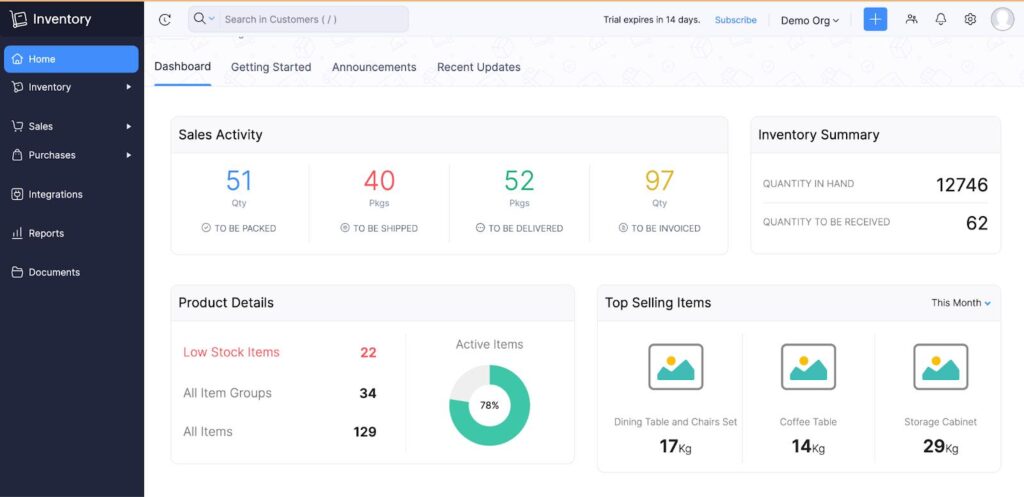
6. Zoho Inventory Integration
Connect WooCommerce with Zoho Inventory.
Best For
- Growing businesses
- ERP integration
Features
- Inventory synchronization
- Order synchronization
- Warehouse management
- Purchase orders
Pros
✔ Powerful cloud platform
✔ Excellent automation
Cons
- Requires a Zoho subscription.
Excellent for scaling businesses.
7. Odoo ERP Integration
Suitable for enterprise-level businesses.
Features
- Inventory management
- Manufacturing
- Accounting
- CRM
- Warehouse management
Best For
Large businesses requiring ERP functionality.
Plugin Comparison Table
| Feature | ATUM | Smart Manager | Stock Manager | Multi Locations | Zoho |
|---|---|---|---|---|---|
| Stock Tracking | ✅ | ✅ | ✅ | ✅ | ✅ |
| Bulk Editing | ✅ | ✅ | Limited | Limited | ✅ |
| Purchase Orders | ✅ | ❌ | ❌ | ❌ | ✅ |
| Supplier Management | ✅ | ❌ | ❌ | ❌ | ✅ |
| Multi-Warehouse | Extension | ❌ | ❌ | ✅ | ✅ |
| ERP Integration | Limited | ❌ | ❌ | ❌ | ✅ |
| Analytics | ✅ | Limited | Basic | Basic | Advanced |
Inventory Automation
Advanced plugins automate:
Stock Updates
Purchase Orders
Supplier Notifications
Reorder Alerts
Warehouse Transfers
Automation reduces manual work and human error.
Barcode & SKU Management
Choose plugins that support:
Barcode Scanning
QR Codes
SKU Generation
Product Identification
Barcode systems improve warehouse efficiency.
Demand Forecasting
Some plugins include forecasting tools that analyze:
- Sales history
- Seasonal demand
- Customer behavior
- Product trends
Forecasting helps maintain optimal inventory levels.
Purchase Order Management
Advanced inventory plugins allow you to:
- Create purchase orders
- Send supplier requests
- Track deliveries
- Update stock automatically
Purchase order automation improves procurement.
Supplier Management
Track:
Supplier Contacts
Product Availability
Lead Times
Purchase History
Strong supplier management supports business growth.
Multi-Warehouse Support
If you manage multiple warehouses, look for:
Warehouse Routing
Inventory Transfers
Warehouse Reports
Regional Stock Levels
These features improve fulfillment efficiency.
Reporting & Analytics
Monitor important KPIs:
Inventory Value
Stock Turnover
Slow-Moving Products
Best Sellers
Low Stock Alerts
Supplier Performance
Analytics help optimize inventory decisions.
Performance Considerations
Large inventories require optimization.
Recommended tools:
LiteSpeed Cache
Redis Object Cache
Cloudflare CDN
Database Optimization
Image Compression
Fast websites improve user experience and administration.
Security Best Practices
Protect inventory data with:
Role-Based Access
Activity Logs
Two-Factor Authentication
Daily Backups
Secure APIs
Inventory data is a valuable business asset.
Recommended Plugin Stack
WooCommerce
Core eCommerce platform.
ATUM Inventory Management
Advanced inventory control.
Smart Manager
Bulk editing.
WooCommerce Multi Locations Inventory
Warehouse management.
WP Mail SMTP
Reliable notifications.
LiteSpeed Cache
Performance optimization.
Redis Object Cache
Object caching.
Cloudflare
Security and CDN.
This combination supports businesses ranging from small stores to enterprise-level operations.
Common Inventory Plugin Mistakes
Choosing Features You Don’t Need
Can increase complexity and costs.
Ignoring Scalability
Outgrowing your plugin can require costly migrations.
No Inventory Automation
Leads to manual errors.
Weak Reporting
Makes purchasing decisions difficult.
Poor Performance Optimization
Large inventories become slow.
No Backup Strategy
Risks inventory data loss.
Selecting the right plugin from the beginning saves time and resources.
Inventory Plugin Selection Checklist
✅ Real-Time Stock Tracking
✅ Bulk Editing
✅ Barcode Support
✅ SKU Management
✅ Purchase Orders
✅ Supplier Management
✅ Multi-Warehouse Support
✅ Reporting & Analytics
✅ ERP Integration
✅ API Support
✅ Performance Optimization
✅ Security Features
Final Thoughts
The best inventory management plugin depends on your business size, inventory complexity, and future growth plans. Small stores may only need basic stock tracking, while enterprise businesses often require warehouse management, ERP integrations, supplier automation, and advanced analytics.
For most WooCommerce stores, ATUM Inventory Management offers the best balance of features, usability, and scalability. Businesses managing thousands of products can benefit from Smart Manager, while companies with multiple warehouses should consider WooCommerce Multi Locations Inventory or an ERP-integrated solution like Zoho Inventory.
Evaluate your operational needs, choose a scalable solution, and invest in automation to create an efficient inventory management system that supports long-term business growth.

Hire Me on Upwork – Dokan & WooCommerce Expert

 Chat on WhatsApp