
WordPress: Service Booking Websites (Complete Guide)
The demand for online service booking websites has grown rapidly as customers increasingly prefer booking appointments, consultations, and professional services online. Whether you’re running a salon, clinic, law firm, digital agency, fitness studio, or home service business, a professional booking website allows customers to schedule services 24/7 while reducing manual administration.
WordPress is one of the best platforms for creating service booking websites thanks to its flexibility, scalability, and vast plugin ecosystem. Combined with WooCommerce and booking plugins, WordPress can automate appointments, payments, reminders, and customer management.
This guide covers everything you need to build a modern WordPress service booking website.
What is a Service Booking Website?
A service booking website allows customers to:
- Book appointments online
- Choose available dates and time slots
- Pay securely
- Receive automated confirmations
- Manage bookings
- Reschedule or cancel appointments
The entire booking process is automated, improving efficiency for both customers and business owners.
Businesses That Need Booking Websites
WordPress booking systems work for many industries.
Healthcare Clinics
Doctors, dentists, physiotherapists, psychologists.
Beauty & Wellness
Salons, spas, barbers, makeup artists.
Professional Services
Lawyers, accountants, consultants.
Education
Tutors, coaches, online teachers.
Home Services
Electricians, plumbers, cleaners, gardeners.
Fitness
Gyms, yoga instructors, personal trainers.
Photography
Photo shoots and event bookings.
IT & Digital Agencies
Consultations, website audits, technical support.
Nearly any appointment-based business can benefit from online booking.
Why Use WordPress?
WordPress offers several advantages.
Affordable Development
Lower costs than custom software.
Easy Content Management
Update pages without coding.
Thousands of Plugins
Add features as your business grows.
SEO Friendly
Built for search engine visibility.
WooCommerce Integration
Accept online payments with ease.
Scalable
Suitable for small businesses and large enterprises.
Essential Features
A professional booking website should include:
- Online booking calendar
- Staff scheduling
- Appointment management
- Secure payments
- Customer accounts
- Automated email reminders
- SMS notifications
- Service categories
- Reviews & ratings
- Mobile-friendly design
These features improve customer satisfaction and reduce administrative work.
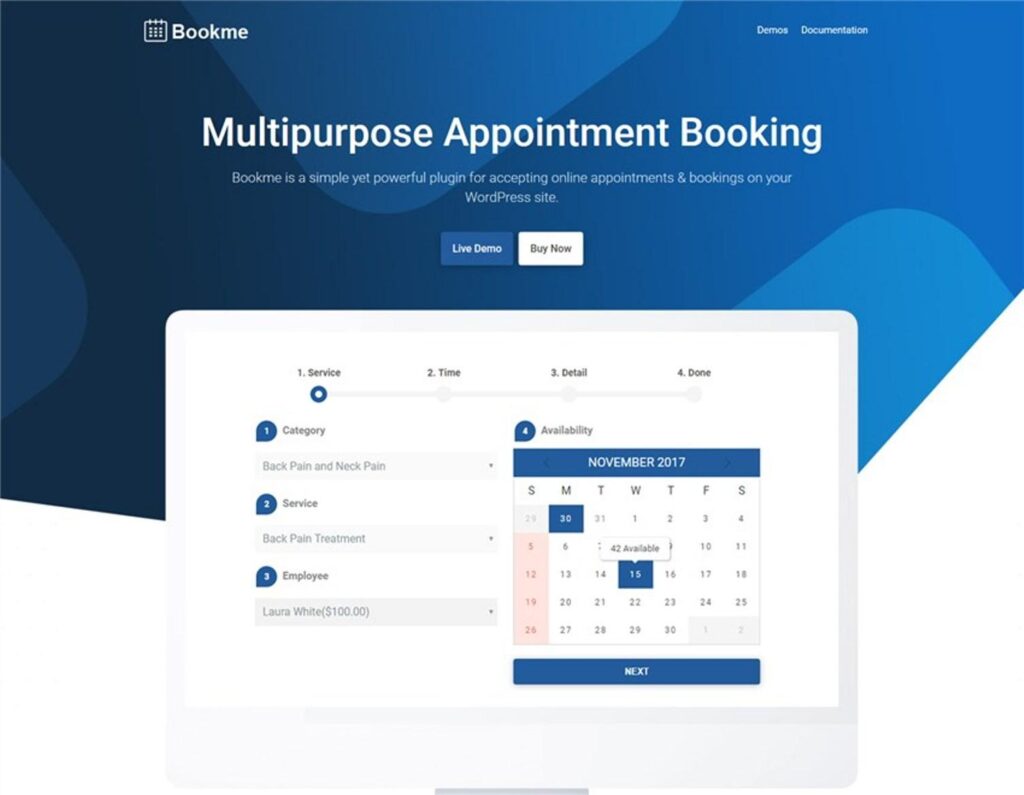
Booking Calendar
Customers should be able to:
View Available Dates
Select Time Slots
Book Instantly
See Unavailable Dates
Choose Preferred Staff
Real-time availability prevents double bookings.
Appointment Scheduling
Offer flexible appointment options.
Hourly Appointments
Daily Bookings
Group Sessions
Virtual Meetings
Custom Time Slots
Flexible scheduling accommodates different business models.
Staff Management
Businesses with multiple employees can allow customers to choose:
Service Provider
Staff Availability
Working Hours
Holiday Schedule
Break Times
Proper scheduling prevents conflicts.
Service Listings
Each service page should include:
Service Name
Detailed Description
Duration
Price
Images
FAQs
Customer Reviews
Well-structured pages increase bookings.
Pricing Models
Support different pricing strategies.
Fixed Price
One price per service.
Hourly Billing
Ideal for consultants.
Package Pricing
Basic, Standard, Premium.
Subscription Plans
Recurring services.
Custom Quotes
Allow customers to request pricing.
Flexible pricing attracts different customer segments.
Online Payments
Accept secure payments using:
Stripe
PayPal
Razorpay
WooCommerce Payments
Bank Transfer
Multiple payment methods increase booking completion rates.
Customer Dashboard
Allow customers to:
- View appointments
- Download invoices
- Reschedule bookings
- Cancel appointments
- Update profile
- Track payment history
A customer portal improves the user experience.
Automated Notifications
Send automatic notifications for:
Booking Confirmation
Appointment Reminder
Payment Receipt
Cancellation Notice
Follow-Up Email
Automation reduces missed appointments.
SMS & WhatsApp Integration
Improve communication using:
SMS Reminders
WhatsApp Booking Confirmations
Appointment Updates
Customer Support Messages
Instant notifications improve attendance rates.
Search & Filters
Help visitors quickly find services.
Popular filters include:
Category
Location
Staff Member
Price
Availability
Rating
Advanced filtering improves usability.
Customer Reviews
Display reviews for:
Service Quality
Professionalism
Communication
Value for Money
Overall Experience
Positive reviews increase trust and conversions.
Membership & Subscription Services
Offer recurring plans such as:
Monthly Coaching
Maintenance Services
Wellness Memberships
Support Plans
Premium Consultations
Recurring subscriptions create predictable revenue.
SEO for Booking Websites
Optimize pages using keywords such as:
- Book appointment online
- WordPress booking website
- Online consultation
- Business appointment booking
- Service booking software
Create dedicated landing pages for each service and location.
Marketing Strategies
Promote your booking website through:
Google Ads
Local SEO
Facebook & Instagram Ads
LinkedIn Marketing
Email Campaigns
Referral Programs
Content Marketing
A consistent marketing strategy increases appointments.
Mobile Optimization
Ensure your website includes:
Responsive Design
Mobile Booking Calendar
Fast Checkout
Click-to-Call
WhatsApp Integration
Most customers book services from mobile devices.
AI Features
Modern booking websites can include:
AI Chatbot
Smart Appointment Suggestions
Automated FAQ Responses
Personalized Service Recommendations
AI Scheduling Assistant
AI enhances both customer support and booking efficiency.
Analytics & Reporting
Track important business metrics.
Total Bookings
Revenue
Cancellation Rate
Customer Retention
Most Popular Services
Staff Performance
Analytics support better business decisions.
Performance Optimization
Fast booking websites improve user experience.
Recommended tools:
LiteSpeed Cache
Redis Object Cache
Cloudflare CDN
Image Optimization
Database Cleanup
Website speed positively impacts SEO and conversions.
Security Best Practices
Protect customer information using:
SSL Certificate
Secure Payment Processing
Two-Factor Authentication
Daily Backups
Role-Based Permissions
Malware Protection
Security builds trust and protects customer data.
Best WordPress Booking Plugins
Amelia
An advanced appointment booking plugin with staff scheduling, automated notifications, and online payments.
Best For
Clinics, salons, consultants, and agencies.
WooCommerce Bookings
Official WooCommerce booking solution for appointments and reservations.
Best For
Businesses already using WooCommerce.
Bookly Pro
A flexible booking system with calendar management and payment integration.
Best For
Appointment-based businesses.
Simply Schedule Appointments
A lightweight booking plugin with an easy setup process.
Best For
Freelancers and small businesses.
FluentBooking
A modern booking solution with calendar synchronization and meeting scheduling.
Best For
Consultants, agencies, and remote teams.
Recommended Plugin Stack
WordPress
Website platform.
WooCommerce
Online payments.
Amelia
Appointment management.
FluentBooking
Meeting scheduling.
FluentCRM
Customer relationship management.
FluentSMTP
Reliable email delivery.
Better Messages
Customer communication.
Rank Math SEO
Search engine optimization.
LiteSpeed Cache
Performance optimization.
Redis Object Cache
Database caching.
Cloudflare
Security and CDN.
This plugin stack creates a professional service booking website.
Common Booking Website Mistakes
No Online Payments
Reduces booking convenience.
Complicated Booking Forms
Increases abandonment.
Poor Mobile Experience
Loses mobile users.
No Appointment Reminders
Results in missed bookings.
Weak SEO
Reduces organic traffic.
Slow Website
Hurts conversions.
Avoiding these mistakes creates a better customer experience.
Service Booking Website Checklist
✅ Online Booking Calendar
✅ Appointment Scheduling
✅ Staff Management
✅ Service Listings
✅ Secure Payments
✅ Customer Dashboard
✅ Automated Notifications
✅ SMS & WhatsApp Integration
✅ Customer Reviews
✅ Membership Plans
✅ SEO Optimization
✅ Mobile Optimization
✅ Analytics Dashboard
✅ Performance Optimization
✅ Security Hardening
Final Thoughts
WordPress is an excellent platform for building professional service booking websites. Whether you operate a medical clinic, consulting agency, fitness studio, beauty salon, or freelance business, WordPress offers the flexibility to automate appointments, accept online payments, manage customers, and grow your business.
By combining WordPress with WooCommerce, booking plugins, CRM tools, and marketing automation, you can create a seamless booking experience that saves time, improves customer satisfaction, and increases revenue. As your business grows, continue refining your booking process, optimizing performance, and using analytics to deliver an even better customer experience.

Hire Me on Upwork – Dokan & WooCommerce Expert

 Chat on WhatsApp