
WooCommerce: WooCommerce Performance Testing (Complete Guide)
Website performance directly impacts customer experience, search engine rankings, and online sales. Research consistently shows that even a one-second delay in page loading can reduce conversions and increase bounce rates. For WooCommerce stores handling thousands of products, multiple payment gateways, and high traffic volumes, performance testing is not optional—it’s essential.
WooCommerce Performance Testing helps identify bottlenecks, optimize server resources, improve Core Web Vitals, and ensure your store remains fast and reliable during normal operations and peak shopping events.
This comprehensive guide covers everything you need to know about testing, monitoring, and optimizing WooCommerce performance.
What is WooCommerce Performance Testing?
Performance testing evaluates how a WooCommerce store behaves under different conditions.
It measures:
- Website Speed
- Server Performance
- Database Efficiency
- Checkout Speed
- Search Performance
- Product Page Loading
- API Response Time
- Scalability
- Stability Under Load
Performance testing ensures customers enjoy a smooth shopping experience.
Why Performance Testing Matters
Testing your WooCommerce store provides several benefits.
Faster User Experience
Quick-loading pages reduce frustration.
Higher Search Rankings
Google rewards fast websites with better visibility.
Better Conversion Rates
Customers complete purchases more often on responsive stores.
Reduced Server Downtime
Identify infrastructure issues before they affect visitors.
Lower Bounce Rate
Visitors stay longer on fast websites.
Improved Scalability
Prepare your store for traffic spikes and business growth.
Key Performance Indicators (KPIs)
Track these important metrics:
Page Load Time
Target: Under 2 seconds.
Time to First Byte (TTFB)
Target: Under 200 milliseconds.
Largest Contentful Paint (LCP)
Target: Less than 2.5 seconds.
Interaction to Next Paint (INP)
Measure responsiveness to user interactions.
Cumulative Layout Shift (CLS)
Target: Less than 0.1.
Server Response Time
Monitor backend performance.
Error Rate
Keep failed requests below 1%.
Homepage Performance Testing
Evaluate:
Hero Banner Loading
Navigation Speed
Featured Products
Dynamic Content
Search Bar
Category Navigation
The homepage creates the first impression for visitors.
Product Page Testing
Measure:
Product Image Loading
Gallery Performance
Variation Selection
Add-to-Cart Speed
Product Reviews
Related Products
Fast product pages improve conversions.
Category Page Testing
Analyze:
Product Grid Loading
Filters
Sorting
Pagination
Infinite Scroll
Category Images
Optimized category pages help customers find products quickly.
Search Performance Testing
Evaluate:
Product Search Speed
Auto-Suggestions
Search Accuracy
Filter Performance
Search Result Loading
A fast search system improves product discovery.
Cart Performance Testing
Monitor:
Add-to-Cart Response
Cart Updates
Coupon Application
Shipping Calculation
Tax Calculation
Cart Persistence
A slow cart often leads to abandoned purchases.
Checkout Performance Testing
Test:
Checkout Page Speed
Address Validation
Payment Processing
Order Creation
Email Confirmation
Thank You Page
Fast checkout reduces cart abandonment.
Payment Gateway Testing
Evaluate:
Stripe
PayPal
Razorpay
Authorize.Net
Bank Transfer
Apple Pay
Google Pay
Monitor payment success rates and response times.
Database Performance Testing
Analyze:
Query Speed
Database Size
Slow Queries
Index Usage
Table Optimization
Object Cache Efficiency
Database optimization is critical for large stores.
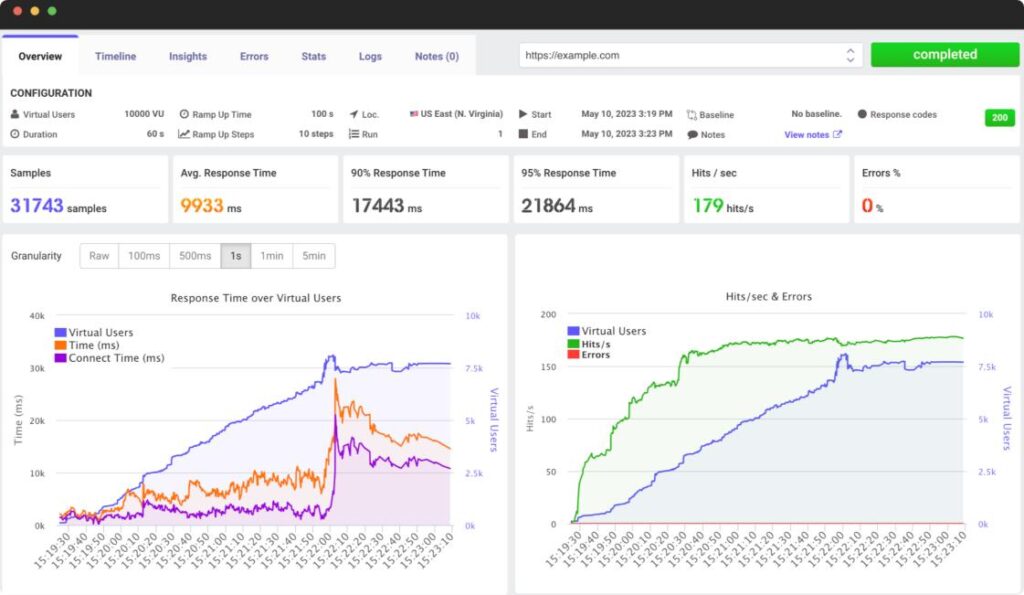
Load Testing
Simulate multiple visitors accessing your website simultaneously.
Test scenarios:
100 Concurrent Users
500 Concurrent Users
1,000 Concurrent Users
Flash Sale Traffic
Black Friday
Holiday Shopping
Load testing identifies scalability limits.
Stress Testing
Push your infrastructure beyond normal capacity.
Measure:
Maximum Concurrent Users
Server Recovery Time
Error Threshold
Resource Consumption
Stress testing helps identify breaking points.
Scalability Testing
Ensure your WooCommerce store can grow.
Evaluate:
Product Catalog Growth
User Growth
Order Volume
API Requests
Background Jobs
Scalable systems support long-term business expansion.
API Performance Testing
Test WooCommerce REST API performance.
Measure:
Product API
Order API
Customer API
Inventory API
Authentication
Webhooks
Fast APIs improve integrations and automation.
Mobile Performance Testing
Test on smartphones and tablets.
Evaluate:
Mobile Speed
Touch Responsiveness
Mobile Checkout
Responsive Images
Mobile Navigation
Google’s mobile-first indexing makes this essential.
Browser Compatibility Testing
Verify performance across:
Chrome
Firefox
Safari
Edge
Opera
Ensure a consistent experience across browsers.
Core Web Vitals Optimization
Improve Google’s performance metrics.
Largest Contentful Paint (LCP)
Optimize images, caching, and server response.
Interaction to Next Paint (INP)
Reduce JavaScript execution and optimize event handling.
Cumulative Layout Shift (CLS)
Reserve space for images and dynamic elements.
Monitoring Server Resources
Track:
CPU Usage
Memory Usage
Disk I/O
PHP Workers
MySQL Load
Network Usage
Server monitoring prevents unexpected slowdowns.
Performance Optimization Techniques
Improve WooCommerce performance using:
LiteSpeed Cache
Redis Object Cache
OPcache
Cloudflare CDN
Image Compression
Lazy Loading
CSS Minification
JavaScript Minification
Database Cleanup
Background Processing
These optimizations significantly improve speed.
AI-Powered Performance Analysis
AI tools can provide:
Performance Predictions
Bottleneck Detection
Cache Recommendations
Traffic Forecasting
Server Optimization Suggestions
Resource Allocation Insights
AI helps proactively optimize your infrastructure.
Best Performance Testing Tools
Google PageSpeed Insights
Analyzes Core Web Vitals and provides optimization recommendations.
Best For
Page speed optimization.
GTmetrix
Measures loading performance and waterfall analysis.
Best For
Detailed frontend analysis.
WebPageTest
Tests websites from multiple locations and devices.
Best For
Advanced performance diagnostics.
Query Monitor
Analyzes WordPress database queries, hooks, and PHP performance.
Best For
Developer debugging.
Apache JMeter
Enterprise-grade load and stress testing tool.
Best For
Large-scale performance testing.
K6
Modern load testing platform for APIs and web applications.
Best For
Automation and CI/CD pipelines.
New Relic
Application performance monitoring with deep server insights.
Best For
Enterprise WooCommerce stores.
Recommended Performance Stack
WooCommerce
Core eCommerce platform.
LiteSpeed Cache
Page caching and optimization.
Redis Object Cache
Object caching.
Cloudflare
CDN, DNS, and security.
Query Monitor
Developer diagnostics.
GTmetrix
Performance testing.
Google PageSpeed Insights
Core Web Vitals monitoring.
New Relic
Server monitoring.
UpdraftPlus
Automated backups.
WP Mail SMTP
Reliable email delivery.
This stack ensures a fast and reliable WooCommerce store.
Common Performance Testing Mistakes
Testing Only the Homepage
Include product, cart, checkout, and account pages.
Ignoring Mobile Devices
Mobile traffic often exceeds desktop traffic.
Skipping Load Testing
Test with realistic visitor volumes.
Overlooking Database Performance
Slow queries affect the entire store.
Not Monitoring Third-Party Plugins
Poorly coded plugins can reduce performance.
Ignoring Core Web Vitals
Optimize continuously to maintain rankings.
Avoiding these mistakes helps maintain a high-performing store.
WooCommerce Performance Testing Checklist
✅ Homepage Testing
✅ Product Page Testing
✅ Category Testing
✅ Search Performance
✅ Cart Performance
✅ Checkout Performance
✅ Payment Gateway Testing
✅ Database Optimization
✅ Load Testing
✅ Stress Testing
✅ Scalability Testing
✅ API Testing
✅ Mobile Performance
✅ Browser Compatibility
✅ Core Web Vitals Optimization
✅ Server Resource Monitoring
✅ AI Performance Insights
Final Thoughts
WooCommerce Performance Testing is an ongoing process that ensures your online store remains fast, reliable, and scalable. Regular testing of page speed, checkout performance, database efficiency, APIs, and server resources helps you deliver an excellent shopping experience while protecting your business from traffic spikes and unexpected slowdowns.
By combining performance testing with caching, CDN services, database optimization, and continuous monitoring, you can build a WooCommerce store that performs exceptionally well during everyday operations and high-demand sales events. A proactive approach to performance not only improves customer satisfaction but also strengthens SEO, increases conversions, and supports long-term business growth.

Hire Me on Upwork – Dokan & WooCommerce Expert

 Chat on WhatsApp