Understood. What Is WordPress? A Complete Beginner’s Guide
Introduction
If you are planning to create a website but don’t know where to start, you have probably heard about WordPress. It is one of the most popular website-building platforms in the world.
Whether you want to build a personal blog, business website, portfolio, online store, or multi-vendor marketplace, WordPress provides the tools and flexibility to make it happen.
The best part? You don’t need advanced coding knowledge to get started.
In this beginner-friendly guide, we will explain what WordPress is, how it works, its features, benefits, and how you can use it to build your first website.
1. What Is WordPress?
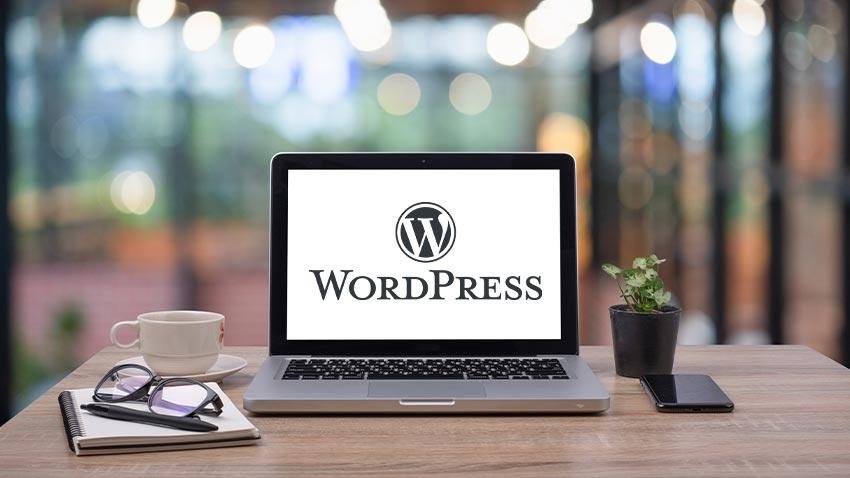
WordPress is a free, open-source Content Management System (CMS) that allows you to create, manage, and customize websites without writing code from scratch.
It is built primarily using PHP and uses a MySQL or MariaDB database to store website information.
With WordPress, you can easily manage:
-
Website pages and blog posts
-
Images, videos, and other media
-
Website design and layouts
-
User accounts and permissions
-
Products and online payments
-
Contact forms and customer inquiries
WordPress is suitable for beginners, freelancers, bloggers, businesses, and large organizations.
2. Why Is WordPress So Popular?
WordPress has become popular because it offers flexibility, ease of use, and thousands of customization options.
Here are some reasons why millions of website owners choose WordPress:
Easy to Use: You can create pages, publish blog posts, upload images, and manage website content through a user-friendly dashboard.
Open Source: WordPress software is free to download, use, modify, and customize.
SEO Friendly: WordPress provides SEO-friendly features and supports popular SEO plugins such as Yoast SEO and Rank Math.
Highly Customizable: You can change your website’s design and functionality using themes, plugins, and custom development.
Mobile Responsive: You can use responsive themes and page builders to create websites that work across mobile phones, tablets, and desktops.
Scalable: WordPress can support everything from small personal blogs to complex eCommerce and multi-vendor platforms.
3. How Does WordPress Work?
WordPress works with three important components:
1. WordPress Core
The core software provides the basic functionality required to run your website, including content management, user management, and website administration.
2. Themes
Themes control the overall appearance of your website, including colors, fonts, layouts, headers, and footers.
Popular WordPress themes include Astra, GeneratePress, Kadence, and Hello Elementor.
3. Plugins
Plugins add extra functionality to your website without requiring you to build everything from scratch.
For example:
-
WooCommerce – Build an online store.
-
Elementor – Design pages visually.
-
Yoast SEO – Improve SEO management.
-
WPForms – Create contact forms.
-
Dokan – Build a multi-vendor marketplace.
Together, these components make WordPress a flexible website-building platform.
4. What Types of Websites Can You Build With WordPress?
One of the biggest advantages of WordPress is that you can build different types of websites using the same platform.
Here are some popular examples:
Business Websites
Create a professional website to showcase your company, services, team, portfolio, and contact information.
Blogging Websites
Publish articles, tutorials, news, guides, and educational content.
eCommerce Websites
Using WooCommerce, you can sell physical products, digital downloads, subscriptions, and more.
Multi-Vendor Marketplaces
With Dokan, you can create a marketplace where multiple sellers register, manage their stores, upload products, and receive orders.
Portfolio Websites
Freelancers, designers, photographers, and developers can showcase their work and attract new clients.
Membership Websites
Create websites with paid memberships, restricted content, subscriptions, and user accounts.
5. What Is the Difference Between WordPress.com and WordPress.org?
Many beginners get confused between WordPress.com and WordPress.org. Although both are related to WordPress, they offer different experiences.
| Feature | WordPress.org | WordPress.com |
|---|---|---|
| Platform | Self-hosted software | Hosted platform |
| Hosting | You arrange hosting | Hosting included |
| Customization | Extensive control | Depends on plan |
| Plugins | Install your choice | Depends on plan |
| Themes | Full theme flexibility | Depends on plan |
| Maintenance | Your responsibility | Managed to varying degrees |
Which One Should You Choose?
If you want complete control over your website, custom development, WooCommerce functionality, and marketplace features, WordPress.org is generally the better choice.
6. What Do You Need to Start a WordPress Website?
Before creating your first WordPress website, you need a few basic things.
1. Domain Name
A domain name is your website’s address on the internet.
Example: www.yourbusiness.com
2. Web Hosting
Web hosting stores your website’s files, database, and other information so visitors can access your website online.
Popular hosting providers include Hostinger, Cloudways, SiteGround, and Bluehost.
3. WordPress Installation
Most hosting providers offer a one-click WordPress installation option.
4. WordPress Theme
Choose a theme that matches your website’s purpose and design requirements.
5. Essential Plugins
Install only the plugins you need for your website.
For example, a business website may need an SEO plugin, contact form plugin, security plugin, and backup plugin.
7. What Is the WordPress Dashboard?
The WordPress Dashboard is the administrative area where you manage your entire website.
After logging in, you can access it through:
yourwebsite.com/wp-admin
The dashboard includes several important sections:
-
Posts: Create and manage blog articles.
-
Pages: Create static pages such as About Us, Contact Us, and Services.
-
Media: Upload and manage images, videos, and documents.
-
Appearance: Manage themes, menus, and website design.
-
Plugins: Install, activate, and manage plugins.
-
Users: Manage website users and their permissions.
-
Settings: Configure general website settings.
Understanding the dashboard is the first step toward managing a WordPress website independently.
8. Is WordPress Good for SEO?
Yes! WordPress provides a strong foundation for search engine optimization (SEO).
However, simply installing WordPress does not guarantee higher Google rankings.
To improve your website’s SEO, you should:
-
Create useful, original, and relevant content.
-
Use SEO-friendly URLs.
-
Optimize page titles and meta descriptions.
-
Add descriptive image alt text.
-
Improve website loading speed.
-
Use internal links between related articles.
-
Create an XML sitemap.
-
Make your website mobile-friendly.
-
Use an SEO plugin such as Yoast SEO or Rank Math.
A well-optimized WordPress website can help search engines understand your content and improve your chances of ranking.
9. What Are the Advantages and Disadvantages of WordPress?
Advantages
-
Beginner-friendly content management.
-
Free and open-source software.
-
Thousands of themes and plugins.
-
Flexible customization options.
-
Suitable for blogs, business websites, and online stores.
-
Strong developer and community support.
-
Can grow with your business.
Disadvantages
-
Requires regular updates and maintenance.
-
Poorly selected plugins can affect performance.
-
Security needs ongoing attention.
-
Advanced customization may require coding knowledge.
-
Hosting quality can significantly affect website performance.
The good news is that most of these challenges can be managed with proper website development, maintenance, and optimization.
10. Is WordPress Free?
Yes, WordPress.org software is completely free.
However, creating and maintaining a live website may involve additional expenses.
Common costs include:
-
Domain registration.
-
Web hosting.
-
Premium themes (optional).
-
Premium plugins (optional).
-
Website development and maintenance (optional).
You can start with a basic WordPress website at a relatively low cost and upgrade as your business grows.
11. Final Thoughts
WordPress is a powerful and flexible platform for creating almost any type of website. Whether you are a beginner starting your first blog or a business owner planning to launch an online store, WordPress gives you the tools to build and manage your online presence.
Its extensive theme and plugin ecosystem makes it suitable for simple websites as well as advanced eCommerce and multi-vendor marketplace solutions.
If you are planning to start your website development journey, learning WordPress is an excellent first step.
Need Help Building a WordPress Website?
At D&D WebStudio, we work with WordPress, WooCommerce, and Dokan to develop professional business websites, eCommerce stores, and multi-vendor marketplaces.
Get in touch with our team to discuss your next website project.
Frequently Asked Questions (FAQs)
Q1. What is WordPress used for?
WordPress is used to create blogs, business websites, portfolios, online stores, membership platforms, and multi-vendor marketplaces.
Q2. Is WordPress suitable for beginners?
Yes. WordPress offers an easy-to-use dashboard, themes, and plugins that allow beginners to create websites without advanced programming knowledge.
Q3. Do I need coding skills to use WordPress?
No. You can create and manage many types of websites without coding. However, HTML, CSS, PHP, and JavaScript knowledge can help with advanced customization.
Q4. Is WordPress free to use?
Yes. WordPress.org is free and open-source software. However, you need a domain name and hosting to publish your website online.
Q5. Can I create an online store with WordPress?
Yes. You can use WooCommerce to create an online store and manage products, orders, payments, shipping, and customers.
Q6. Can I create a multi-vendor marketplace with WordPress?
Yes. You can use WooCommerce with the Dokan plugin to create a marketplace where multiple vendors can register and sell their products.
Q7. Is WordPress secure?
WordPress can be secure when properly maintained. Keep WordPress core, themes, and plugins updated, use strong passwords, install trusted plugins, and maintain regular backups.