
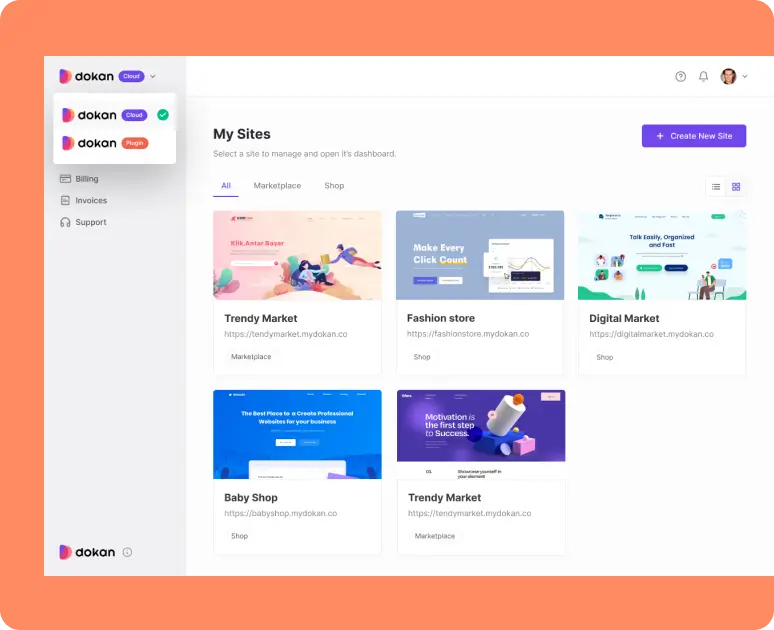
If you’re building a multi-vendor marketplace, one of your first big decisions is:
Which marketplace platform should I choose?
In the WordPress + WooCommerce world, two names stand out — and one of the most popular choices is Dokan.
But is Dokan worth using in 2026?
This review breaks down everything you need to know — from features and scalability to limitations and real business value.
🔴 What Is Dokan?
Dokan is a multi-vendor marketplace plugin built on WooCommerce.
It transforms a WooCommerce store into a full marketplace where independent vendors can sell products and services.
With Dokan, you get:
-
Vendor dashboards
-
Commission management
-
Vendor store pages
-
Order & earnings reports
-
Withdrawal system
Put simply: Dokan lets you run marketplaces like Amazon, Etsy, or eBay — from WordPress.
🌟 Why Dokan Is a Great Option in 2026
Here are the biggest reasons marketplace founders still choose Dokan:
1️⃣ Easy Vendor Onboarding & Dashboard
Dokan’s vendor dashboard is clean and user-friendly.
Pros:
-
Vendors can add products without admin access
-
Frontend controls reduce friction
-
Stores have customizable profiles
Business Value: Less support overhead and better vendor adoption.
2️⃣ Built-In Commission Management
Dokan lets you define:
-
Percentage commission
-
Fixed commissions
-
Category-based commissions (Pro)
This gives you flexible monetization without plugins.
3️⃣ Supports Multiple Product Types
With WooCommerce under the hood, your marketplace can sell:
✔ Physical products
✔ Digital downloads
✔ Bookable services
✔ Subscription products
This flexibility keeps your business future-proof.
4️⃣ Strong Vendor Reporting
Vendors can see:
-
Sales reports
-
Earnings
-
Order history
…without accessing WordPress admin.
Clear reporting = better vendor decision-making.
5️⃣ Active Development & Support
Dokan continues to:
✔ Update for WordPress compatibility
✔ Improve UI/UX
✔ Add new modules
This means staying relevant in 2026.
🔥 Pros of Using Dokan in 2026
Here’s what makes Dokan worth considering:
✅ Built specifically for multi-vendor marketplaces
✅ Frontend vendor tools make onboarding easy
✅ Flexible commission system
✅ Integrates seamlessly with WooCommerce
✅ Large ecosystem and add-ons
✅ Scales with business growth
⚠️ Real Limitations (What You Should Know)
No platform is perfect — here’s where Dokan has drawbacks:
❌ Performance at Scale
If you have hundreds or thousands of vendors, Dokan can slow down without optimization.
Fix: Hosting upgrades + performance optimization.
❌ Advanced Workflow Needs Custom Development
Complex features like:
-
Tiered user roles
-
Specialized commission logic
-
Custom checkout flows
…often need custom coding.
🔹 For example:
-
“Only allow verified vendors to sell certain categories”
-
Dynamic pricing rules based on sales performance
These aren’t native features — but they can be built.
❌ Add-Ons Can Add Up
Some advanced features require Pro licenses or modules. Depending on needs, costs can increase.
📊 Dokan vs Other Marketplace Plugins
Compared to alternatives like WC Vendors, WCFM, etc.:
Dokan wins when:
✔ You want a simple, clean vendor experience
✔ You don’t want to depend heavily on third-party add-ons
✔ You plan to grow long-term
Alternatives may win when:
✔ You want free, lightweight setups
✔ You prefer extremely flexible vendor permissions
🧠 Who Should Choose Dokan in 2026?
✔ Best Fit
-
Businesses planning to scale vendors
-
Marketplaces with digital + physical products
-
Admins who want a clean frontend experience
-
Projects with custom features planned
❌ Not Ideal If
-
You want zero technical setup
-
You’re building a very simple one-vendor site
-
You don’t want WooCommerce underneath
💼 Real Business Scenarios Where Dokan Shines
🏪 Marketplace for Physical Products
Great for:
-
Local craft sellers
-
Boutique marketplaces
-
Specialty products
📚 Marketplace for Digital Goods
With WooCommerce, you can sell:
✔ eBooks
✔ Design assets
✔ Software / templates
🧠 Service Marketplaces
Services like:
✔ Freelance gigs
✔ Consultations
✔ Booking-based services
Need additional customization, but Dokan still works as the framework.
🔁 Dokan vs WooCommerce Alone
If your goal is just a store → WooCommerce alone is enough. But:
➡ Marketplace = Many vendors + commission + vendor controls
➡ Dokan = marketplace features on top of WooCommerce
Think of Dokan as Woocommerce + Marketplace Engine.
📚 Also Read

Hire Me on Upwork – Dokan & WooCommerce Expert

 Chat on WhatsApp