
If you want to sell internationally, offering your store in only one language is limiting your growth.
Customers prefer shopping in their native language.
Search engines rank localized content better.
Trust increases when users understand everything clearly.
With a multilingual setup, your WooCommerce store can:
✔ Reach global customers
✔ Improve SEO in multiple countries
✔ Increase conversions
✔ Reduce cart abandonment
✔ Support international scaling
This guide explains how to properly set up a WooCommerce multilingual store, step by step.
🔴 Why Make Your WooCommerce Store Multilingual?
A multilingual store helps you:
🌍 Expand into new markets
📈 Increase international traffic
💬 Improve user experience
🔎 Rank in country-specific searches
Example:
-
English store → USA
-
Spanish store → Spain & Latin America
-
French store → France & Canada
👉 Localization builds credibility and trust.
🧠 How WooCommerce Multilingual Setup Works
A multilingual WooCommerce store requires:
1️⃣ WordPress language configuration
2️⃣ WooCommerce product translation
3️⃣ Theme translation
4️⃣ Checkout & cart translation
5️⃣ Currency localization (optional but recommended)
WooCommerce itself does not provide full multilingual features — it requires integration with a multilingual system.
1️⃣ What You Need Before Setup
Before building a multilingual WooCommerce store, ensure you have:
✔ WordPress installed
✔ WooCommerce installed
✔ SSL certificate (HTTPS)
✔ Multilingual-compatible theme
✔ Multilingual plugin

Make sure your theme supports multilingual compatibility.
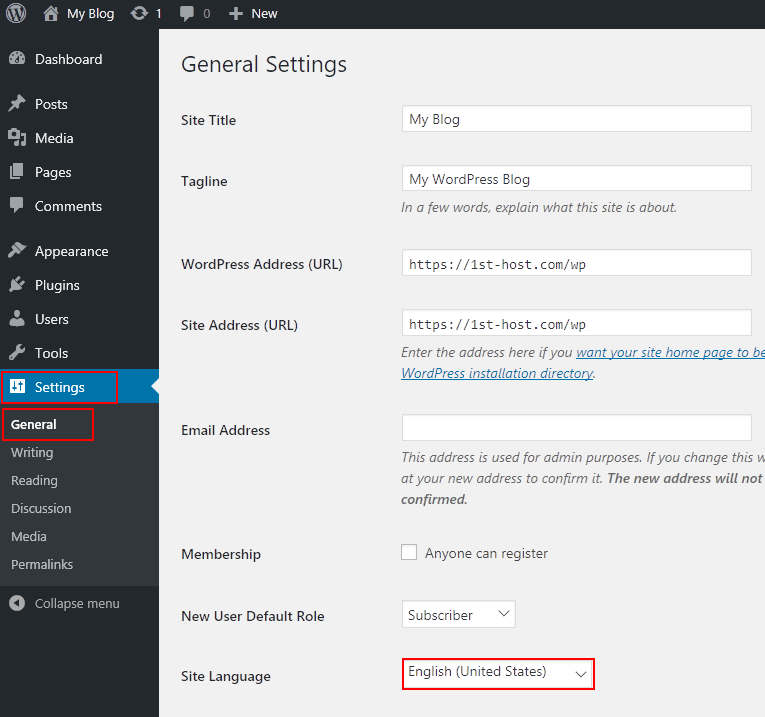
2️⃣ Adding Multiple Languages
Basic language setup includes:
1️⃣ Add secondary language(s)
2️⃣ Choose default language
3️⃣ Enable language switcher
4️⃣ Configure URL structure
Common URL formats:
-
example.com/en/
-
example.com/es/
-
example.com/fr/
📌 SEO tip: Use language-based URL structures for better indexing.
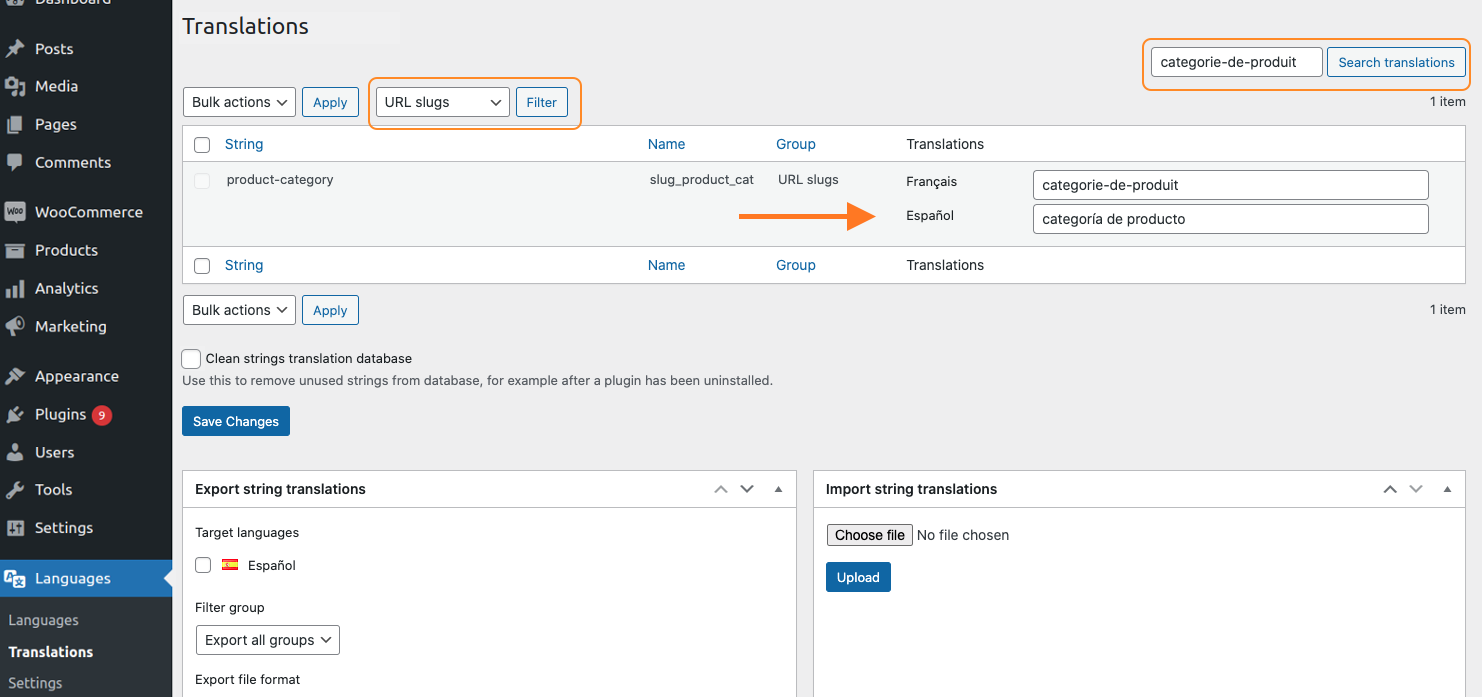
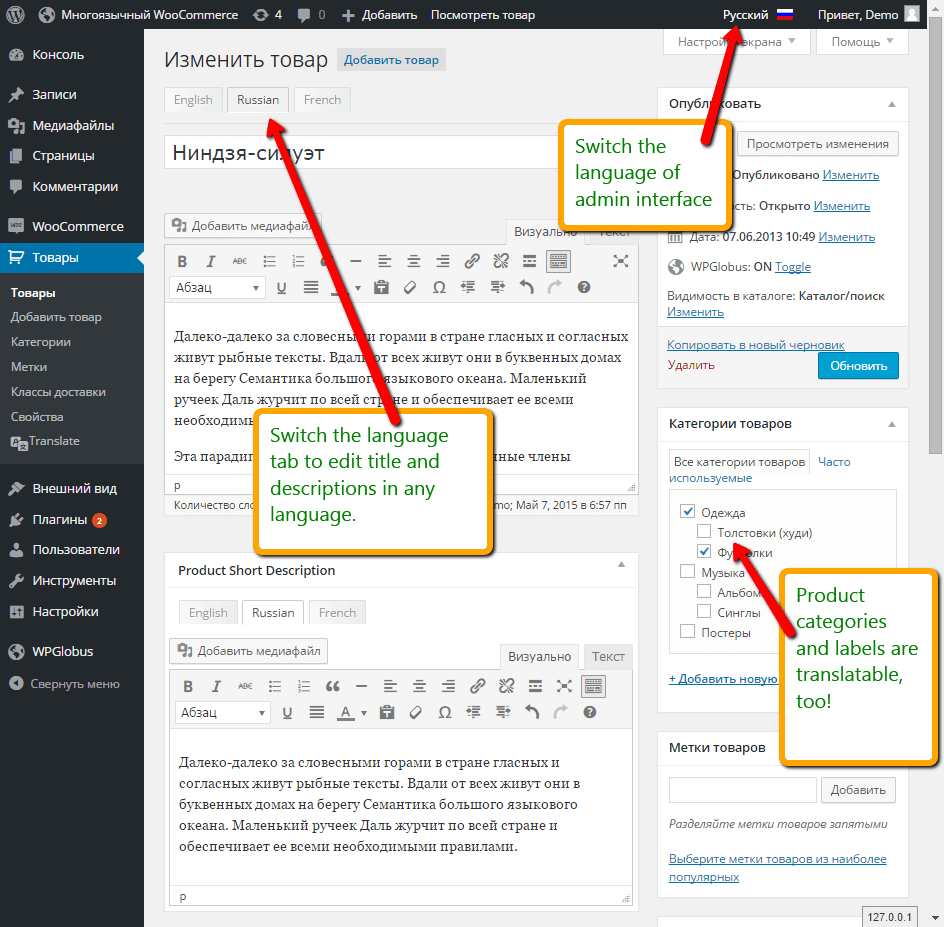
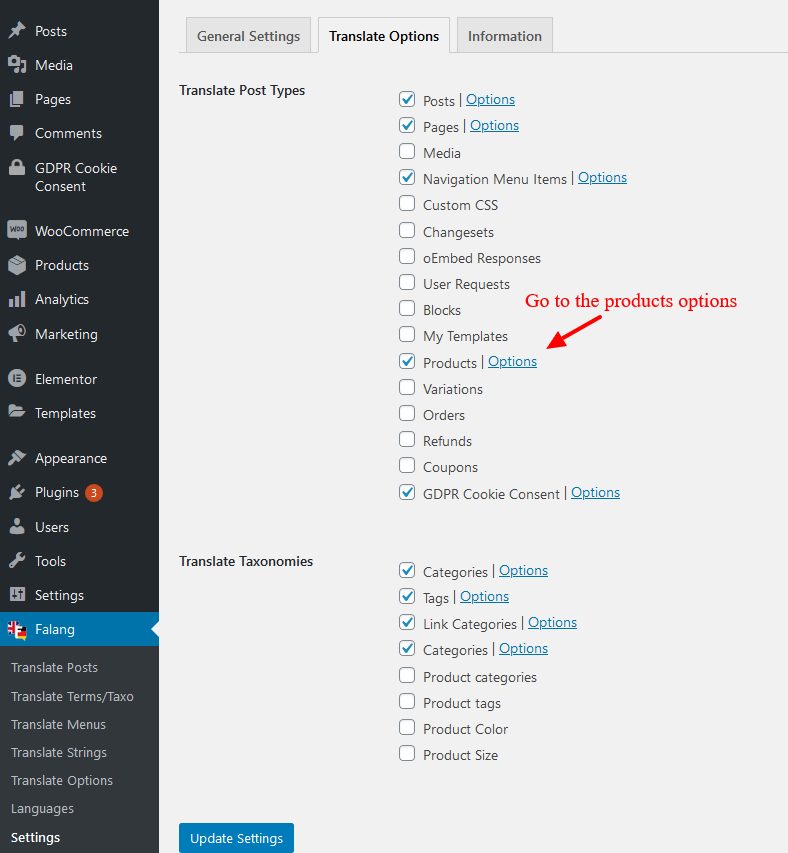
3️⃣ Translating WooCommerce Products
Each product must be translated properly.
Translate:
✔ Product title
✔ Short description
✔ Full description
✔ Categories
✔ Tags
✔ Attributes
✔ SEO meta data
Avoid relying only on automatic translation — review content manually for quality.
4️⃣ Translating Cart & Checkout
Cart and checkout pages must be fully translated to prevent confusion.
Ensure translation of:
✔ Billing fields
✔ Shipping fields
✔ Payment method names
✔ Order confirmation emails
✔ Error messages
Test checkout in every language before going live.
5️⃣ Multi-Currency Setup (Recommended)
Language alone is not enough for global selling.
Customers expect pricing in local currency.
Examples:
-
USD for US
-
EUR for Europe
-
GBP for UK
-
INR for India


Benefits:
✔ Higher trust
✔ Better conversions
✔ Reduced payment confusion
6️⃣ SEO Setup for Multilingual WooCommerce
Multilingual SEO requires proper configuration.
Important SEO Elements:
✔ Hreflang tags
✔ Language-specific meta titles
✔ Translated slugs
✔ Separate XML sitemaps
✔ Local keyword research
Without correct hreflang tags, search engines may treat pages as duplicate content.
7️⃣ Managing Translations Efficiently
For larger stores:
✔ Create translation workflow
✔ Assign language editors
✔ Maintain glossary for consistency
✔ Audit translations quarterly
Consistency across languages builds professionalism.
8️⃣ Common WooCommerce Multilingual Mistakes
❌ Translating only homepage
❌ Ignoring checkout translation
❌ No multi-currency support
❌ Broken product URLs
❌ Not testing mobile versions
These mistakes reduce user trust and hurt SEO.
9️⃣ Performance Considerations
Multilingual sites can become heavy if not optimized.
Best practices:
✔ Use quality hosting
✔ Enable caching
✔ Optimize images
✔ Avoid duplicate plugins
✔ Monitor load speed per language
Speed impacts conversion globally.
🔟 Scaling Internationally with WooCommerce
Once multilingual setup is stable:
✔ Add region-specific promotions
✔ Run geo-targeted ads
✔ Customize shipping rules per country
✔ Adjust tax settings per region
Global growth requires operational planning.
📈 Benefits of a Multilingual WooCommerce Store
✔ Increased global traffic
✔ Higher international conversions
✔ Better SEO ranking
✔ Stronger brand authority
✔ Competitive advantage
A multilingual strategy transforms your store from local to global.
📚 Also Read (Internal Links)

Hire Me on Upwork – Dokan & WooCommerce Expert

 Chat on WhatsApp