
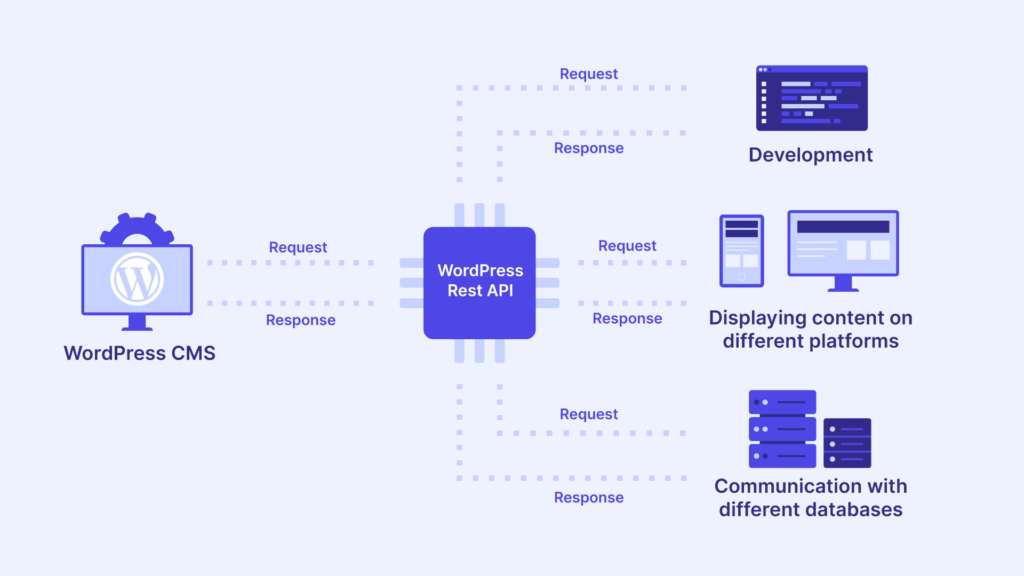
Modern websites are no longer limited to simple pages and forms.
They connect with mobile apps, external tools, CRMs, dashboards, and custom frontends — and the WordPress REST API makes all of this possible.
If your website runs on WordPress, this guide explains what the WordPress REST API is, how it works, and why it matters for real businesses.
🔴 What Is the WordPress REST API?
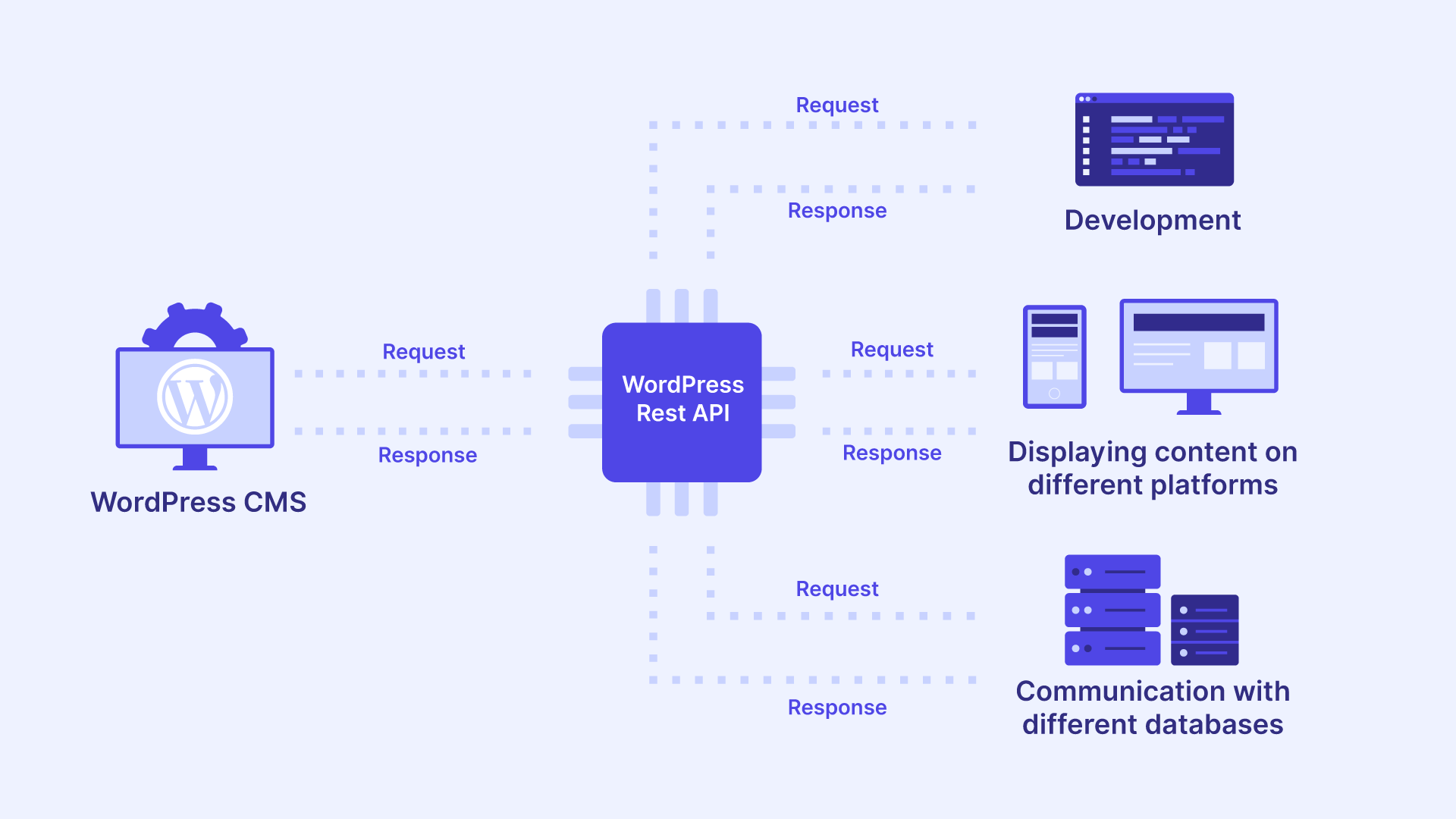
The WordPress REST API allows WordPress to send and receive data in JSON format using secure URLs (endpoints).
In simple terms:
It lets WordPress talk to other systems.
This means your website data can be accessed by:
-
Mobile apps
-
JavaScript frameworks (React, Vue)
-
External software (CRM, ERP)
-
Custom dashboards

🧠 Why the REST API Is Important
Before REST API:
-
WordPress worked mostly inside the browser
-
Limited integration options
With REST API:
✔ WordPress becomes a data platform
✔ You can build custom applications
✔ Automation becomes possible
✔ Scalability improves
🧩 How the WordPress REST API Works (Simple Flow)
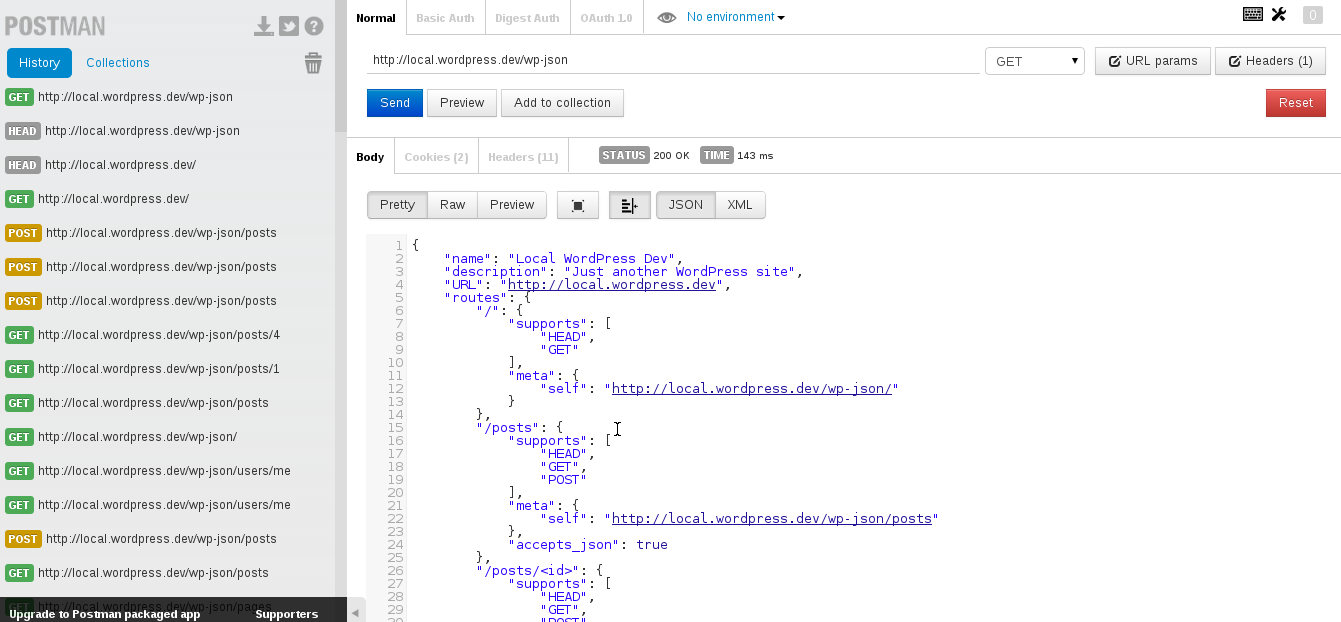
1️⃣ A request is sent to an API endpoint
2️⃣ WordPress processes the request
3️⃣ Data is returned in JSON format
4️⃣ External system uses the data
Example endpoint:
This returns your website posts in JSON format.

📌 What Data Can You Access via REST API?
The WordPress REST API allows access to:
-
Posts & pages
-
Categories & tags
-
Users (with permission)
-
Media files
-
Custom post types
-
Custom fields
With authentication, you can also:
-
Create content
-
Update content
-
Delete content
1️⃣ Real-World Use Cases of WordPress REST API
✅ 1. Mobile Apps
Use WordPress as backend and a mobile app as frontend.
✔ Content sync
✔ User login
✔ Real-time updates
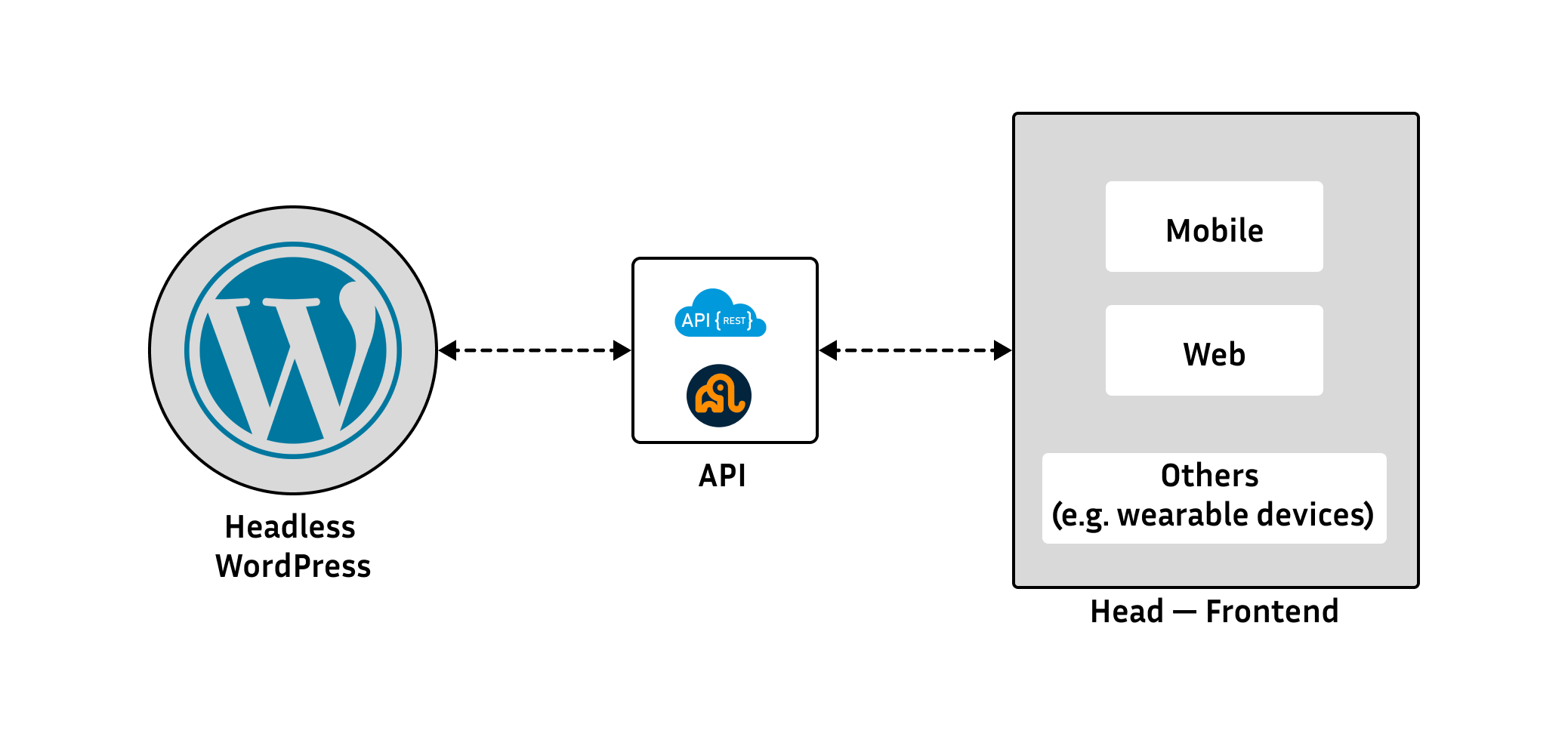
✅ 2. Headless WordPress Websites
Use WordPress only for content management and build frontend with React / Next.js.
✔ Faster performance
✔ Custom UI
✔ Better scalability

✅ 3. External Tool Integration
Sync WordPress with:
-
CRM
-
Email marketing tools
-
Analytics platforms
✔ No manual data entry
✔ Automated workflows
✅ 4. Custom Dashboards
Create admin or client dashboards outside WordPress admin panel.
✔ Cleaner UI
✔ Role-based access
✔ Better user experience
🔐 Is the WordPress REST API Secure?
Yes — when used correctly.
Security depends on:
-
Authentication methods
-
User permissions
-
Proper API handling
Common security methods:
-
Application passwords
-
OAuth / token-based auth
-
Permission checks
👉 Public data is readable, private data requires authorization.
⚠️ Common Misunderstandings About REST API
❌ REST API is only for developers
❌ REST API is unsafe
❌ REST API replaces WordPress
✅ Reality:
-
REST API extends WordPress
-
It makes WordPress future-ready
-
It’s safe with proper implementation
🛠️ When Do You Need Custom WordPress REST API Development?
You should consider custom API development if:
-
You want a mobile app
-
You need custom data endpoints
-
You’re building headless WordPress
-
You want automation between systems
-
Default WordPress features are limiting
Custom APIs allow:
✔ Clean architecture
✔ Faster systems
✔ Business-specific workflows
📚 Also Read

Hire Me on Upwork – Dokan & WooCommerce Expert

 Chat on WhatsApp