
Selling digital products is one of the most scalable online business models—no inventory, no shipping, instant delivery.
With the right setup, WooCommerce makes selling digital products secure, flexible, and easy to manage.
This guide explains how to sell digital products with WooCommerce, what you can sell, and best practices to avoid common mistakes.
🔴 What Are Digital Products?
Digital products are items customers download or access online after purchase.
Common Examples
-
eBooks & PDFs
-
Templates & design assets
-
Themes & plugins
-
Audio, video, music
-
Software & licenses
-
Online resources


🧠 Why Use WooCommerce for Digital Products?
WooCommerce is built on WordPress, giving you:
-
Full ownership of your store
-
No transaction fees (platform-side)
-
Flexible pricing
-
Secure checkout
-
Scalability as you grow
You’re not locked into a closed platform.
🧩 How Digital Products Work in WooCommerce (Simple Flow)
1️⃣ Create a digital product
2️⃣ Customer completes checkout
3️⃣ Payment is processed
4️⃣ Download link is generated
5️⃣ Customer accesses the file
WooCommerce automates delivery, emails, and access control.

1️⃣ Creating a Digital Product in WooCommerce
To sell a digital product:
-
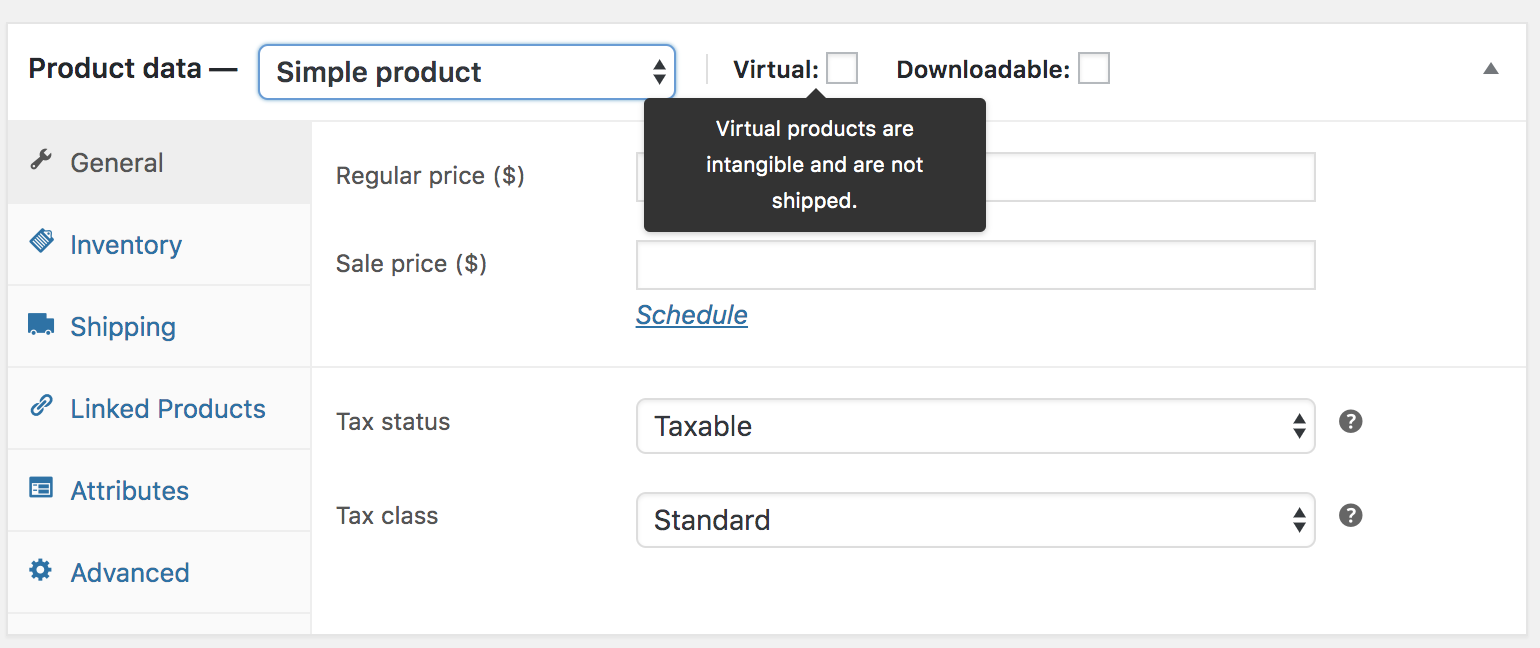
Go to Products → Add New
-
Choose Simple Product
-
Check:
-
✅ Virtual
-
✅ Downloadable
-
-
Upload your file
-
Set price and publish
That’s it—your digital product is ready to sell.

2️⃣ Download Limits & Expiry (IMPORTANT)
To protect your files, WooCommerce lets you:
-
Limit number of downloads
-
Set expiry days
-
Revoke access if needed
Best Practice
✔ Set reasonable limits
✔ Avoid unlimited downloads for premium files
3️⃣ Secure File Delivery Best Practices
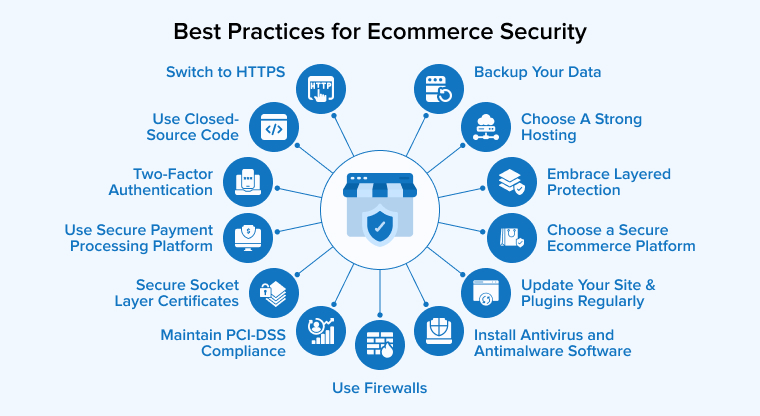
Digital products must be protected.
Recommended Steps
-
Use HTTPS (SSL)
-
Prevent direct file URLs
-
Store files securely
-
Avoid public upload folders
4️⃣ Pricing Models for Digital Products
WooCommerce supports flexible pricing:
Common Models
-
One-time payment
-
Tiered pricing (Basic / Pro)
-
Bundles
-
Subscriptions (monthly/yearly)
Example:
-
Template Pack – ₹999
-
Pro Pack – ₹2,999

5️⃣ Payments & Checkout
WooCommerce supports:
-
Cards, UPI, wallets
-
PayPal & Stripe
-
Secure checkout flow
You can also:
-
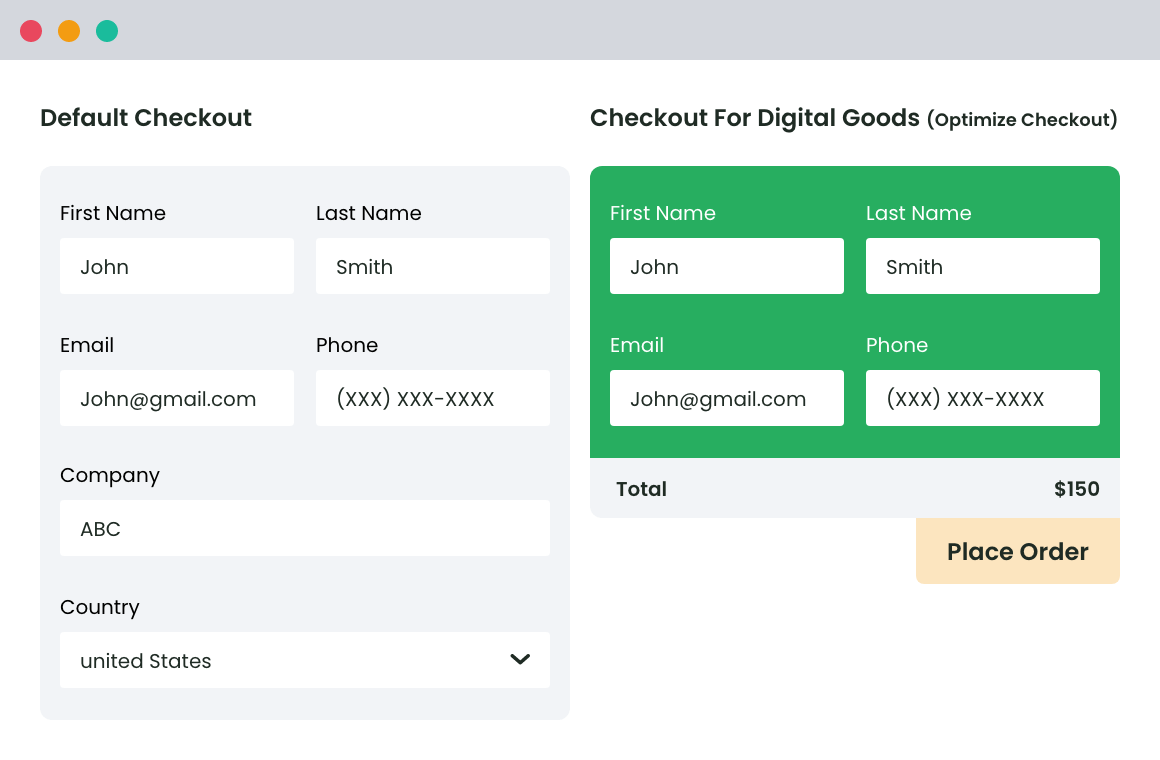
Enable guest checkout
-
Customize emails
-
Automate order confirmations
This builds trust and reduces refund requests.
6️⃣ Refunds & Customer Management
For digital products:
-
Refunds can be manual or automated
-
Access can be revoked
-
Orders are tracked in dashboard
Clear refund policies reduce disputes.
⚠️ Common Mistakes to Avoid
❌ Uploading files without protection
❌ No download limits
❌ Poor product descriptions
❌ Weak checkout security
❌ No backup strategy
Avoiding these mistakes saves time, money, and reputation.
🧩 When You Need Custom WooCommerce Development
You may need customization if you want:
-
License key generation
-
Subscription-based access
-
Drip content delivery
-
Role-based file access
-
API-based digital delivery
Custom development ensures:
✔ Better security
✔ Better user experience
✔ Scalability
📚 Also Read

Hire Me on Upwork – Dokan & WooCommerce Expert

 Chat on WhatsApp