
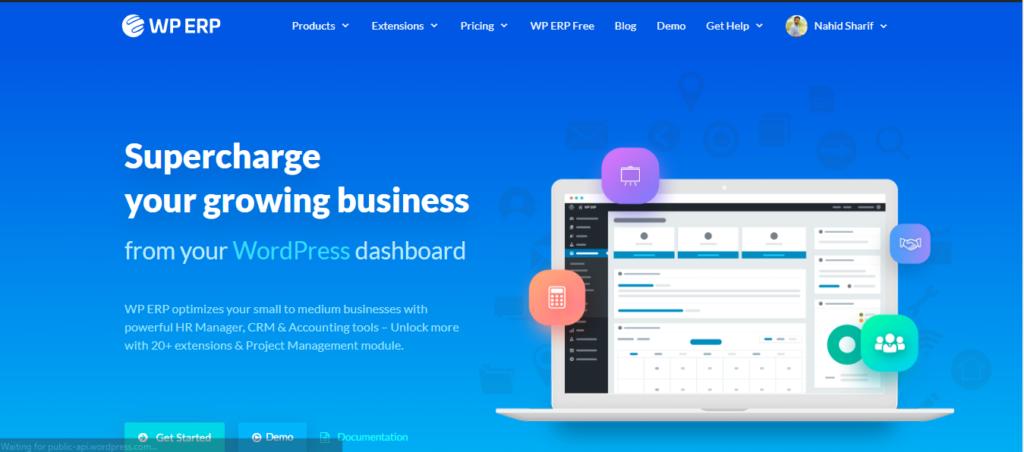
WordPress: Advanced WordPress Business Systems (Complete Guide)
Modern businesses require much more than a simple website. They need integrated systems that automate workflows, manage customers, streamline operations, and improve productivity.
With WordPress, businesses can build powerful management systems without investing in expensive custom software. From CRM platforms and customer portals to appointment booking, inventory management, learning management systems (LMS), and business automation, WordPress provides the flexibility to create almost any business solution.
In this complete guide, we’ll explore how to build advanced business systems using WordPress.
What are WordPress Business Systems?
A WordPress Business System is a website integrated with tools that help manage daily business operations.
Examples include:
- CRM Systems
- Customer Portals
- Employee Dashboards
- Appointment Booking
- Inventory Management
- Project Management
- Learning Management Systems (LMS)
- Membership Platforms
- Multi-Vendor Marketplaces
- Business Automation
These systems improve efficiency and reduce manual work.
Why Use WordPress for Business Systems?
WordPress offers several advantages.
Cost-Effective
Lower development costs than custom software.
Highly Customizable
Thousands of plugins and themes.
Easy to Scale
Suitable for startups and enterprises.
User-Friendly
Simple administration interface.
Large Community
Regular updates and extensive documentation.
WordPress powers businesses of every size worldwide.
Customer Relationship Management (CRM)
A CRM helps businesses manage customer interactions.
Popular CRM features:
- Contact Management
- Lead Tracking
- Sales Pipelines
- Customer Notes
- Email History
- Task Management
Recommended plugins:
FluentCRM
Jetpack CRM
HubSpot for WordPress
A CRM improves customer relationships and sales efficiency.
Customer Portals
Provide customers with secure access to:
- Orders
- Invoices
- Support Tickets
- Downloads
- Membership Content
- Account Settings
Customer portals improve user experience and reduce support requests.
Employee Management Systems
Manage employees with features such as:
Employee Profiles
Attendance Tracking
Leave Requests
Payroll Integration
Internal Communication
Employee systems streamline HR operations.
Appointment Booking Systems
Ideal for:
- Doctors
- Consultants
- Agencies
- Salons
- Coaches
- Service Providers
Features include:
Online Booking
Calendar Management
Payment Integration
Automated Reminders
Booking systems reduce administrative work.
Learning Management Systems (LMS)
Create online education platforms with:
Course Management
Student Dashboards
Quizzes
Certificates
Progress Tracking
Popular LMS plugins:
LearnDash
Tutor LMS
LifterLMS
Perfect for online learning businesses.
Membership Websites
Offer exclusive content using:
Paid Memberships
Subscription Plans
Drip Content
Member Dashboards
Membership websites create recurring revenue.
WooCommerce Business Systems
WooCommerce extends WordPress into a complete eCommerce platform.
Features include:
Product Management
Inventory Control
Order Management
Customer Accounts
Payment Processing
WooCommerce powers millions of online stores.
Multi-Vendor Marketplaces
Using Dokan, you can build:
Vendor Dashboards
Commission Systems
Store Management
Vendor Withdrawals
Marketplace Analytics
Perfect for marketplace businesses.
Project Management
Manage projects with:
Task Lists
Milestones
Team Collaboration
File Sharing
Progress Tracking
Project management improves team productivity.
Help Desk & Support Systems
Offer professional customer support with:
Ticket Management
Live Chat
Knowledge Base
FAQs
Support History
Efficient support improves customer satisfaction.
Document Management Systems
Securely manage:
Contracts
PDFs
Reports
Employee Files
Client Documents
Cloud-based document management improves organization.
Inventory Management
Track:
Stock Levels
Warehouses
Suppliers
Purchase Orders
Low Stock Alerts
Inventory systems prevent stock shortages.
Business Automation
Automate repetitive tasks like:
Email Notifications
Lead Assignments
Customer Follow-ups
Invoice Generation
Data Synchronization
Automation increases productivity.
Workflow Automation
Examples include:
New Lead → CRM Entry
New Order → Invoice Creation
Payment Received → Email Confirmation
Form Submission → Team Notification
Automated workflows reduce manual effort.
Payment Integration
Support multiple payment methods:
Stripe
PayPal
Razorpay
Bank Transfer
Recurring Payments
Secure payment processing builds trust.
Marketing Automation
Automate:
Email Campaigns
Customer Segmentation
Lead Nurturing
Sales Funnels
Promotional Campaigns
Marketing automation improves conversions.
Analytics & Reporting
Track key business metrics:
Revenue
Sales
Leads
Customer Growth
Website Traffic
Conversion Rates
Analytics help make data-driven decisions.
Security Best Practices
Protect business systems with:
SSL Certificates
Two-Factor Authentication
Firewalls
Malware Scanning
Login Protection
User Role Management
Security is essential for protecting sensitive business data.
Backup & Disaster Recovery
Protect your business with:
Automated Backups
Cloud Storage
Staging Environment
One-Click Restore
Recovery Testing
Always have a disaster recovery plan.
Performance Optimization
Business systems should remain fast.
Optimize using:
LiteSpeed Cache
Redis Object Cache
Cloudflare CDN
Image Optimization
Database Cleanup
Fast systems improve employee productivity and customer satisfaction.
AI & Business Automation
AI can enhance WordPress business systems through:
AI Chatbots
Customer Support Automation
Content Generation
Predictive Analytics
Smart Product Recommendations
AI Email Responses
AI helps businesses operate more efficiently.
Mobile Optimization
Ensure every business system supports:
Responsive Design
Mobile Dashboards
Fast Loading
Touch-Friendly Navigation
Mobile accessibility is essential for modern teams.
Recommended Plugin Stack
WooCommerce
eCommerce management.
Dokan Pro
Multi-vendor marketplace.
FluentCRM
Customer relationship management.
Fluent Forms
Business forms and automation.
LearnDash
Learning management.
Amelia
Appointment booking.
WP Mail SMTP
Reliable email delivery.
Rank Math SEO
Search engine optimization.
LiteSpeed Cache
Performance optimization.
Redis Object Cache
Database caching.
Cloudflare
Security and CDN.
This stack provides a powerful foundation for modern business websites.
Common Business System Mistakes
No Workflow Automation
Leads to repetitive manual tasks.
Weak Security
Risks customer and business data.
Poor Performance
Reduces productivity.
Lack of User Permissions
Can expose sensitive information.
No Backup Strategy
Threatens business continuity.
Ignoring Analytics
Makes it difficult to improve operations.
Avoiding these mistakes helps create reliable and scalable systems.
Advanced WordPress Business Systems Checklist
✅ CRM Integration
✅ Customer Portal
✅ Employee Dashboard
✅ Appointment Booking
✅ Learning Management System
✅ WooCommerce Integration
✅ Marketplace Support
✅ Workflow Automation
✅ Marketing Automation
✅ Payment Integration
✅ Document Management
✅ Inventory Tracking
✅ Analytics Dashboard
✅ Security Hardening
✅ Automated Backups
✅ Performance Optimization
✅ AI Integration
✅ Mobile Optimization
✅ Role-Based Access Control
✅ Business Process Documentation
Final Thoughts
WordPress has evolved far beyond a simple content management system. Today, it can power complete business ecosystems that manage customers, employees, products, payments, learning platforms, marketplaces, and automated workflows.
By combining the right plugins, integrations, automation tools, and performance optimizations, businesses can create scalable, secure, and cost-effective systems tailored to their specific needs.
Whether you’re running a startup, agency, online store, educational platform, or enterprise business, WordPress provides the flexibility to build a professional business system that grows alongside your organization.

Hire Me on Upwork – Dokan & WooCommerce Expert

 Chat on WhatsApp