
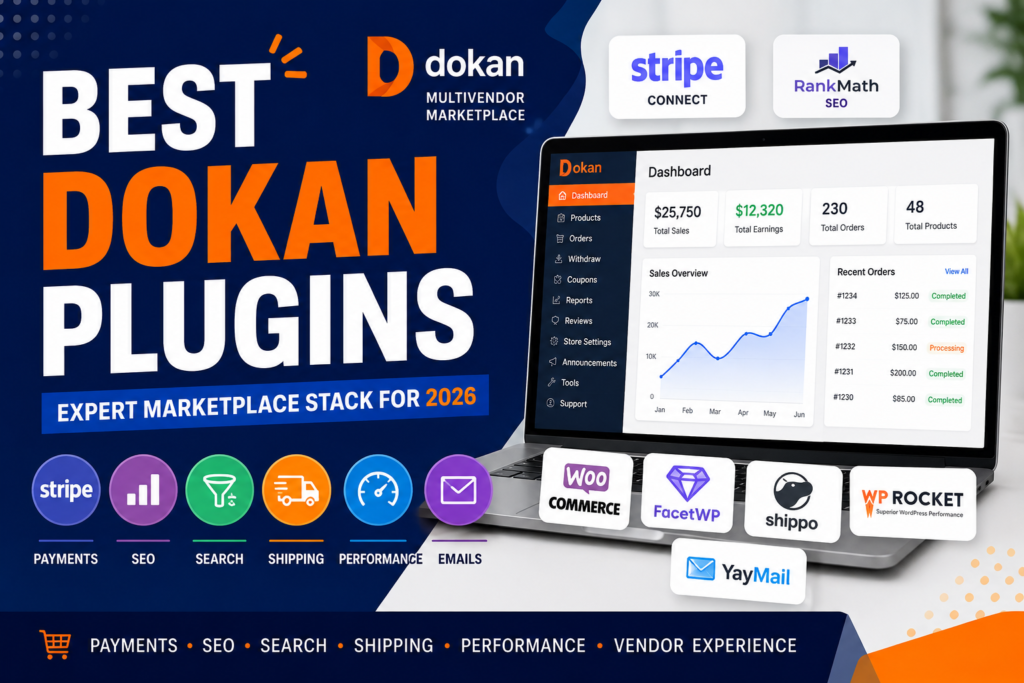
When you search for “best Dokan plugins,” you’ll find dozens of lists recommending every plugin under the sun. The problem? Most of those articles are written by plugin vendors trying to sell their own products.
After building more than 250 WordPress, WooCommerce, and Dokan marketplaces for clients across the United States, United Kingdom, and Australia, I’ve learned that successful marketplaces aren’t built by installing more plugins—they’re built by choosing the right ones.
Some plugins genuinely improve vendor management, sales, and customer experience. Others add unnecessary complexity, slow down your site, and create maintenance headaches after every update.
Instead of another generic “Top 20 Dokan Plugins” article, here’s the plugin stack I actually recommend based on real-world marketplace projects.
Why Plugin Selection Matters in Dokan
A Dokan marketplace is significantly more complex than a standard WooCommerce store.
Every vendor dashboard action, commission calculation, product approval, order split, and payout request adds additional database operations. The more plugins you install, the heavier your marketplace becomes.
One rule I share with every client:
Every plugin must earn its place.
Five carefully selected plugins will outperform twenty overlapping plugins every time.
Let’s look at the plugins that consistently deliver results.
1. Payment and Vendor Payout Plugins
Getting payments right is non-negotiable. If vendors can’t get paid smoothly, they won’t stay on your platform.
Dokan Stripe Connect
For most marketplaces, Stripe Connect is the best starting point.
Benefits include:
- Automatic vendor commission splitting
- Instant payment distribution
- Reduced manual payout management
- Strong support across major markets
The customer completes one payment while Stripe automatically distributes the appropriate share to each vendor and the marketplace owner.
This significantly reduces accounting complexity and operational overhead.
PayPal Marketplace
If your vendors operate in countries where Stripe has limited support, PayPal Marketplace is a strong alternative.
The important lesson here is simple:
Choose your payout system before onboarding vendors.
Migrating vendors to a different payment structure later can be difficult and disruptive.
2. SEO Plugins for Marketplace Growth
A marketplace without traffic is simply a database.
Search engine optimization becomes even more important when you have hundreds or thousands of product pages and vendor stores.
Rank Math
Rank Math is currently my preferred SEO plugin for Dokan marketplaces.
Reasons include:
- Advanced schema support
- Flexible page-level optimization
- Product schema generation
- Vendor store optimization
- Powerful free version
While Yoast SEO remains a solid choice, Rank Math generally offers more features for marketplace environments.
The real goal isn’t simply installing an SEO plugin—it’s ensuring that vendor stores, category pages, and products generate optimized metadata and structured data that can appear in Google’s rich search results.
3. Search and Product Filtering
Poor search functionality is one of the biggest conversion killers in large marketplaces.
When customers can’t find products quickly, they leave.
FacetWP
FacetWP remains one of the best filtering solutions for WooCommerce and Dokan.
Features include:
- AJAX filtering
- Fast category filtering
- Vendor filtering
- Attribute-based search
- Excellent user experience
Search & Filter Pro
For marketplaces looking for a budget-friendly alternative, Search & Filter Pro provides powerful filtering capabilities with less complexity.
Custom Search Solutions
Once a marketplace reaches thousands of products, many businesses eventually outgrow plugin-based search.
At that stage, a custom search system using:
- WordPress REST API
- Advanced caching
- AJAX interfaces
- Optimized database queries
can significantly outperform standard plugins.
For most startups, however, beginning with FacetWP is the smartest approach.
4. Shipping and Logistics
Shipping becomes complicated when every vendor ships from a different location.
Dokan Vendor Shipping
Dokan’s built-in shipping system covers most basic marketplace requirements.
Vendors can:
- Set shipping zones
- Define shipping costs
- Manage shipping rules
- Configure delivery options
Shippo Integration
For marketplaces requiring real-time carrier rates, Shippo is an excellent option.
Benefits include:
- Live shipping rates
- Label generation
- Carrier integrations
- Shipment tracking
One piece of advice from experience:
Always test shipping scenarios with multiple vendors before launch. Shipping rules are one of the most common sources of marketplace checkout issues.
5. Vendor Retention and Marketplace Revenue
Most marketplace owners focus heavily on acquiring vendors.
Successful marketplace owners focus equally on retaining them.
Dokan Subscription Module
This is one of the most overlooked growth tools in Dokan.
Instead of relying entirely on commissions, you can charge vendors recurring membership fees.
Benefits include:
- Predictable monthly revenue
- Reduced dependence on sales volume
- Better vendor commitment
- Scalable business model
Many mature marketplaces eventually move toward a subscription-based structure because recurring revenue creates stability.
Vendor Verification
Vendor verification helps build trust and credibility within the marketplace.
Verified sellers often experience:
- Higher conversions
- Greater customer confidence
- Improved platform reputation
YayMail
Email communication is a critical part of vendor retention.
YayMail allows marketplace owners to:
- Customize WooCommerce emails
- Add branding
- Improve professionalism
- Enhance customer experience
Small details like professional email communication often make a bigger difference than flashy marketplace features.
6. Performance and Caching
Performance isn’t optional for a Dokan marketplace.
As traffic grows, slow page loads directly impact sales and vendor satisfaction.
WP Rocket
WP Rocket remains my preferred caching plugin because it works well with WooCommerce and Dokan environments.
Benefits include:
- Page caching
- File optimization
- Lazy loading
- Database cleanup
- Cache preloading
Combined with proper hosting and object caching, WP Rocket can dramatically improve marketplace speed.
However, no caching plugin can compensate for poor plugin management.
Most performance problems are caused by plugin bloat, not caching limitations.
My Recommended Dokan Plugin Stack
If I were launching a new marketplace tomorrow, this would be my starting stack:
Essential Plugins
- Dokan Pro
- Stripe Connect
- Rank Math
- FacetWP
- WP Rocket
- YayMail
This setup provides:
- Vendor management
- Payments
- SEO
- Product filtering
- Performance optimization
- Professional email communication
Without unnecessary complexity.
Knowing When to Go Custom
Plugins are fantastic until they aren’t.
A good rule:
If you’re installing three plugins to create one feature, it’s probably time for custom development.
Custom solutions become valuable when:
- Performance becomes a concern
- Business rules are unique
- Multiple plugins overlap
- Maintenance becomes difficult
A lightweight custom plugin or template override often performs better than stacking several third-party extensions together.
The goal isn’t to avoid plugins.
The goal is to use plugins where they make sense and custom development where it creates a better long-term solution.
Final Thoughts
Building a successful Dokan marketplace isn’t about installing every available add-on.
It’s about creating a lean, scalable, and maintainable platform that vendors enjoy using and customers trust.
Start with the essentials, solve real problems as they appear, and avoid adding plugins simply because they seem useful.
The marketplaces that grow successfully are usually the ones with the simplest, most carefully planned technology stacks.
If you’re planning a new Dokan marketplace or looking to optimize an existing one, choosing the right plugin stack from the beginning can save months of development time and thousands in future maintenance costs.