
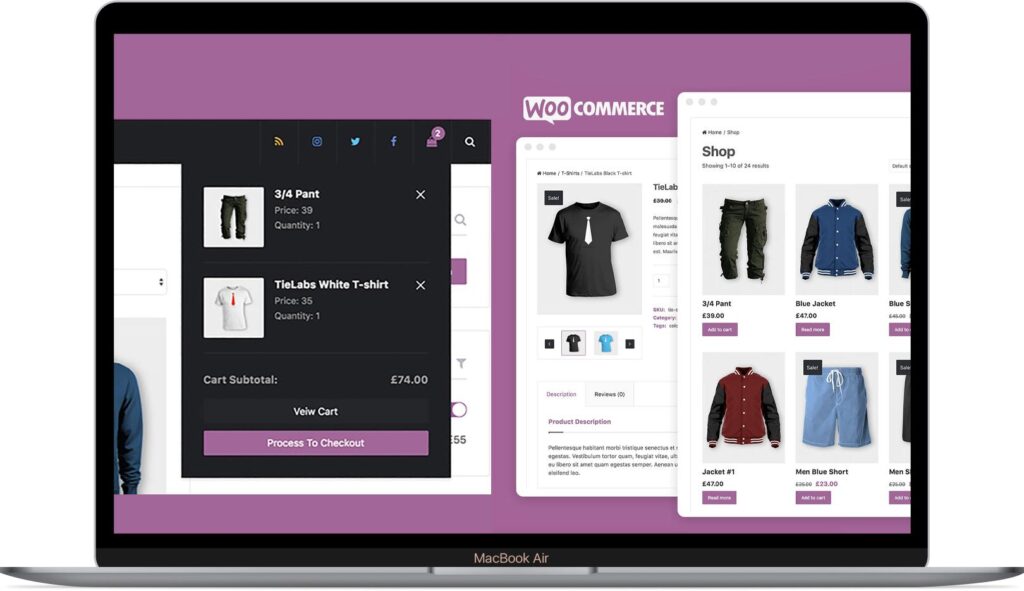
WooCommerce: Complete WooCommerce Expert Guide (Beginner to Advanced)
WooCommerce powers millions of online stores worldwide and is the most popular eCommerce platform built for WordPress. Whether you’re launching your first online business or managing a large enterprise store with thousands of products, WooCommerce provides the flexibility, scalability, and customization needed to succeed.
This complete WooCommerce expert guide covers everything from installation and store setup to advanced optimization, security, SEO, marketing automation, and scaling strategies.
By the end of this guide, you’ll have a complete roadmap for building, managing, and growing a successful WooCommerce store.
What is WooCommerce?
WooCommerce is a free, open-source WordPress plugin that transforms a standard website into a fully functional eCommerce store.
It enables you to:
- Sell physical products
- Sell digital downloads
- Offer subscriptions
- Accept online payments
- Manage shipping
- Track inventory
- Handle taxes
- Process customer orders
WooCommerce is trusted by startups, small businesses, and enterprise brands alike.
Why Choose WooCommerce?
WooCommerce offers several advantages:
Free and Open Source
No monthly platform fees.
Fully Customizable
Customize every aspect of your store.
Massive Plugin Ecosystem
Thousands of extensions are available.
SEO-Friendly
Built on WordPress for excellent search engine visibility.
Scalable
Supports everything from small shops to large eCommerce businesses.
Installing WooCommerce
Getting started is simple.
Step 1
Install WordPress.
Step 2
Install the WooCommerce plugin.
Step 3
Run the WooCommerce Setup Wizard.
Step 4
Configure:
- Store location
- Currency
- Payment methods
- Shipping settings
- Taxes
Your online store is now ready.
Store Configuration
Configure essential settings including:
Store Address
Currency
Tax Options
Shipping Zones
Email Notifications
Customer Accounts
Proper configuration creates a smooth shopping experience.
Product Management
WooCommerce supports multiple product types.
Simple Products
Single-item purchases.
Variable Products
Different sizes, colors, or variations.
Grouped Products
Multiple related products.
External Products
Affiliate or external product links.
Digital Products
Downloads like software, PDFs, or music.
Subscription Products
Recurring billing.
Booking Products
Appointments and reservations.
Category and Attribute Management
Organize products using:
Categories
Tags
Attributes
Brands
A well-organized catalog improves navigation and SEO.
Inventory Management
WooCommerce includes built-in inventory tools.
Manage:
Stock Levels
SKU Numbers
Backorders
Low Stock Alerts
Out-of-Stock Notifications
Inventory management prevents overselling.
Payment Gateway Integration
Popular payment gateways include:
Stripe
Credit cards and digital wallets.
PayPal
Global payment processing.
Razorpay
Perfect for Indian businesses.
Square
Retail and POS integration.
WooCommerce Payments
Native WooCommerce payment solution.
Offering multiple payment methods increases conversions.
Shipping Configuration
Configure:
Flat Rate Shipping
Free Shipping
Local Pickup
Local Delivery
Distance-Based Shipping
Flexible shipping options improve customer satisfaction.
Tax Management
WooCommerce supports:
Automatic Tax Calculations
Regional Tax Rules
VAT
GST
Sales Tax
Accurate tax settings ensure compliance.
Order Management
Track every stage of the order lifecycle.
Order statuses include:
Pending Payment
Processing
Completed
On Hold
Refunded
Cancelled
Efficient order management improves operations.
Customer Management
WooCommerce stores customer information securely.
Track:
Purchase History
Billing Addresses
Shipping Addresses
Customer Notes
Order Frequency
Customer data helps personalize marketing.
Coupons & Discounts
Create promotions like:
Percentage Discounts
Fixed Discounts
Buy One Get One (BOGO)
Free Shipping Coupons
Seasonal Promotions
Strategic discounts increase sales.
WooCommerce SEO
Optimize your store with:
SEO-Friendly URLs
Product Meta Titles
Meta Descriptions
Image Alt Text
Internal Linking
Product Schema
SEO helps generate long-term organic traffic.
Performance Optimization
A fast store converts better.
Optimize using:
LiteSpeed Cache
Redis Object Cache
Cloudflare CDN
Image Compression
Database Optimization
Lazy Loading
Fast-loading stores improve user experience and rankings.
Mobile Optimization
Ensure your store offers:
Responsive Design
Mobile Checkout
Fast Mobile Pages
Touch-Friendly Navigation
Most shoppers purchase from mobile devices.
WooCommerce Security
Protect your store with:
SSL Certificate
Two-Factor Authentication
Firewall
Malware Scanning
Login Protection
Regular Updates
Security protects customer trust and business reputation.
Backup & Disaster Recovery
Protect your business by implementing:
Daily Backups
Real-Time Database Backups
Cloud Storage
Staging Environment
Restore Testing
A reliable backup strategy minimizes downtime.
Email Marketing Automation
Automate:
Welcome Emails
Abandoned Cart Recovery
Order Confirmations
Product Review Requests
Upsell Campaigns
Email automation improves retention and sales.
WhatsApp Integration
Improve communication with:
Order Notifications
Shipping Updates
Product Inquiries
Customer Support
Cart Recovery
WhatsApp enhances customer engagement.
Customer Loyalty Programs
Reward shoppers with:
Points
Cashback
Referral Bonuses
VIP Memberships
Birthday Rewards
Loyal customers generate long-term revenue.
Product Reviews
Enable:
Verified Purchase Reviews
Photo Reviews
Star Ratings
Customer Questions
Reviews improve trust and SEO.
Search & Product Filters
Improve shopping with:
AJAX Search
Price Filters
Brand Filters
Category Filters
Attribute Filters
Better search leads to higher conversions.
Marketing Strategies
Grow your store using:
Content Marketing
Email Marketing
Social Media
Google Ads
Facebook Ads
Influencer Marketing
Affiliate Programs
A diversified marketing strategy drives consistent growth.
Analytics & Reporting
Monitor key metrics:
Revenue
Conversion Rate
Average Order Value
Customer Lifetime Value
Cart Abandonment
Best-Selling Products
Analytics help optimize performance.
Scaling WooCommerce
As your store grows:
Upgrade Hosting
Optimize Database
Use Object Caching
Implement CDN
Optimize Background Processes
Scalability ensures smooth performance under heavy traffic.
Recommended Plugin Stack
WooCommerce
Core eCommerce platform.
Rank Math SEO
Search engine optimization.
LiteSpeed Cache
Performance optimization.
Redis Object Cache
Database caching.
FluentCRM
Email marketing automation.
WP Mail SMTP
Reliable email delivery.
Cloudflare
Security and CDN.
FiboSearch
Advanced AJAX search.
Advanced Coupons
Discounts and promotions.
WooCommerce Points and Rewards
Customer loyalty system.
This plugin stack provides a strong foundation for a high-performing WooCommerce store.
Common WooCommerce Mistakes
Poor Hosting
Leads to slow performance.
Ignoring SEO
Limits organic traffic.
Complicated Checkout
Increases cart abandonment.
Weak Security
Exposes customer data.
No Backup Strategy
Risks business continuity.
Too Many Plugins
Can reduce speed and create conflicts.
Avoiding these mistakes improves store stability and profitability.
WooCommerce Expert Checklist
✅ Install and Configure WooCommerce
✅ Set Up Payment Gateways
✅ Configure Shipping & Taxes
✅ Organize Products & Categories
✅ Optimize Store SEO
✅ Improve Core Web Vitals
✅ Enable Product Reviews
✅ Create Coupon Campaigns
✅ Set Up Email Automation
✅ Add WhatsApp Support
✅ Launch Customer Loyalty Program
✅ Optimize Mobile Experience
✅ Secure the Store
✅ Schedule Automated Backups
✅ Monitor Analytics
✅ Speed-Test Regularly
✅ Optimize Checkout
✅ Test Every Major Update
✅ Improve Customer Retention
✅ Scale with Better Infrastructure
Final Thoughts
WooCommerce is more than just an eCommerce plugin—it’s a complete platform for building and growing online businesses. From product management and payment gateways to SEO, marketing automation, performance optimization, and customer retention, WooCommerce offers everything you need to succeed.
Whether you’re launching a new online store or managing an established business, mastering WooCommerce will help you create a fast, secure, scalable, and profitable eCommerce website.
The key to long-term success is continuous optimization, outstanding customer experiences, and leveraging WooCommerce’s extensive ecosystem of plugins and integrations.

Hire Me on Upwork – Dokan & WooCommerce Expert

 Chat on WhatsApp