
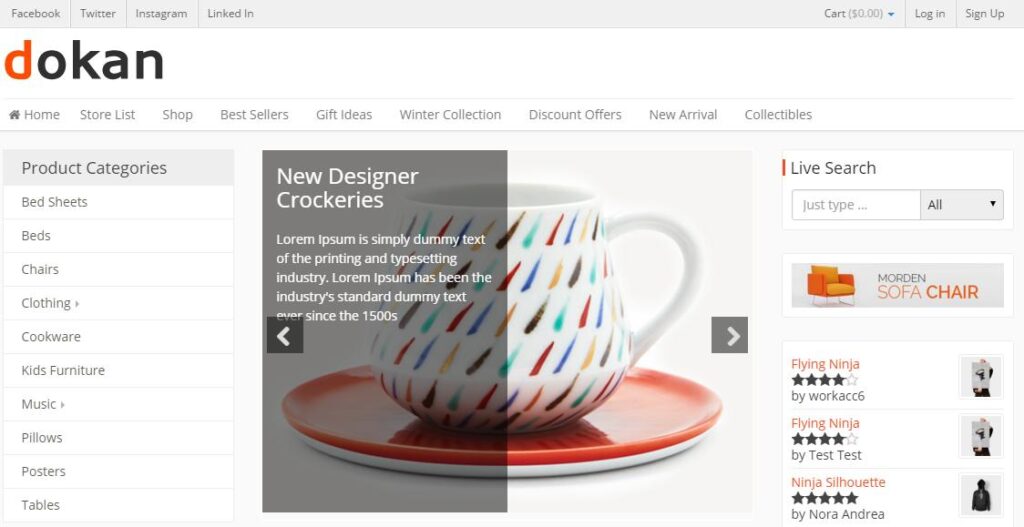
In a growing multi-vendor marketplace, customers often struggle to find the exact products they need. As product catalogs expand into thousands of items across multiple vendors, categories, brands, and price ranges, effective product filtering becomes essential.
Advanced product filters help customers narrow down search results quickly, improve user experience, increase conversions, and boost overall marketplace performance.
Dokan, built on top of WooCommerce and WordPress, provides a powerful foundation for multi-vendor marketplaces. By implementing advanced product filters, marketplace owners can significantly improve product discovery and customer satisfaction.
Why Product Filters Matter
Modern online shoppers expect fast and accurate search experiences.
Without advanced filtering systems, customers may:
- Struggle to find products
- Leave the marketplace
- Experience frustration
- Abandon purchases
Advanced filters help customers:
- Find products faster
- Compare products efficiently
- Improve buying confidence
- Discover relevant products
- Reduce search time
For large marketplaces, filtering systems directly impact sales and customer retention.
Common Product Filter Types
Category Filters
Category filters help customers browse products by specific categories.
Examples:
- Electronics
- Fashion
- Home & Garden
- Sports
- Books
This is often the first filter customers use when shopping.
Price Filters
Price filtering allows customers to shop within their budget.
Examples:
- Under $50
- $50 – $100
- $100 – $500
- Above $500
Price sliders are particularly popular because they provide a better user experience.
Brand Filters
Brand filtering is essential for marketplaces selling products from multiple manufacturers.
Examples:
- Apple
- Samsung
- Sony
- Nike
- Adidas
Brand filters help customers quickly locate preferred products.
Vendor Filters
Dokan marketplaces can benefit from vendor-specific filtering.
Customers can search products based on:
- Specific sellers
- Top-rated vendors
- Local vendors
- Featured stores
Vendor filtering improves trust and marketplace transparency.
Attribute-Based Filters
Product attributes provide highly detailed filtering options.
Examples include:
Size Filters
- Small
- Medium
- Large
- XL
Color Filters
- Red
- Blue
- Black
- White
Material Filters
- Cotton
- Leather
- Steel
- Plastic
Attribute filters help customers locate products that match exact requirements.
Rating Filters
Customer reviews influence buying decisions.
Rating filters allow customers to display products based on:
- 5-star products
- 4-star and above
- Highly rated products
Benefits include:
- Increased trust
- Better shopping experiences
- Higher conversion rates
Stock Availability Filters
Customers want products that are ready for purchase.
Common stock filters include:
- In Stock
- Out of Stock
- Pre-Order
- Backorder Available
These filters reduce frustration and improve user satisfaction.
Location-Based Filters
For regional marketplaces, location filtering can be extremely valuable.
Customers may search by:
- City
- State
- Country
- Delivery Zone
This is especially useful for local delivery marketplaces and service-based platforms.
AJAX Product Filtering
AJAX filters allow results to update instantly without page reloads.
Benefits include:
- Faster browsing
- Better user experience
- Reduced waiting times
- Improved mobile performance
Modern marketplaces should always consider AJAX-based filtering systems.
Search and Filter Combination
Combining search functionality with advanced filters provides maximum flexibility.
Example:
A customer searches for:
“Wireless Headphones”
Then filters by:
- Brand: Sony
- Price: Under $200
- Rating: 4 Stars+
- Availability: In Stock
This creates highly targeted search results.
Mobile-Friendly Filtering
Most marketplace traffic comes from mobile devices.
Mobile filter systems should include:
- Slide-out filter panels
- Touch-friendly controls
- Responsive layouts
- Fast loading interfaces
Poor mobile filtering often leads to lower conversions.
Improving Filter Performance
Large marketplaces may contain thousands of products.
Optimization strategies include:
AJAX Loading
Reduces page refreshes and improves responsiveness.
Database Optimization
Optimize WooCommerce product queries and indexes.
Object Caching
Implement Redis or Memcached to speed up filter requests.
CDN Integration
Use Cloudflare or similar CDN services to improve global performance.
SEO Benefits of Product Filters
Advanced filters can improve SEO when implemented correctly.
Benefits include:
- Better user engagement
- Increased session duration
- Reduced bounce rates
- Improved product discoverability
Important SEO considerations:
- Avoid duplicate URLs
- Use canonical tags
- Prevent excessive indexed filter combinations
- Create SEO-friendly filtered landing pages
Recommended Plugins for Advanced Product Filters
WOOF – WooCommerce Products Filter
Popular advanced filtering solution with AJAX support.
Filter Everything
Powerful WooCommerce filtering plugin with SEO-friendly URLs.
JetSmartFilters
Excellent for Elementor-based marketplaces.
FacetWP
Premium filtering system designed for large websites.
Best Practices for Marketplace Filters
- Keep filters simple and organized
- Use AJAX filtering whenever possible
- Optimize for mobile devices
- Prioritize important filter options
- Monitor user behavior
- Regularly test performance
- Improve filter speed through caching
Common Filtering Mistakes
Too Many Filter Options
Excessive choices can overwhelm customers.
Slow Filter Performance
Slow results negatively impact user experience.
Poor Mobile Design
Non-responsive filters reduce mobile conversions.
Missing Vendor Filters
Vendor marketplaces should always provide seller-based filtering.
Lack of Search Integration
Filters work best when combined with marketplace search.
Advanced Product Filter Checklist
✓ Category Filters
✓ Price Filters
✓ Brand Filters
✓ Vendor Filters
✓ Product Attribute Filters
✓ Rating Filters
✓ Stock Availability Filters
✓ AJAX Filtering
✓ Mobile Optimization
✓ SEO Optimization
✓ Performance Optimization
Final Thoughts
Advanced product filters are essential for modern Dokan marketplaces. As product catalogs grow, filtering systems become one of the most important tools for improving customer experience and increasing sales.
By implementing category filters, price filters, vendor filters, rating systems, AJAX functionality, and mobile-friendly interfaces, marketplace owners can create a faster, more intuitive shopping experience.
Whether you’re operating a niche marketplace or a large multi-vendor platform, investing in advanced product filtering can significantly improve product discovery, customer satisfaction, and marketplace growth.

Hire Me on Upwork – Dokan & WooCommerce Expert

 Chat on WhatsApp