
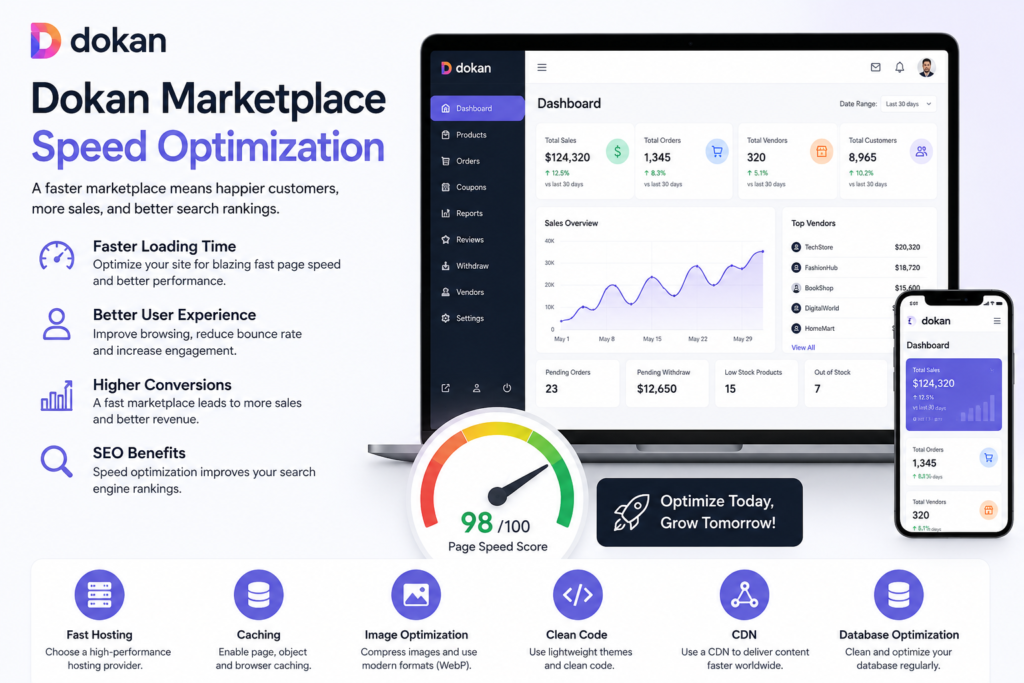
Website speed is one of the most critical factors for the success of any multi-vendor marketplace. A slow marketplace can frustrate customers, reduce vendor productivity, increase cart abandonment, and negatively impact search engine rankings.
As your marketplace grows and vendors add more products, orders, images, and customers, performance challenges become more noticeable. Optimizing your Dokan marketplace ensures faster page loading, better user experience, improved SEO rankings, and higher conversion rates.
Dokan is built on top of WooCommerce and WordPress, which means performance optimization requires attention to all three layers.
In this guide, you’ll learn the best strategies for optimizing Dokan marketplace speed and performance.
Why Marketplace Speed Matters
Website speed directly impacts business growth.
A slow marketplace can lead to:
- Higher bounce rates
- Lower conversion rates
- Reduced sales
- Poor vendor experience
- Increased cart abandonment
- Lower SEO rankings
- Higher server costs
A fast marketplace helps:
- Improve customer satisfaction
- Increase product page views
- Improve search rankings
- Increase vendor engagement
- Improve checkout performance
- Boost overall revenue
Choose High-Performance Hosting
Hosting is the foundation of marketplace performance.
Use Managed WordPress Hosting
Look for hosting providers that offer:
- SSD or NVMe storage
- Dedicated resources
- Server-level caching
- PHP optimization
- Daily backups
- Database optimization
Use Scalable Cloud Infrastructure
Cloud hosting helps manage:
- Traffic spikes
- Large product catalogs
- Seasonal sales
- Vendor growth
Benefits include:
- Better uptime
- Improved scalability
- Faster processing
- Resource flexibility
Optimize WooCommerce Performance
Since Dokan relies on WooCommerce, WooCommerce optimization is essential.
Enable HPOS (High-Performance Order Storage)
HPOS significantly improves order handling performance.
Benefits include:
- Faster order processing
- Reduced database load
- Better scalability
- Improved admin speed
Learn more:
WooCommerce HPOS Documentation
Reduce Heavy WooCommerce Queries
Large marketplaces generate:
- Order queries
- Product queries
- Customer queries
- Vendor reports
Optimize these using:
- Object caching
- Database indexing
- Query optimization
Use Page Caching
Caching is one of the most effective optimization techniques.
Recommended Caching Plugins
LiteSpeed Cache
Provides:
- Full page caching
- Image optimization
- Database optimization
- Object caching support
WP Rocket
Offers:
- Page caching
- Lazy loading
- Asset optimization
Useful tools:
Enable Object Caching
Large marketplaces generate thousands of database requests.
Object caching stores frequently requested data in memory.
Recommended Solutions
Redis Object Cache
Benefits include:
- Faster database responses
- Reduced server load
- Better WooCommerce performance
Memcached
Another powerful caching solution for high-traffic websites.
Recommended plugin:
Optimize Marketplace Images
Vendor-uploaded images often become the largest performance bottleneck.
Compress Images
Optimize:
- Product images
- Store banners
- Vendor logos
- Category images
Use Modern Image Formats
Recommended formats:
- WebP
- AVIF
Benefits include:
- Smaller file sizes
- Faster loading
- Improved Core Web Vitals
Enable Lazy Loading
Load images only when users scroll to them.
This significantly reduces page load times.
Optimize Vendor Stores
Vendor stores often contain hundreds or thousands of products.
Limit Products Per Page
Avoid displaying too many products simultaneously.
Recommended:
- 12–24 products per page
Optimize Vendor Store Queries
Reduce heavy filters and unnecessary widgets.
Use AJAX Loading
Improve browsing speed using:
- AJAX filters
- AJAX pagination
- AJAX search
Improve Database Performance
Large marketplaces create enormous databases.
Clean Database Regularly
Remove:
- Expired transients
- Spam comments
- Old revisions
- Unused metadata
Optimize Database Tables
Reduce fragmentation and improve query efficiency.
Monitor Large Tables
Pay attention to:
- wp_postmeta
- wp_options
- WooCommerce order tables
Useful plugin:
Use Content Delivery Networks (CDN)
A CDN distributes website assets globally.
Benefits include:
- Faster loading worldwide
- Reduced server load
- Better scalability
- Improved security
Recommended CDN
Cloudflare
Features:
- Global CDN
- DDoS protection
- Security firewall
- Image optimization
Useful tool:
Minimize Plugin Overload
Too many plugins can slow your marketplace.
Audit Installed Plugins
Remove:
- Unused plugins
- Duplicate functionality
- Outdated plugins
Use Lightweight Alternatives
Choose plugins with:
- Good coding standards
- Regular updates
- Strong performance reviews
Avoid Excessive Page Builders
Heavy page builders may increase page load times.
Optimize Marketplace Search
Search functionality becomes critical as product counts grow.
Use Advanced Search Systems
Recommended solutions:
- ElasticSearch
- Algolia
- AJAX search plugins
Benefits include:
- Faster searches
- Better product discovery
- Reduced database load
Improve Vendor Dashboard Performance
Vendor dashboards can become slow on large marketplaces.
Optimize Dashboard Widgets
Remove unnecessary:
- Reports
- Statistics
- Graphs
Load Data Asynchronously
Use AJAX-based loading whenever possible.
Limit Heavy Queries
Reduce complex reporting calculations.
Improve Core Web Vitals
Google uses Core Web Vitals as ranking signals.
Optimize Largest Contentful Paint (LCP)
Improve:
- Image delivery
- Hosting speed
- CDN performance
Reduce Cumulative Layout Shift (CLS)
Prevent layout movement during loading.
Improve Interaction to Next Paint (INP)
Reduce JavaScript execution delays.
Benefits include:
- Better SEO
- Better user experience
- Higher conversion rates
Monitor Marketplace Performance
Optimization should be ongoing.
Track Performance Metrics
Monitor:
- Page load times
- Server response times
- Database queries
- Core Web Vitals
- Vendor dashboard performance
Recommended Tools
Common Marketplace Speed Issues
Large Product Catalogs
Thousands of products increase query complexity.
Oversized Images
Large images slow page loading.
Poor Hosting
Underpowered hosting affects performance.
Too Many Plugins
Plugin bloat increases server workload.
Database Growth
Large databases reduce query efficiency.
Dokan Marketplace Speed Optimization Checklist
Use Fast Hosting
Choose scalable cloud infrastructure.
Enable HPOS
Improve WooCommerce order performance.
Use Page Caching
Implement LiteSpeed Cache or WP Rocket.
Enable Redis
Reduce database load.
Optimize Images
Use WebP and lazy loading.
Clean Database
Remove unnecessary data regularly.
Use Cloudflare CDN
Improve global performance.
Monitor Core Web Vitals
Track user experience metrics.
Final Thoughts
Speed optimization is essential for growing Dokan marketplaces. As vendors, products, and customers increase, performance challenges become more complex.
With proper optimization strategies, marketplace owners can build fast, scalable, and high-performing platforms that provide excellent experiences for both vendors and customers.
By implementing:
- High-performance hosting
- WooCommerce HPOS
- Redis object caching
- CDN integration
- Image optimization
- Database cleanup
- Plugin optimization
- Core Web Vitals improvements
you can significantly improve marketplace performance and support long-term growth.
Whether you’re running a niche marketplace, wholesale platform, service marketplace, or large multi-vendor ecosystem, speed optimization should remain a top priority.