
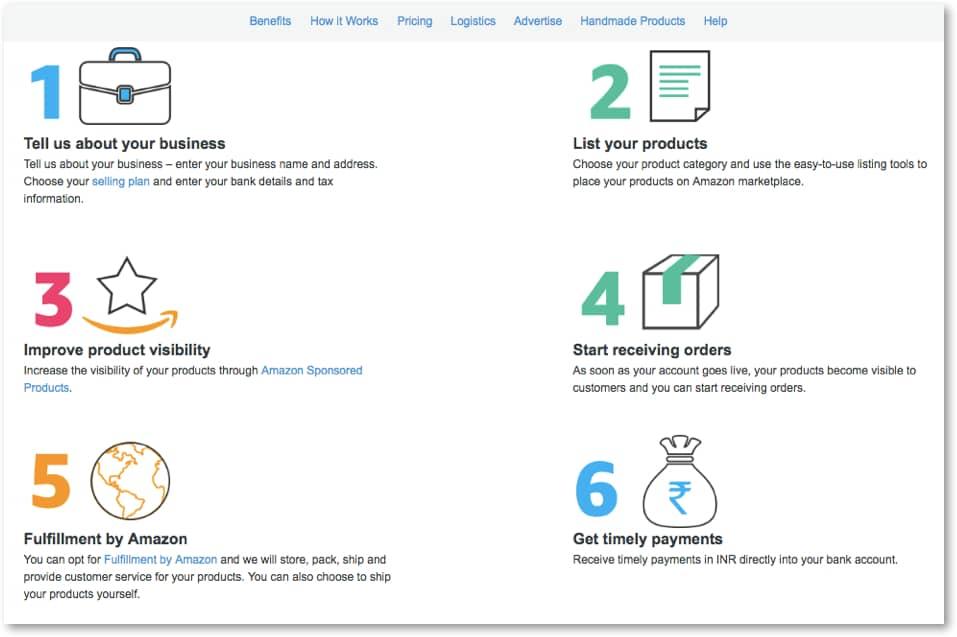
A smooth vendor onboarding experience is one of the most important parts of building a successful multi-vendor marketplace. A simple registration form may work for small marketplaces, but larger platforms often require advanced onboarding workflows to collect business information, verify vendors, and improve marketplace quality.


With a Multi-Step Vendor Registration System, marketplace owners can guide vendors through multiple registration stages, making onboarding more organized, professional, and secure.
Dokan is one of the most popular multi-vendor marketplace plugins for WordPress and WooCommerce, and it provides flexible vendor registration and marketplace management features.
In this guide, you’ll learn how to create and optimize a multi-step vendor registration system in Dokan for better onboarding, verification, and vendor management.
Why Multi-Step Vendor Registration Matters
Single-page registration forms can feel overwhelming and often lead to incomplete vendor applications.
A multi-step registration process helps:
- Improve vendor onboarding experience
- Increase registration completion rates
- Collect structured vendor information
- Verify vendor authenticity
- Reduce spam registrations
- Improve marketplace quality
- Simplify vendor approval workflows
This system is especially useful for:
- Large marketplaces
- B2B marketplaces
- Wholesale platforms
- Service marketplaces
- Booking marketplaces
- Digital product marketplaces
What is a Multi-Step Vendor Registration System?
A multi-step registration system divides vendor onboarding into multiple sections.
Instead of displaying all fields on one page, the process is separated into steps such as:
- Basic Information
- Store Information
- Business Verification
- Payment Setup
- Document Upload
- Final Review & Submission
This creates a cleaner and more user-friendly experience.


Benefits of Multi-Step Vendor Registration
Better User Experience
Smaller steps reduce form complexity and confusion.
Higher Registration Completion Rates
Users are more likely to complete shorter sections.
Improved Data Collection
Structured steps help collect organized information.
Better Vendor Verification
You can verify:
- Business details
- Tax information
- Identity documents
- Payment methods
Reduced Spam Vendors
Advanced registration systems help prevent fake seller accounts.
Essential Registration Steps for Dokan Marketplaces
Step 1: Basic Vendor Information
Collect essential details such as:
- Full name
- Email address
- Phone number
- Username
- Password
Enable:
- Email verification
- Mobile OTP verification
- CAPTCHA protection
This improves account security.
Step 2: Store Setup Information
Allow vendors to configure their store.
Collect:
- Store name
- Store URL
- Store logo
- Store banner
- Business category
- Store description
Proper store setup improves marketplace branding.


Step 3: Business Verification
Verification improves trust and marketplace security.
Verification Information
Request:
- Government ID
- GST number
- Tax documents
- Business registration certificate
- Address proof
Enable Vendor Verification Modules
Dokan verification systems help marketplace owners:
- Verify identities
- Prevent fraud
- Increase customer trust
Learn more:
Dokan Vendor Verification
Step 4: Payment Setup
Allow vendors to configure payout methods during registration.
Supported payout methods may include:
- Bank transfer
- PayPal
- Stripe
- Razorpay
Early payout setup reduces onboarding delays.
Step 5: Document Upload System
Many marketplaces require vendor documents.
Upload Examples
Vendors may upload:
- Business licenses
- Tax certificates
- Store logos
- Product certifications
- Legal agreements
Secure File Uploads
Protect uploads using:
- File type restrictions
- Malware scanning
- File size limits
This improves marketplace security.


Step 6: Review & Submission
Before final submission, vendors should review all details.
Display:
- Personal information
- Store details
- Uploaded documents
- Payment settings
This reduces registration mistakes.
Enable Smart Vendor Approval Workflows
Marketplace admins should review vendor applications before approval.
Manual Approval
Manual review helps:
- Verify documents
- Detect spam
- Ensure marketplace quality
Automatic Notifications
Send vendors:
- Approval emails
- Rejection notifications
- Missing document alerts
Automated communication improves onboarding efficiency.
Improve Registration Security
Vendor registration systems are common attack targets.
Use CAPTCHA Protection
Protect forms using:
- Google reCAPTCHA
- Cloudflare Turnstile
Enable Email Verification
Prevent fake registrations.
Use Two-Factor Authentication (2FA)
Improve account protection for vendors.
Limit Registration Attempts
Reduce spam and brute-force attacks.
Recommended security solution:
Wordfence Security


Optimize Vendor Registration Performance
Large marketplaces may process thousands of registrations.
Use High-Performance Hosting
Choose hosting with:
- SSD storage
- Object caching
- CDN integration
- Database optimization
Optimize Registration Queries
Large forms can create heavy database activity.
Optimize:
- AJAX requests
- Form validation
- Database writes
Use CDN Services
CDNs improve:
- Form loading speed
- Global performance
- Security filtering
Recommended CDN:
Cloudflare
Customize Registration Forms
Different marketplaces require different onboarding systems.
Add Custom Fields
Examples include:
- Vendor experience
- Product categories
- Shipping regions
- Warehouse details
- Social media profiles
Conditional Form Logic
Display fields dynamically based on:
- Vendor type
- Product category
- Business model
This improves usability.
Improve Vendor Onboarding Experience
Registration is only the beginning.
Provide Welcome Emails
Guide vendors with:
- Dashboard tutorials
- Store setup instructions
- Marketplace policies
Offer Vendor Training
Provide resources for:
- Product uploads
- SEO optimization
- Shipping management
- Customer support
Use Vendor Dashboards
Dokan vendor dashboards help sellers manage:
- Products
- Orders
- Withdrawals
- Reports
- Coupons


Common Vendor Registration Challenges
Incomplete Registrations
Long forms may reduce completion rates.
Fake Vendor Accounts
Spam vendors create security risks.
Poor Document Verification
Weak verification systems reduce marketplace trust.
Slow Registration Performance
Heavy forms may overload servers.
Weak Communication
Poor onboarding communication frustrates vendors.
Best Plugins for Vendor Registration Optimization
Recommended Plugins
Dokan Pro
Provides advanced multi-vendor functionality.
WPForms
Useful for advanced registration forms.
Fluent Forms
Supports multi-step forms and automation.
Wordfence Security
Improves registration security.
Cloudflare
Enhances performance and protection.
Useful tools:
Multi-Step Vendor Registration Checklist
Use Multi-Step Forms
Reduce form complexity and improve usability.
Verify Vendors
Collect business and identity documents.
Secure Registration Forms
Enable CAPTCHA and email verification.
Automate Notifications
Improve onboarding communication.
Optimize Performance
Use caching, CDN, and optimized hosting.
Customize Vendor Fields
Collect marketplace-specific information.
Review Applications
Maintain marketplace quality standards.
Final Thoughts
A Multi-Step Vendor Registration System helps create a more professional, secure, and scalable multi-vendor marketplace.
With Dokan, marketplace owners can build advanced onboarding workflows that improve vendor experience, marketplace trust, and operational efficiency.
By implementing:
- Structured onboarding
- Vendor verification
- Secure document uploads
- Payment setup
- Automated workflows
- Registration security
- Vendor dashboards
- Performance optimization
you can create a powerful and scalable vendor registration system for your marketplace.
Whether you operate a B2B marketplace, wholesale platform, service marketplace, booking system, or digital marketplace, a strong vendor onboarding process is essential for long-term marketplace growth.