
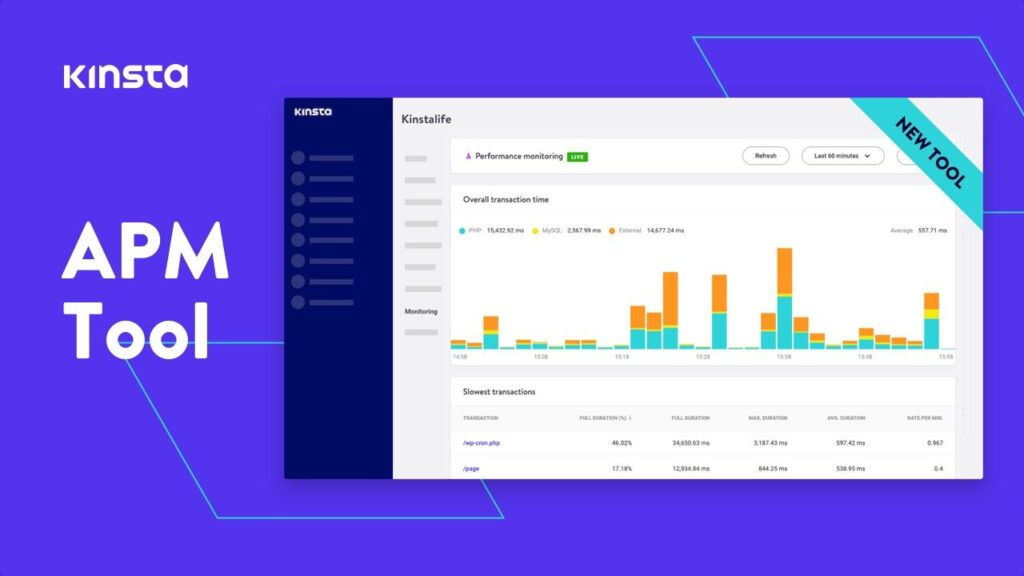


The admin dashboard is the control center of every WooCommerce store. A well-designed dashboard helps store owners manage products, monitor sales, process orders, track analytics, and improve overall business productivity.
While WooCommerce provides a powerful default dashboard, many businesses require custom admin dashboards tailored to their workflows and operational needs.
Customizing the WooCommerce admin dashboard can help:
- Improve productivity
- Simplify store management
- Enhance reporting
- Reduce admin clutter
- Add business-specific tools
- Improve user experience
In this complete guide, you’ll learn how to customize the WooCommerce admin dashboard using WordPress, custom code, plugins, analytics tools, and UI improvements.
Why Customize the WooCommerce Admin Dashboard?
Every business has different operational requirements.
A customized dashboard allows store owners to:
- Focus on important metrics
- Access key tools faster
- Simplify workflows
- Improve team efficiency
- Reduce unnecessary admin elements
Custom dashboards are especially useful for:
- Large stores
- Multi-vendor marketplaces
- Wholesale stores
- Subscription businesses
- Digital product platforms
Understanding the Default WooCommerce Dashboard


WooCommerce includes built-in dashboard features such as:
- Sales reports
- Revenue analytics
- Order statistics
- Product performance
- Customer insights
While useful, many store owners need additional customization for better business management.
Ways to Customize WooCommerce Admin Dashboard
Using Plugins
Plugins are the easiest way to customize the admin dashboard.
Popular dashboard plugins include:
- Adminimize
- WP Adminify
- Ultimate Dashboard
These plugins help:
- Remove dashboard widgets
- Customize menus
- Improve admin UI
- Create custom dashboards
Using Custom Code


Developers can customize WooCommerce dashboards using:
- Hooks
- Filters
- Admin menus
- Dashboard widgets
- Custom post types
Example custom dashboard widget:
add_action('wp_dashboard_setup', 'custom_dashboard_widget');

function custom_dashboard_widget() {
    wp_add_dashboard_widget(
        'custom_widget',
        'Store Analytics',
        'custom_dashboard_widget_content'
    );
}
This creates a custom dashboard widget.
Custom WooCommerce Dashboard Widgets
Dashboard widgets display important store information quickly.
Useful custom widgets include:
- Daily sales reports
- Pending orders
- Top-selling products
- Inventory alerts
- Vendor statistics
- Customer registrations
Widgets improve admin productivity significantly.
Customizing WooCommerce Admin Menus


You can:
- Remove unused menu items
- Add custom admin pages
- Reorder navigation menus
- Restrict user access
Example:
remove_menu_page('edit-comments.php');This removes the comments menu from the dashboard.
Role-Based Dashboard Access
Different admin roles may require different dashboard permissions.
Examples:
- Store managers
- Support teams
- Warehouse staff
- Marketing teams
- Vendors
Role-based customization improves:
- Security
- Workflow organization
- Team efficiency
Popular plugin:
- User Role Editor
WooCommerce Analytics Customization

Analytics are one of the most important dashboard features.
Useful metrics include:
- Revenue trends
- Conversion rates
- Product performance
- Customer growth
- Refund statistics
- Cart abandonment
Advanced analytics help businesses make better decisions.
Using Charts & Data Visualization
You can integrate chart libraries such as:
- Chart.js
- ApexCharts
to create:
- Revenue charts
- Order trends
- Product analytics
- Customer growth reports
Visual dashboards improve data understanding significantly.
Custom Dashboard Pages
Custom admin pages can be created for:
- Inventory management
- Vendor management
- Customer support
- Marketing reports
- Shipping systems
- Subscription analytics
Example admin menu page:
add_menu_page(
    'Custom Reports',
    'Reports',
    'manage_options',
    'custom-reports',
    'custom_reports_page'
);
WooCommerce Dashboard UI Improvements


A clean admin UI improves usability and productivity.
Recommended UI Improvements
Responsive Dashboard Layouts
Ensure dashboards work well on:
- Desktops
- Tablets
- Mobile devices
Dark Mode Support
Many admins prefer dark-themed dashboards.
Quick Action Buttons
Allow faster access to:
- Orders
- Products
- Coupons
- Reports
Custom Branding
Add:
- Company logo
- Brand colors
- Custom login screens
WooCommerce Dashboard Security
Admin dashboards contain sensitive business data.
Security Best Practices
Use HTTPS
Always protect admin sessions using SSL certificates.
Enable Two-Factor Authentication
Use plugins such as:
- Wordfence
- Solid Security
to improve login security.
Restrict Admin Access
Limit admin permissions carefully.
Monitor User Activity
Track admin actions and login attempts.
Performance Optimization for Admin Dashboards


Large WooCommerce stores generate significant admin data.
Optimization Tips
Optimize Database Queries
Reduce unnecessary dashboard requests.
Use AJAX Loading
Load widgets dynamically for faster performance.
Enable Object Caching
Improve database response times.
Recommended plugins:
- LiteSpeed Cache
- Redis Object Cache
Use Fast Hosting
Choose optimized WooCommerce hosting.
Common Dashboard Customization Mistakes
Overloaded Dashboards
Too many widgets reduce usability.
Weak Security
Always secure admin accounts carefully.
Poor Mobile Experience
Admins increasingly manage stores using mobile devices.
Slow Dashboard Performance
Heavy analytics and plugins may slow down the backend.
Final Thoughts
Customizing the WooCommerce admin dashboard helps businesses create efficient, scalable, and user-friendly management systems tailored to their specific workflows.
By combining:
- Custom widgets
- Analytics dashboards
- Role-based access
- Better UI/UX
- Performance optimization
- Security enhancements
- Custom reporting systems
you can transform the WooCommerce backend into a powerful business management platform.
Whether you’re managing a small online store, enterprise WooCommerce website, digital marketplace, or multi-vendor platform, admin dashboard customization can significantly improve operational efficiency and business growth.