


The checkout page is the most critical step in your sales funnel. No matter how much traffic you get, if your checkout experience is poor, you will lose customers at the final stage.
If you’re using WooCommerce on WordPress, optimizing your checkout UX can significantly improve conversion rates and revenue.
In this guide, you’ll learn how to improve WooCommerce checkout UX step-by-step.
🔴 Why Checkout UX Matters
A complicated checkout leads to:
❌ Cart abandonment
❌ Frustrated users
❌ Lost revenue
A smooth checkout provides:
✔ Faster conversions
✔ Better user experience
✔ Higher sales
✔ Reduced drop-offs
👉 Checkout UX = conversion engine of your store
🧠 Common Checkout Problems
Many WooCommerce stores suffer from:
❌ Too Many Fields
Long forms discourage users.
❌ Slow Loading
Heavy checkout pages reduce conversions.
❌ Forced Account Creation
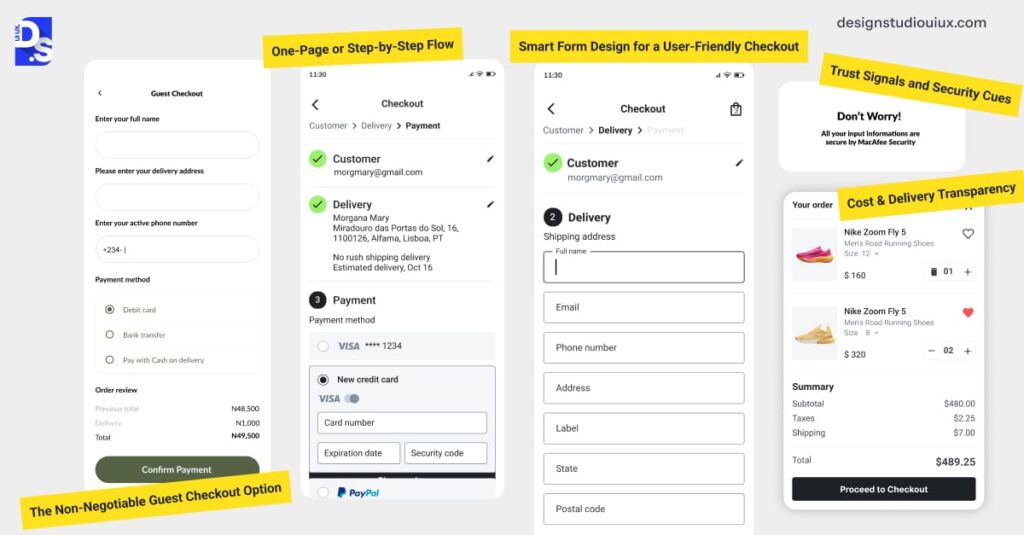
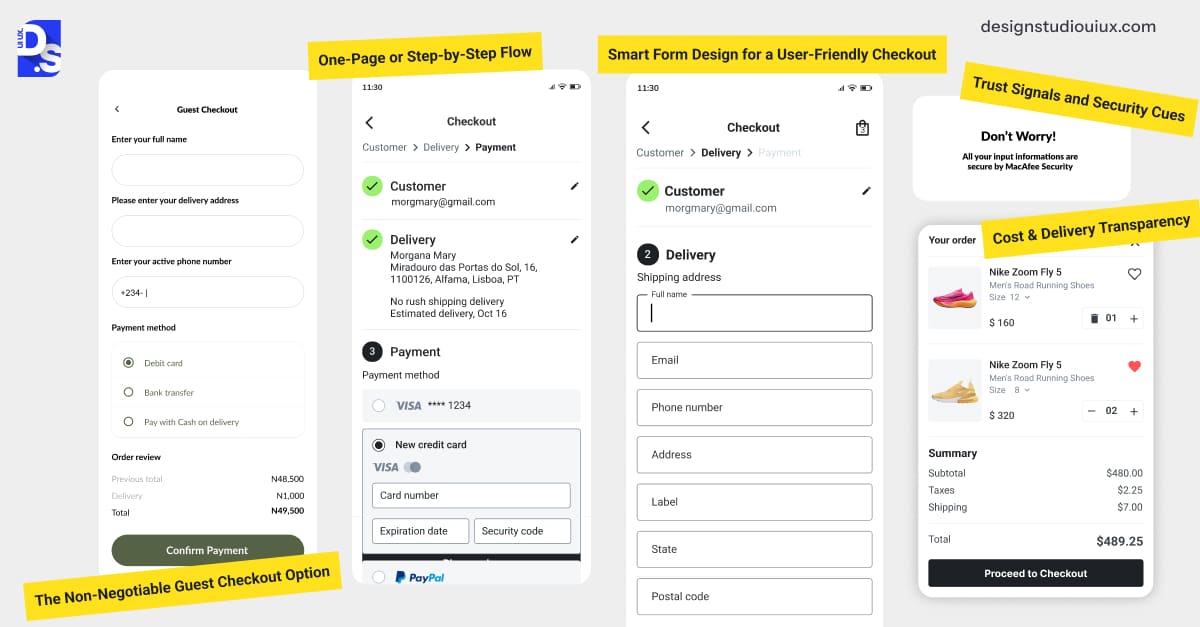
Users prefer guest checkout.
❌ Confusing Layout
Poor design increases friction.
❌ Limited Payment Options
Customers abandon if their preferred method isn’t available.
👉 These issues directly reduce sales.
⚙️ 1️⃣ Simplify Checkout Form
Reduce unnecessary fields.
Best practices:
✔ Remove optional fields
✔ Combine first + last name (if possible)
✔ Use auto-fill
✔ Enable address lookup
👉 Less effort = higher conversions.
🛒 2️⃣ Enable Guest Checkout
Do not force users to create accounts.
✔ Allow checkout without login
✔ Offer account creation after purchase
👉 Removes friction.
⚡ 3️⃣ Optimize Page Speed
Speed is critical.
Improve performance:
✔ Use caching
✔ Optimize scripts
✔ Minimize plugins
✔ Use CDN
👉 Faster checkout = fewer drop-offs.
📱 4️⃣ Mobile Optimization
Most users shop on mobile.
Ensure:
✔ Responsive design
✔ Large buttons
✔ Easy input fields
✔ Fast loading
👉 Mobile UX is essential.
💳 5️⃣ Add Multiple Payment Options
Give users flexibility.
Options:
✔ UPI (India)
✔ Credit/Debit cards
✔ Net banking
✔ Wallets
✔ COD
👉 More options = higher conversions.
🔐 6️⃣ Build Trust & Security
Users need confidence.
Add:
✔ SSL certificate (HTTPS)
✔ Trust badges
✔ Secure payment icons
✔ Clear return policy
👉 Trust increases conversions.
🎯 7️⃣ Use One-Page Checkout
Avoid multiple steps.
✔ Combine cart + checkout
✔ Reduce navigation
✔ Show everything on one page
👉 Faster and easier checkout.
🔁 8️⃣ Add Cart & Order Summary
Show clear summary:
✔ Product details
✔ Pricing breakdown
✔ Shipping cost
✔ Total amount
👉 Transparency reduces confusion.
🔔 9️⃣ Real-Time Validation
Prevent errors during checkout.
✔ Highlight errors instantly
✔ Show helpful messages
✔ Validate fields in real-time
👉 Reduces frustration.
🎁 🔟 Add Smart Upsells
Increase order value during checkout.
Examples:
✔ Add-ons (gift wrap, accessories)
✔ “Frequently bought together”
✔ Limited-time offers
👉 Improves AOV.
📈 Real Impact of Checkout Optimization
After improving checkout UX:
✔ Lower cart abandonment
✔ Higher conversion rate
✔ Increased revenue
✔ Better customer experience
👉 Small UX changes = big results.
🚨 Common Mistakes to Avoid
❌ Too many steps
❌ Slow checkout
❌ Hidden charges
❌ Poor mobile UX
❌ Limited payment methods
👉 Avoid friction at all costs.
📌 Checkout Optimization Checklist
✔ Simple form
✔ Guest checkout
✔ Fast loading
✔ Mobile-friendly
✔ Multiple payments
✔ Trust elements
✔ One-page checkout
👉 Follow this for best results.

Hire Me on Upwork – Dokan & WooCommerce Expert

 Chat on WhatsApp