
WooCommerce CRM Setup: Complete Guide to Integrating CRM with Your Online Store
Customer relationships are the foundation of every successful eCommerce business. While WooCommerce is excellent for managing products and orders, it doesn’t provide advanced tools for customer relationship management (CRM) out of the box. Integrating a CRM with WooCommerce helps you organize customer data, automate marketing, improve support, and increase repeat sales.
Whether you’re running a small online store or a high-volume eCommerce business, a CRM enables you to build stronger customer relationships and streamline daily operations.
This guide covers everything you need to know about setting up a CRM for WooCommerce, including the best CRM solutions, setup steps, automation ideas, and best practices.
What is a WooCommerce CRM?
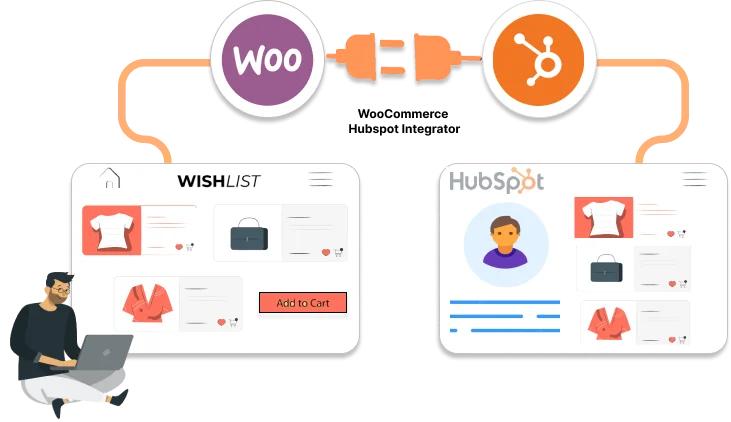
A WooCommerce CRM connects your online store with a Customer Relationship Management system, allowing customer information, orders, and interactions to be synchronized automatically.
Instead of managing customer details manually, a CRM centralizes all important information such as:
- Customer profiles
- Order history
- Purchase behavior
- Support tickets
- Marketing campaigns
- Email interactions
- Sales opportunities
- Customer lifetime value
Why Use a CRM with WooCommerce?
A CRM provides a complete view of every customer, helping you personalize communication and improve the shopping experience.
Key benefits include:
- Better customer relationships
- Automated email marketing
- Customer segmentation
- Improved customer support
- Sales tracking
- Higher conversion rates
- Increased repeat purchases
- Detailed business analytics
Benefits of WooCommerce CRM Integration
Centralized Customer Data
Store customer details, purchase history, notes, and communication in one place.
Marketing Automation
Automate welcome emails, abandoned cart reminders, newsletters, and promotional campaigns.
Better Customer Support
Support teams can access customer information instantly, reducing response times.
Sales Growth
Track customer behavior to create personalized offers and product recommendations.
Business Reporting
Analyze customer trends, sales performance, and marketing effectiveness with built-in dashboards.
Best CRM Solutions for WooCommerce
1. HubSpot CRM
HubSpot offers a free CRM with powerful marketing and automation features.
Features
- Contact Management
- Email Marketing
- Live Chat
- Sales Pipeline
- Marketing Automation
- Customer Analytics
Best For: Growing WooCommerce businesses.
2. FluentCRM
A self-hosted WordPress CRM designed specifically for WooCommerce.
Features
- Email Automation
- Customer Tags
- Smart Lists
- Sales Funnels
- WooCommerce Integration
- Campaign Reports
Best For: Businesses wanting complete control over customer data.
3. WP ERP CRM
An all-in-one WordPress CRM solution.
Features
- Contact Management
- Sales CRM
- HR Module
- Accounting
- Customer Notes
- Email Logs
Best For: Small and medium businesses.
4. Zoho CRM
A flexible CRM platform with advanced workflow automation.
Features
- Lead Management
- Workflow Automation
- Sales Pipeline
- Email Campaigns
- AI Assistant
- Reporting
Best For: Businesses with growing sales teams.
5. Salesforce
Enterprise-grade CRM for large WooCommerce stores.
Features
- AI Insights
- Advanced Reporting
- Customer Journey Mapping
- Automation
- API Integrations
- Sales Forecasting
Best For: Large enterprises.
How to Set Up a WooCommerce CRM
Step 1: Choose Your CRM
Select a CRM that matches your business size, budget, and marketing goals.
Step 2: Install the CRM Plugin
Install the official WooCommerce integration or WordPress plugin provided by your CRM.
Step 3: Connect WooCommerce
Authenticate the connection using API keys or OAuth.
Step 4: Sync Customer Data
Import existing customers, orders, and purchase history.
Step 5: Configure Automation
Set up workflows for:
- Welcome emails
- Order confirmations
- Abandoned carts
- Product recommendations
- Review requests
- Follow-up campaigns
Step 6: Test Everything
Verify that customer information, orders, and automation workflows are syncing correctly.
Customer Segmentation
Organize customers into meaningful groups based on:
- Purchase history
- Total spending
- Product categories
- Order frequency
- Location
- Customer role
- Subscription status
Segmentation enables personalized marketing and higher engagement.
Marketing Automation Ideas
A CRM can automate:
- Welcome email series
- Abandoned cart recovery
- Post-purchase follow-ups
- Cross-sell campaigns
- Upsell recommendations
- Birthday offers
- Loyalty rewards
- Re-engagement campaigns
Customer Support Integration
CRM systems improve support by providing:
- Customer history
- Previous orders
- Support tickets
- Communication logs
- Notes and reminders
This enables faster and more personalized support.
Analytics & Reporting
Monitor key metrics such as:
- New customers
- Repeat customers
- Customer lifetime value
- Average order value
- Conversion rate
- Email open rate
- Revenue by campaign
- Sales trends
These insights help optimize marketing and sales strategies.
Security Best Practices
Protect customer information by:
- Using HTTPS
- Enabling two-factor authentication
- Restricting user permissions
- Encrypting sensitive data
- Rotating API keys regularly
- Backing up your website
- Keeping plugins updated
Common Mistakes
Not Syncing Existing Customers
Always import historical customer data during setup.
Poor Segmentation
Avoid sending the same campaigns to every customer.
Ignoring Automation
Use automation to save time and improve customer engagement.
Plugin Conflicts
Test CRM integrations on a staging site before deploying to production.
WooCommerce CRM Setup Checklist
✅ Install CRM Plugin
✅ Connect WooCommerce
✅ Sync Customers
✅ Sync Orders
✅ Configure Email Automation
✅ Create Customer Segments
✅ Enable Analytics
✅ Test Workflows
✅ Secure API Keys
✅ Monitor Performance
Final Thoughts
A WooCommerce CRM transforms your online store from a simple shopping platform into a customer-focused business. By centralizing customer information, automating communication, and tracking every interaction, you can improve customer satisfaction, increase repeat purchases, and grow revenue.
Whether you choose HubSpot, FluentCRM, WP ERP, Zoho CRM, or Salesforce, implementing the right CRM will help you build lasting customer relationships and create a more efficient eCommerce operation.

Hire Me on Upwork – Dokan & WooCommerce Expert

 Chat on WhatsApp