
WooCommerce: Local Delivery Setup in WooCommerce
Local delivery has become one of the most important services for online businesses. Customers increasingly expect same-day delivery, scheduled delivery, and affordable shipping options from nearby stores.
Whether you run a grocery store, restaurant, pharmacy, flower shop, bakery, or general WooCommerce store, offering local delivery can significantly improve customer satisfaction and increase sales.
WooCommerce makes it easy to set up local delivery using built-in shipping methods and advanced delivery plugins.
In this guide, we’ll walk through how to set up local delivery in WooCommerce and optimize it for the best customer experience.
What is Local Delivery?
Local delivery allows businesses to deliver products directly to customers within a specific geographic area.
Examples include:
- Grocery delivery
- Restaurant delivery
- Flower delivery
- Pharmacy delivery
- Local retail delivery
- Same-day delivery services
Local delivery provides customers with faster and more convenient shopping experiences.
Why Offer Local Delivery?
Local delivery provides several benefits.
Faster Delivery
Customers receive products quickly.
Lower Shipping Costs
Shorter distances reduce expenses.
Better Customer Experience
Convenience increases satisfaction.
Increased Sales
Customers often prefer stores with local delivery.
Competitive Advantage
Differentiate your business from competitors.
Local delivery has become a major revenue driver for many businesses.
WooCommerce Built-In Local Pickup vs Local Delivery
WooCommerce provides two built-in shipping methods.
Local Pickup
Customers collect orders themselves.
Flat Rate Shipping
Can be configured for local deliveries.
For advanced delivery systems, additional plugins are usually required.
Step 1: Enable Shipping Zones
Navigate to:
WooCommerce → Settings → Shipping
Create a shipping zone for your delivery area.
Examples:
- New York
- Delhi
- Mumbai
- London
Shipping zones determine where local delivery is available.
Step 2: Add Local Delivery Shipping Method
Inside the shipping zone:
Add Shipping Method → Flat Rate
Rename it:
Local Delivery
This creates a dedicated delivery option.
Step 3: Configure Delivery Charges
Popular pricing models include:
Fixed Delivery Fee
Example:
$5 Delivery Charge
Free Delivery Threshold
Example:
Free Delivery Above $50
Distance-Based Delivery
Charge based on customer location.
Flexible pricing improves conversions.
Step 4: Set Delivery Areas
Businesses often limit delivery to:
- Specific ZIP codes
- Cities
- Postal codes
- Delivery radiuses
This prevents orders outside service areas.
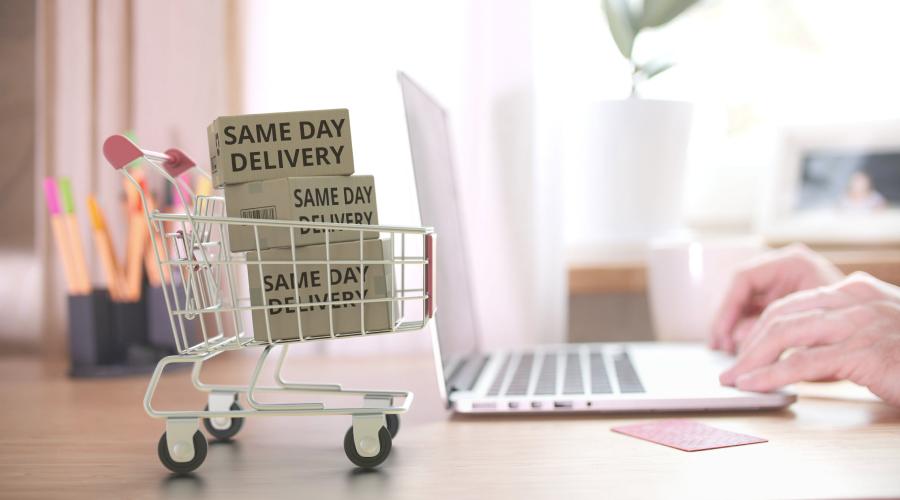
Step 5: Offer Same-Day Delivery
Many customers expect fast delivery.
Popular options:
Same-Day Delivery
Next-Day Delivery
Scheduled Delivery
Express Delivery
Fast delivery improves customer satisfaction.
Adding Delivery Date Selection
Customers appreciate choosing delivery times.
Popular options include:
Delivery Date Picker
Delivery Time Slots
Weekend Delivery
Holiday Delivery
Delivery scheduling improves convenience.
Delivery Time Slot Management
Examples:
9:00 AM – 12:00 PM
1:00 PM – 4:00 PM
5:00 PM – 8:00 PM
Time slots help businesses manage deliveries efficiently.
Restrict Delivery by ZIP Code
Many local businesses serve only certain areas.
Examples:
- 90210
- 10001
- 110001
ZIP code restrictions prevent delivery errors.
Distance-Based Delivery Pricing
Some stores charge based on distance.
Examples:
0–5 km → $3
5–10 km → $5
10–15 km → $8
Distance-based pricing improves profitability.
Local Delivery for Grocery Stores
Popular features include:
Same-Day Delivery
Delivery Scheduling
Minimum Order Requirements
Delivery Radius Restrictions
Grocery stores benefit greatly from local delivery.
Local Delivery for Restaurants
Restaurant delivery often requires:
Fast Delivery Times
Real-Time Order Updates
Delivery Fees
Order Tracking
Speed is essential for food businesses.
Local Delivery for Pharmacies
Pharmacies may require:
Prescription Delivery
Scheduled Deliveries
Emergency Deliveries
Delivery Verification
Reliability is extremely important.
Delivery Notifications
Keep customers informed with:
Order Confirmation
Delivery Scheduled
Out for Delivery
Order Delivered
Notifications improve customer experience.
Local Delivery Tracking
Advanced stores may offer:
Driver Tracking
Delivery Status Updates
Estimated Arrival Times
SMS Notifications
Tracking increases customer trust.
Payment Methods for Local Delivery
Offer flexible payment options.
Examples:
Credit Cards
UPI Payments
PayPal
Stripe
Cash on Delivery
Multiple payment methods improve conversions.
Local Delivery for Multi-Vendor Stores
Marketplace owners may allow:
Vendor-Specific Delivery Areas
Vendor Delivery Charges
Delivery Time Settings
Store Pickup Options
Flexible delivery options improve vendor experiences.
Mobile Optimization
Many customers place delivery orders from smartphones.
Ensure:
Mobile-Friendly Checkout
Easy Address Entry
Fast Page Speed
Simple Delivery Selection
Mobile optimization directly impacts conversions.
Local SEO Benefits
Local delivery can improve SEO.
Target keywords like:
- Grocery delivery near me
- Same-day delivery in Delhi
- Local flower delivery
- Pharmacy delivery service
Local SEO helps attract nearby customers.
Recommended WooCommerce Delivery Plugins
WooCommerce Delivery Slots
Delivery date and time selection.
Order Delivery Date Pro
Advanced scheduling features.
Distance Rate Shipping
Distance-based pricing.
Flexible Shipping
Custom delivery rules.
WooCommerce Local Pickup Plus
Enhanced pickup and delivery features.
Choose plugins based on your business requirements.
Performance Optimization
Delivery plugins can increase database activity.
Optimize using:
LiteSpeed Cache
Redis Object Cache
Cloudflare CDN
Database Optimization
Fast stores convert better.
Recommended Plugin Stack
WooCommerce
Store foundation.
Order Delivery Date Pro
Delivery scheduling.
Flexible Shipping
Shipping rules.
Razorpay or Stripe
Payment processing.
WP Mail SMTP
Notifications.
LiteSpeed Cache
Performance optimization.
Cloudflare
Security and CDN.
This stack works well for most local delivery businesses.
Common Local Delivery Mistakes
No Delivery Radius Restrictions
Creates fulfillment problems.
Poor Mobile Experience
Lowers conversions.
No Delivery Scheduling
Reduces customer convenience.
Weak Communication
Creates support issues.
Slow Website Performance
Impacts customer satisfaction.
Avoiding these mistakes improves delivery operations.
Local Delivery Setup Checklist
✓ Shipping Zones
✓ Delivery Charges
✓ ZIP Code Restrictions
✓ Delivery Radius Setup
✓ Delivery Scheduling
✓ Time Slot Selection
✓ Payment Methods
✓ Delivery Notifications
✓ Mobile Optimization
✓ Local SEO
✓ Performance Optimization
✓ Analytics Tracking
Final Thoughts
Local delivery has become a major competitive advantage for online businesses. Customers increasingly expect fast, affordable, and convenient delivery options from nearby stores.
WooCommerce provides powerful tools and plugins that make it easy to build a professional local delivery system, whether you’re running a grocery store, restaurant, pharmacy, or retail business.
By implementing delivery zones, scheduling, notifications, and mobile optimization, you can create an excellent customer experience that increases sales and builds long-term customer loyalty.

Hire Me on Upwork – Dokan & WooCommerce Expert

 Chat on WhatsApp