
Shipping issues are one of the most common and most damaging problems in WooCommerce.
If shipping rates don’t show, checkout fails, or customers can’t place orders, sales stop immediately.
If your store is built using WooCommerce, this guide will help you identify why shipping is not working and how to fix it properly, step by step.
🔴 Common WooCommerce Shipping Problems
Before fixing anything, identify the exact issue you’re facing:
-
No shipping methods available
-
Shipping cost showing as ₹0 unexpectedly
-
Shipping not calculated at checkout
-
Shipping works for some locations, not others
-
Shipping disappears after adding a coupon
-
Shipping not working for Dokan vendors
-
Shipping works for admin products, not vendor products


🧠 How WooCommerce Shipping Works (Important)
Understanding the shipping flow makes troubleshooting much easier:
1️⃣ Customer adds product to cart
2️⃣ WooCommerce checks customer address
3️⃣ Shipping zone is matched
4️⃣ Shipping method loads
5️⃣ Shipping cost is calculated
6️⃣ Checkout displays shipping options
If any step fails, shipping will not appear.

1️⃣ Shipping Zones Not Configured (Most Common Issue)
❌ Problem
Checkout shows:
No shipping methods available
🔍 Why This Happens
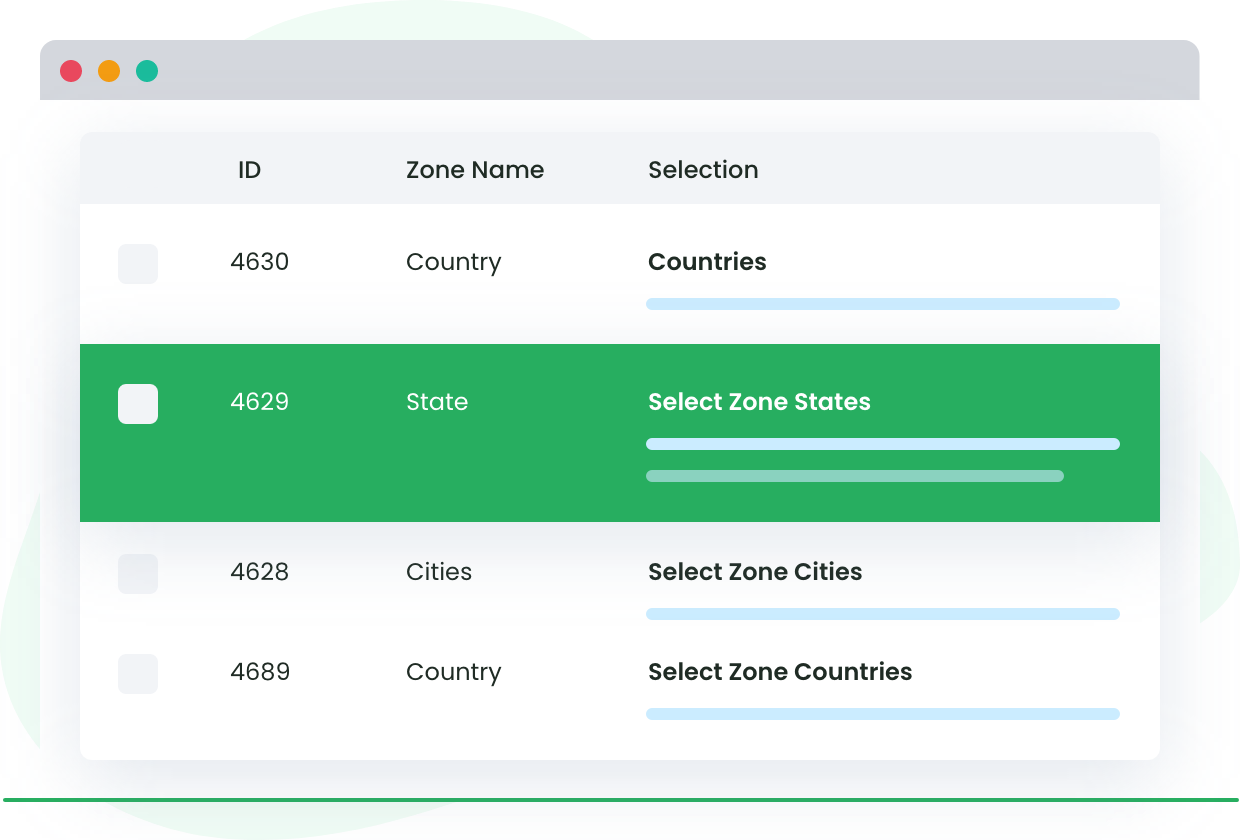
WooCommerce requires shipping zones to calculate rates.
✅ How to Fix
-
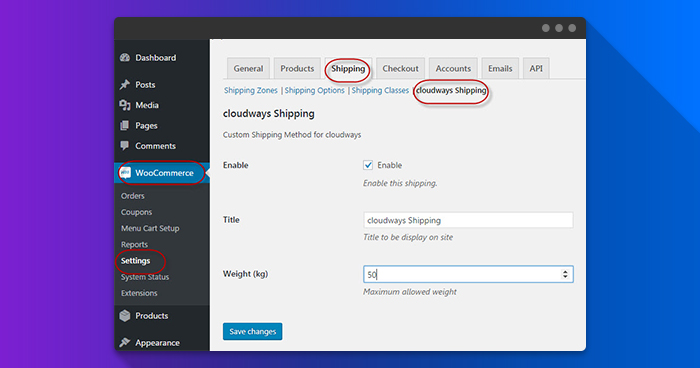
Go to WooCommerce → Settings → Shipping
-
Add shipping zones
-
Assign countries / states
-
Add shipping methods (Flat Rate, Free Shipping, etc.)

2️⃣ Products Not Marked as “Shippable”
❌ Problem
Shipping doesn’t appear for certain products.
🔍 Why This Happens
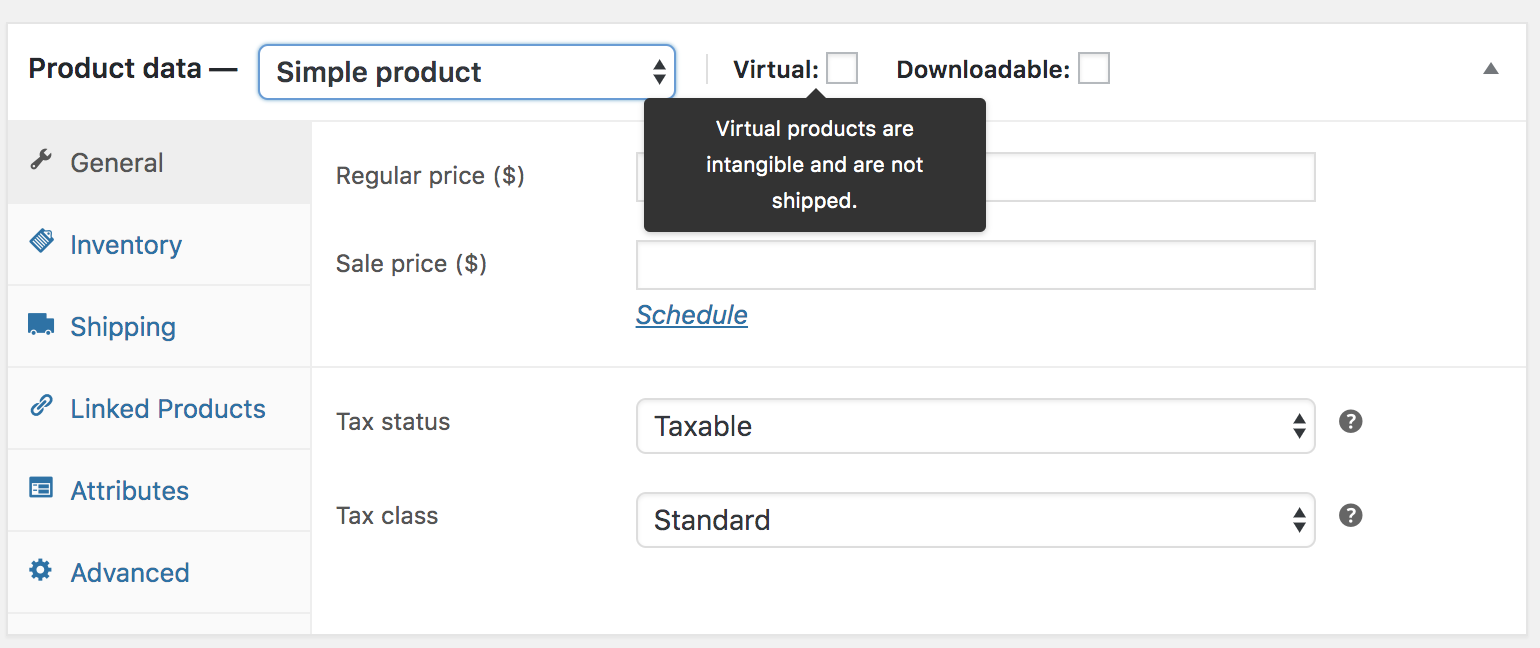
Product is marked as Virtual or Downloadable.
✅ How to Fix
-
Edit product
-
Uncheck Virtual and Downloadable
-
Update product
3️⃣ Shipping Method Exists but Rates Are Missing
❌ Problem
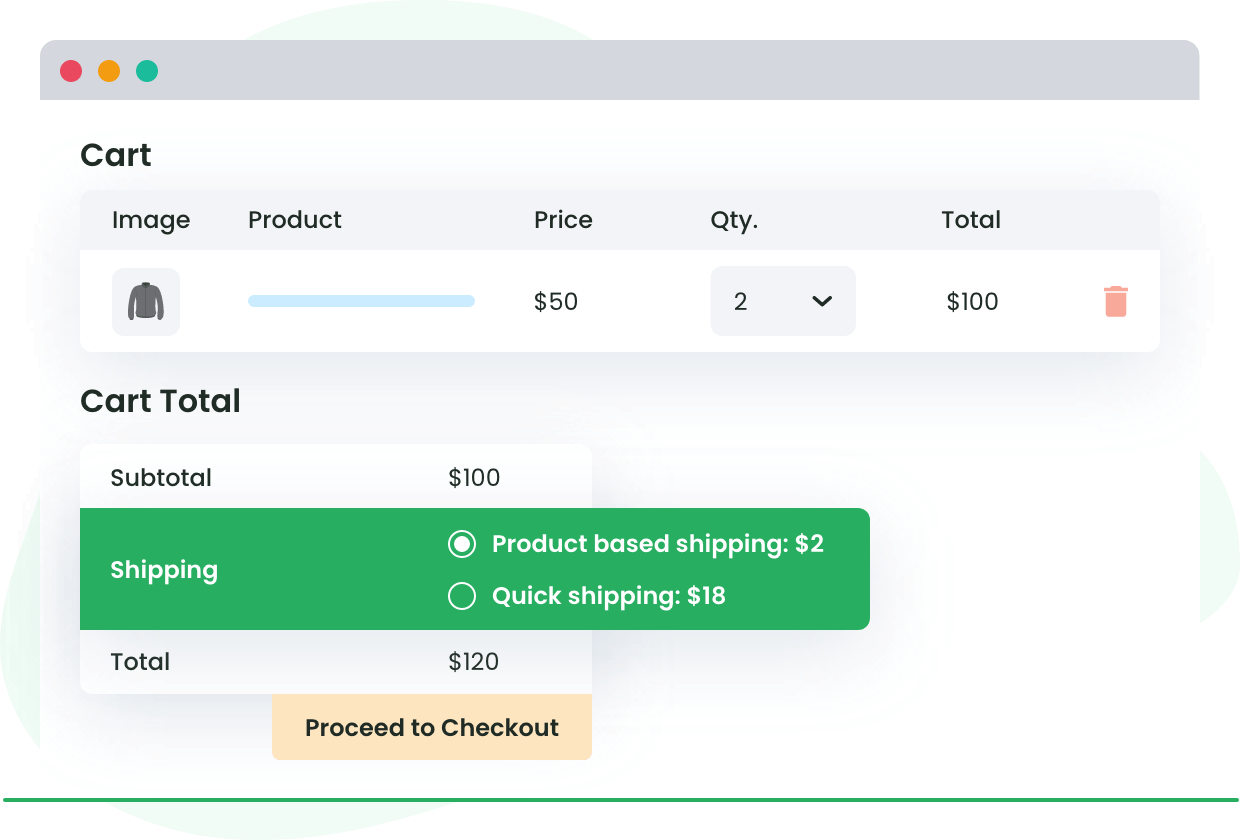
Shipping method appears, but cost is not calculated.
🔍 Why This Happens
Flat rate or table rate not configured.
✅ How to Fix
-
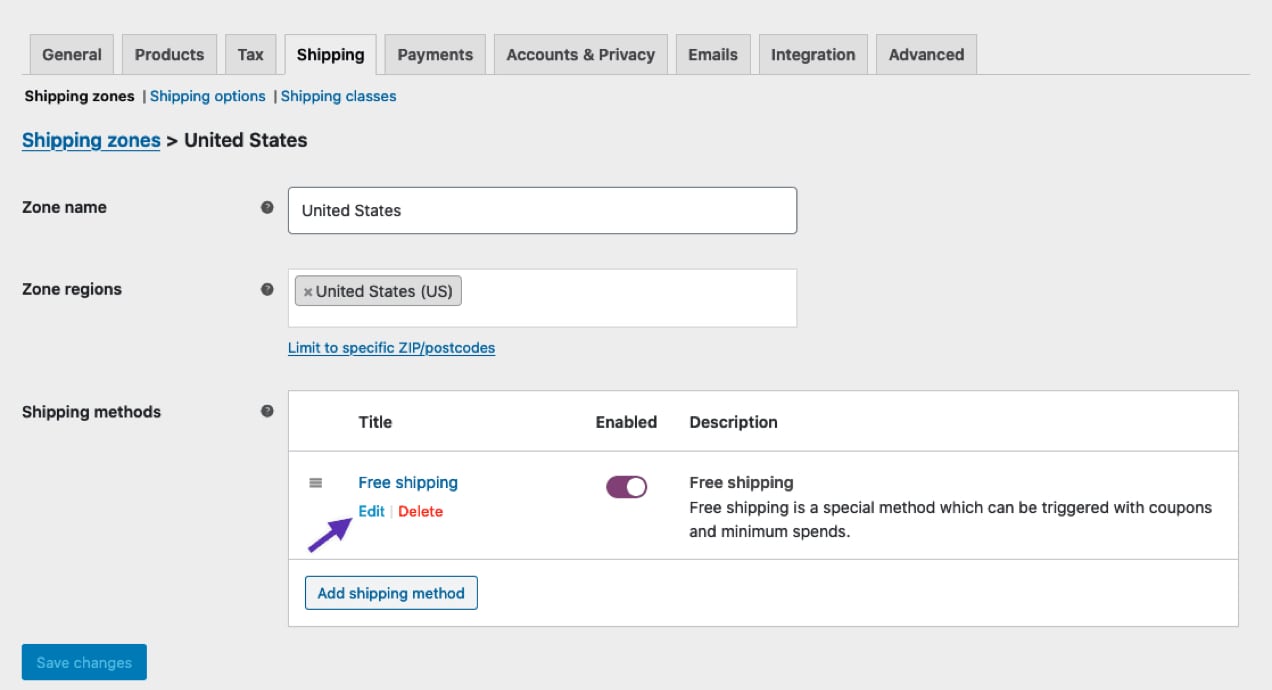
Edit shipping method
-
Set cost (example:
10or10 + 2 * [qty]) -
Save changes
4️⃣ Shipping Not Working for Specific Locations
❌ Problem
Shipping works in one city/country but not others.
🔍 Why This Happens
Address does not match any shipping zone.
✅ How to Fix
-
Check shipping zone coverage
-
Add missing countries/states
-
Reorder shipping zones (priority matters)


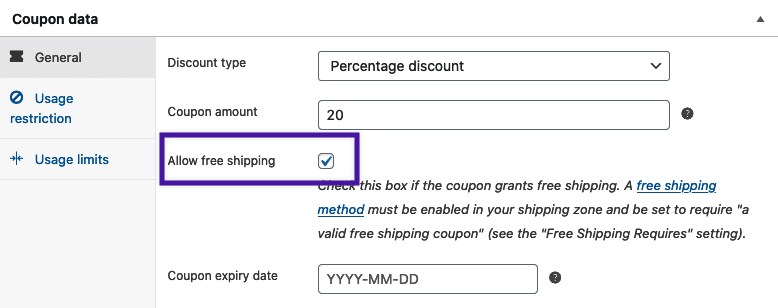
5️⃣ Shipping Disappears After Applying Coupon
❌ Problem
Shipping cost becomes zero or disappears.
🔍 Why This Happens
Coupon configured with Free Shipping.
✅ How to Fix
-
WooCommerce → Coupons
-
Edit coupon
-
Disable Allow Free Shipping
-
Save changes

6️⃣ Shipping Not Working Due to Cache Issues
❌ Problem
Shipping works sometimes but not always.
🔍 Why This Happens
Cart & checkout pages are cached.
✅ How to Fix
Exclude these pages from cache:
-
Cart
-
Checkout
-
My Account


7️⃣ Theme or Plugin Conflict
❌ Problem
Shipping stopped working after installing a plugin/theme.
✅ How to Fix
-
Switch temporarily to Storefront theme
-
Disable non-essential plugins
-
Test shipping again

8️⃣ Shipping Not Working in Dokan Marketplace
❌ Problem
Admin shipping works, but vendor shipping does not.
🔍 Why This Happens
Vendor shipping not configured or overridden.
✅ How to Fix
-
Enable vendor shipping in Dokan
-
Configure vendor shipping zones
-
Ensure vendors set shipping rates


9️⃣ Incorrect Weight or Dimension Settings
❌ Problem
Shipping rate plugins fail to calculate cost.
🔍 Why This Happens
Missing product weight or dimensions.
✅ How to Fix
-
Edit product
-
Add weight & dimensions
-
Update product

🔟 Shipping Plugins Not Compatible or Misconfigured
❌ Problem
Live shipping rates (FedEx, UPS, etc.) fail.
🔍 Why This Happens
API or plugin configuration issue.
✅ How to Fix
-
Recheck API credentials
-
Test with flat rate
-
Update shipping plugin

🚨 When You Need Custom WooCommerce Shipping Setup
You need custom shipping logic if:
-
Multi-vendor marketplace
-
Zone-based pricing
-
Weight-based or distance-based shipping
-
Carrier integrations
-
Custom checkout flow
📚 Also Read

Hire Me on Upwork – Dokan & WooCommerce Expert

 Chat on WhatsApp