
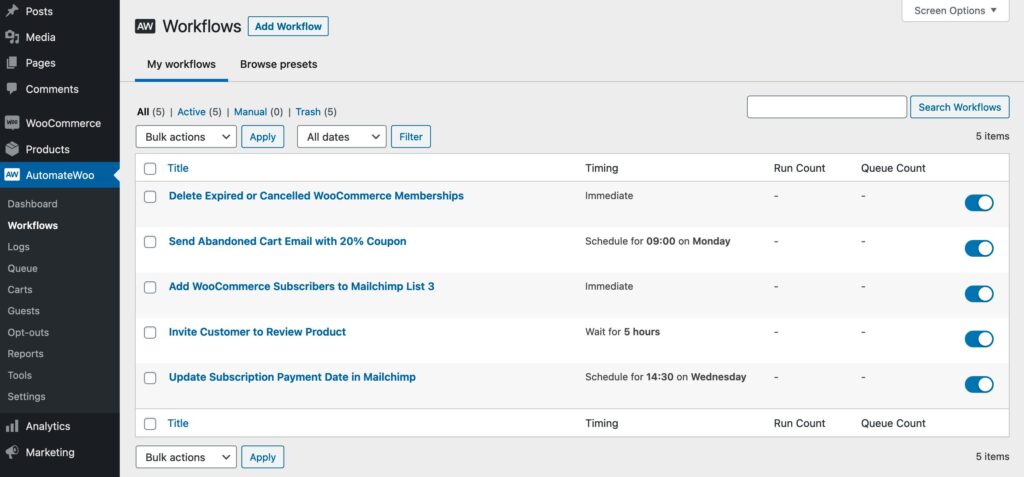
WooCommerce Workflow Automation: The Complete Guide (2026)
Running a successful WooCommerce store involves countless repetitive tasks—from processing orders and updating inventory to sending customer emails and generating reports. As your store grows, manually handling these tasks becomes inefficient and increases the risk of errors.
WooCommerce Workflow Automation helps automate repetitive business processes, allowing store owners to save time, improve accuracy, enhance customer experience, and scale operations more efficiently.
This guide covers everything you need to know about WooCommerce Workflow Automation, including automation tools, common workflows, plugins, integrations, best practices, and real-world use cases.
What is WooCommerce Workflow Automation?
Workflow automation is the process of automatically executing predefined actions when specific events occur within your WooCommerce store.
For example:
- Customer places an order
- Payment is completed
- Product goes out of stock
- Customer abandons cart
- Subscription renews
- Order is delivered
These events automatically trigger one or more actions without manual intervention.
Benefits of Workflow Automation
Save Time
Automate repetitive administrative tasks and focus on growing your business.
Reduce Human Errors
Automation minimizes manual mistakes in order processing, inventory management, and customer communication.
Improve Customer Experience
Customers receive instant confirmations, updates, and personalized communications.
Increase Sales
Automated follow-ups and abandoned cart recovery help recover lost revenue.
Better Team Productivity
Staff spend more time on high-value work instead of repetitive processes.
Business Scalability
Automation allows your store to handle increasing order volumes efficiently.
Common WooCommerce Automation Workflows
Order Processing
Automatically:
- Confirm Orders
- Generate Invoices
- Notify Customers
- Notify Administrators
- Update Order Status
- Print Packing Slips
Inventory Management
Automate:
- Stock Updates
- Low Stock Alerts
- Out-of-Stock Notifications
- Supplier Notifications
- Inventory Reports
Customer Communication
Automatically send:
- Welcome Emails
- Order Confirmations
- Shipping Updates
- Delivery Notifications
- Review Requests
- Birthday Emails
- Loyalty Rewards
Abandoned Cart Recovery
Trigger reminders when customers leave products in their carts.
Examples:
- Email Reminder
- SMS Reminder
- Discount Coupon
- Limited-Time Offer
These campaigns can help recover otherwise lost sales.
Marketing Automation
Create workflows for:
- Customer Segmentation
- Product Recommendations
- Upselling
- Cross-Selling
- Flash Sale Notifications
- Seasonal Promotions
- Re-engagement Campaigns
Refund Automation
Automatically:
- Notify Customers
- Update Inventory
- Generate Credit Notes
- Inform Accounting
- Update CRM Records
Popular Workflow Automation Plugins
1. Uncanny Automator
A no-code automation plugin connecting WooCommerce with WordPress plugins and third-party applications.
Features
- Drag-and-drop automation
- Hundreds of integrations
- Conditional triggers
- User actions
Best For: Businesses needing flexible automation.
2. AutomatorWP
Create automated workflows between WooCommerce and other WordPress plugins.
Features
- Workflow builder
- Event triggers
- Conditional logic
- User automation
Best For: WordPress-focused automation.
3. SureTriggers
Cloud-based automation platform connecting WooCommerce with external services.
Features
- API integrations
- Marketing automation
- CRM connections
- Webhooks
Best For: Cross-platform business automation.
4. WP Webhooks
Integrate WooCommerce with custom applications and external APIs.
Features
- Incoming webhooks
- Outgoing webhooks
- API automation
- Custom integrations
Best For: Developers and custom solutions.
5. ShopMagic
Designed specifically for WooCommerce automation.
Features
- Automated emails
- Customer segmentation
- Delayed actions
- Coupon generation
Best For: Email marketing and customer engagement.
CRM Integration
Workflow automation becomes even more powerful when connected to CRM platforms such as:
- HubSpot CRM
- FluentCRM
- Zoho CRM
- Salesforce
- WP ERP
Automatically:
- Create customer records
- Update purchase history
- Segment customers
- Trigger marketing campaigns
- Assign sales leads
Accounting Automation
Connect WooCommerce with accounting systems to automate:
- Invoice Creation
- Tax Reports
- Expense Tracking
- Payment Reconciliation
- Financial Reports
This reduces manual bookkeeping and improves financial accuracy.
Shipping Automation
Automatically:
- Generate Shipping Labels
- Assign Couriers
- Send Tracking Numbers
- Notify Customers
- Update Delivery Status
Shipping automation speeds up fulfillment and improves transparency.
AI-Powered Automation
Modern AI tools can automate:
- Product Recommendations
- Customer Support Chatbots
- Fraud Detection
- Smart Search
- Dynamic Pricing
- Customer Segmentation
- Predictive Inventory Management
AI helps optimize store performance and personalize customer experiences.
Analytics & Reporting
Track automation performance with metrics such as:
- Orders Processed
- Automation Success Rate
- Time Saved
- Revenue Generated
- Cart Recovery Rate
- Customer Satisfaction
- Email Open Rate
- Workflow Errors
Monitoring results helps optimize workflows over time.
Security Best Practices
Protect automated workflows by:
- Using HTTPS
- Enabling two-factor authentication
- Restricting administrator access
- Logging workflow activity
- Backing up your website
- Updating WooCommerce and plugins
- Monitoring failed automations
Common Mistakes
Automating Everything
Not every process should be automated. Keep human oversight for sensitive tasks such as large refunds or fraud reviews.
No Testing
Always test workflows on a staging site before deploying them to production.
Too Many Notifications
Avoid overwhelming customers with excessive emails or SMS messages.
Ignoring Workflow Logs
Regularly review automation logs to identify failed actions or bottlenecks.
Workflow Automation Checklist
✅ Order Automation
✅ Inventory Updates
✅ Customer Notifications
✅ Email Marketing
✅ CRM Integration
✅ Shipping Automation
✅ Accounting Integration
✅ Analytics Dashboard
✅ Security Monitoring
✅ Regular Workflow Testing
Best Practices
- Start with high-impact workflows such as order confirmations and abandoned cart recovery.
- Document every automation before deployment.
- Review workflows regularly to ensure they remain effective.
- Use conditional logic to personalize customer experiences.
- Integrate automation with CRM, accounting, and shipping systems.
- Monitor automation performance and make improvements based on analytics.
Final Thoughts
WooCommerce Workflow Automation enables businesses to streamline operations, improve customer experiences, and scale efficiently. From order processing and inventory updates to CRM integration and marketing automation, well-designed workflows reduce manual effort while increasing accuracy and productivity.
By using automation plugins like Uncanny Automator, AutomatorWP, SureTriggers, WP Webhooks, and ShopMagic, WooCommerce store owners can build intelligent workflows that save time, reduce costs, and support long-term business growth.

Hire Me on Upwork – Dokan & WooCommerce Expert

 Chat on WhatsApp