
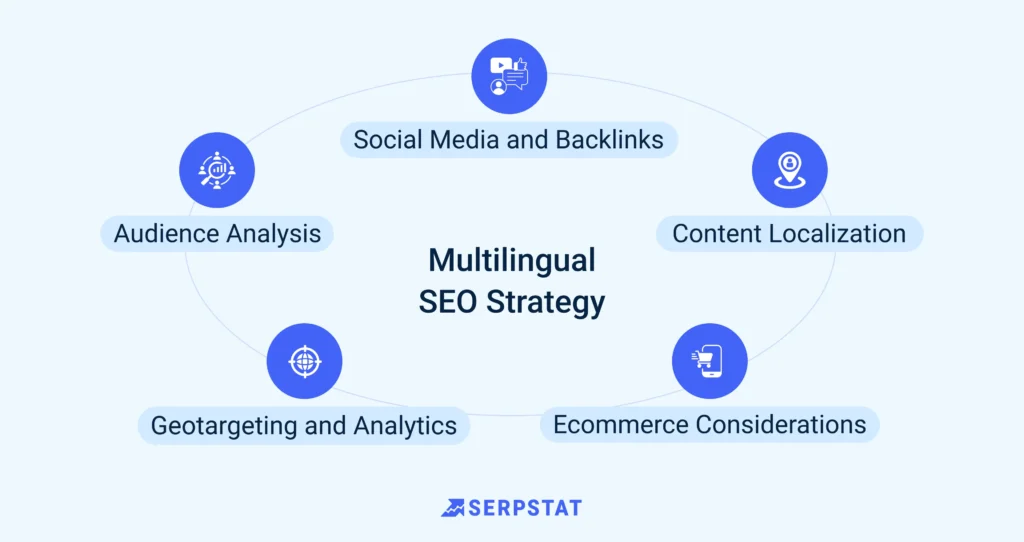
If your website targets more than one country or audience, running it in just one language limits your growth.
Users prefer browsing in their native language.
Search engines rank localized content better.
Conversions increase when visitors fully understand your message.
A multilingual WordPress website allows you to:
✔ Reach international audiences
✔ Improve global SEO visibility
✔ Increase engagement & trust
✔ Expand your brand worldwide
This guide explains how to properly build and manage a WordPress multilingual website, step by step.
🔴 What Is a Multilingual WordPress Website?
A multilingual website allows visitors to:
-
Switch between languages
-
Access translated content
-
View localized pages
-
Navigate in their preferred language
Unlike a simple translation widget, a proper multilingual setup:
✔ Creates separate language versions
✔ Uses SEO-friendly URLs
✔ Supports search engine indexing
✔ Maintains structured content
👉 It’s about localization — not just translation.
🧠 How WordPress Multilingual Setup Works
A multilingual structure typically includes:
1️⃣ Multiple language versions of content
2️⃣ Language switcher
3️⃣ SEO configuration (hreflang tags)
4️⃣ Translation of theme & plugins
5️⃣ Consistent URL structure
WordPress core supports language settings, but full multilingual functionality requires a structured setup.
1️⃣ Planning Your Multilingual Strategy
Before technical setup, decide:
✔ Which languages to support
✔ Target countries
✔ Whether to use one domain or multiple domains
✔ Whether to localize currency & content
Common URL structures:
-
example.com/en/
-
example.com/fr/
-
example.com/es/
📌 SEO tip: Use subdirectories for easier management and stronger domain authority.
2️⃣ Adding Multiple Languages in WordPress
To create a multilingual site:
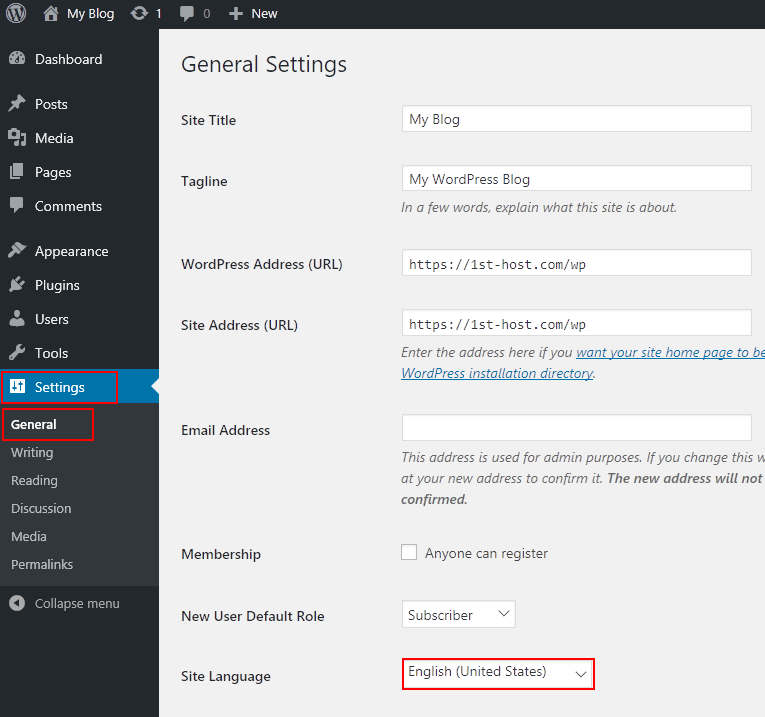
1️⃣ Install a reliable multilingual solution
2️⃣ Add secondary language(s)
3️⃣ Set default language
4️⃣ Configure language switcher
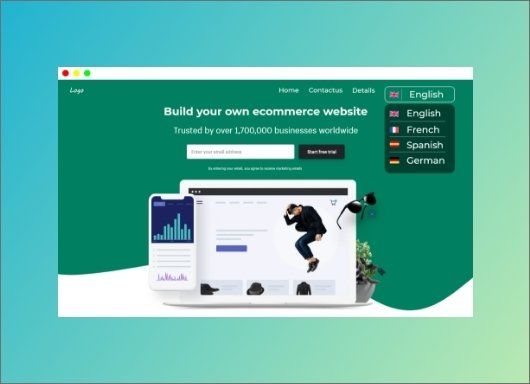

Place the language switcher in:
-
Header
-
Navigation menu
-
Footer
Keep it visible and easy to access.
3️⃣ Translating Pages & Posts
Each page must be translated individually.
Translate:
✔ Page titles
✔ Content
✔ Headings
✔ Call-to-actions
✔ Meta titles & descriptions


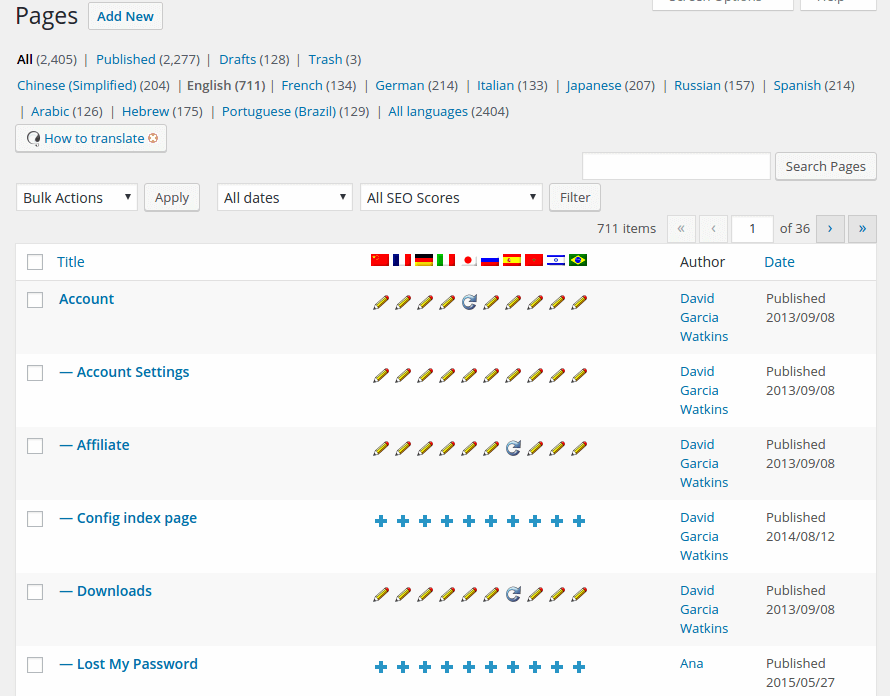
Avoid relying solely on automatic machine translation for important pages — manual review ensures accuracy.
4️⃣ Translating Theme & Interface Text
Not only content needs translation.
Also translate:
✔ Menu items
✔ Footer text
✔ Button labels
✔ Forms
✔ Widgets
Consistency across interface elements improves professionalism.
5️⃣ Multilingual SEO Setup (Very Important)
SEO is critical for multilingual websites.
Proper setup includes:
✔ Hreflang tags
✔ Translated slugs
✔ Language-specific meta titles
✔ Separate sitemap per language


Without hreflang tags, search engines may treat pages as duplicate content.
6️⃣ Managing Multilingual Media
Images may require:
✔ Localized graphics
✔ Translated banners
✔ Language-specific PDFs
Always optimize:
-
Image alt text
-
File names
-
Captions
For each language version.
7️⃣ Performance Considerations
Multilingual sites can increase page load time if not optimized.
Best practices:
✔ Use optimized hosting
✔ Enable caching
✔ Compress images
✔ Minimize duplicate plugins
✔ Monitor page speed for each language
Speed impacts both SEO and conversions.
8️⃣ Common Multilingual Website Mistakes
❌ Translating only homepage
❌ Ignoring SEO configuration
❌ No consistent URL structure
❌ Poor machine translations
❌ No cultural adaptation
Localization is more than direct translation.
9️⃣ Cultural & Regional Adaptation
Beyond language, consider:
✔ Currency formatting
✔ Date format
✔ Cultural tone
✔ Local references
✔ Region-specific content
Example:
-
US audience → informal tone
-
German audience → formal tone
Localization improves engagement.
🔟 Scaling a Multilingual WordPress Website
As your website grows:
✔ Add additional languages strategically
✔ Analyze traffic by country
✔ Optimize high-performing regions
✔ Conduct quarterly translation audits
Multilingual growth should be data-driven.
📈 Benefits of a Multilingual WordPress Website
✔ Increased global reach
✔ Improved international SEO
✔ Higher user trust
✔ Better conversion rates
✔ Competitive advantage
A multilingual website transforms your brand from local to global.
📚 Also Read (Internal Links)

Hire Me on Upwork – Dokan & WooCommerce Expert

 Chat on WhatsApp