
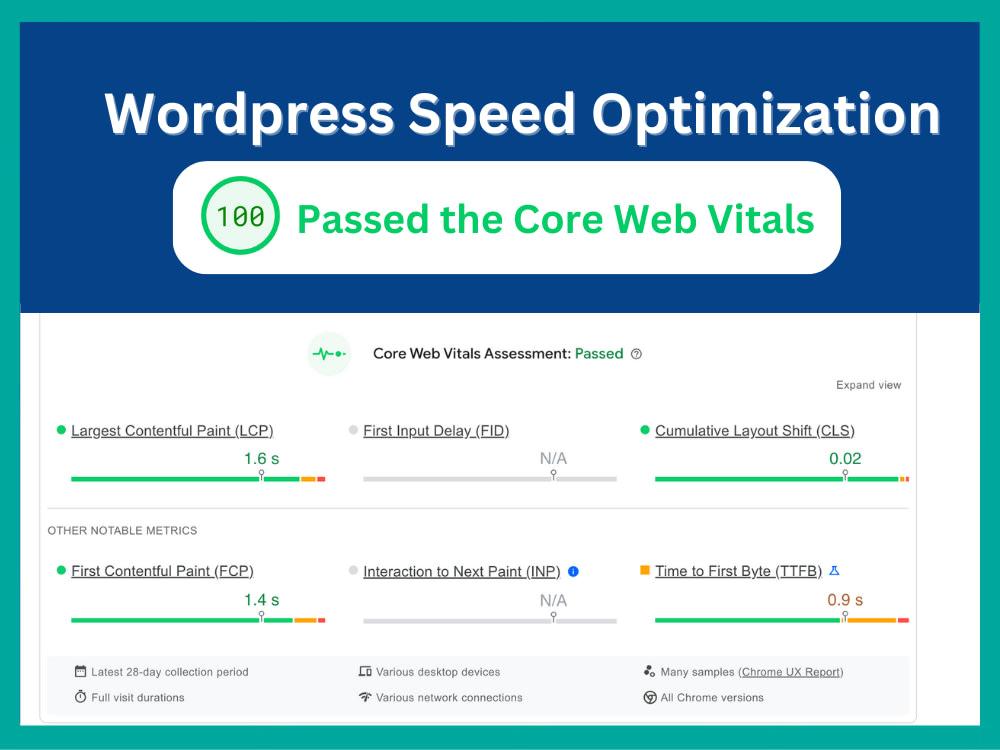
WordPress: Technical SEO for WordPress (Complete Guide)
Technical SEO is the foundation of every successful WordPress website. No matter how valuable your content is, search engines must be able to crawl, index, and understand your website efficiently. A technically optimized website loads quickly, provides a great user experience, ranks higher in search results, and converts more visitors into customers.
WordPress already offers an SEO-friendly architecture, but additional optimization is necessary to maximize search engine visibility. From Core Web Vitals and structured data to XML sitemaps, website security, and crawl optimization, every technical improvement contributes to better long-term SEO performance.
This complete guide covers everything you need to know about Technical SEO for WordPress.
What is Technical SEO?
Technical SEO refers to optimizing your website’s infrastructure so search engines can crawl, index, and rank your content effectively.
Unlike content SEO, technical SEO focuses on the backend and performance of your website.
It includes:
- Website Architecture
- Page Speed
- Core Web Vitals
- Mobile Optimization
- XML Sitemaps
- Robots.txt
- Structured Data
- HTTPS Security
- Canonical URLs
- Internal Linking
- Crawl Budget Optimization
A strong technical foundation improves both user experience and search engine rankings.
Why Technical SEO Matters
Technical SEO provides long-term benefits.
Better Search Rankings
Search engines prioritize well-optimized websites.
Faster Website
Improves visitor satisfaction and reduces bounce rates.
Better Crawlability
Search engines discover new pages more efficiently.
Higher Indexing Rate
Important pages appear faster in search results.
Better User Experience
Fast, secure websites improve engagement.
Increased Conversions
Visitors are more likely to complete purchases or inquiries.
Website Architecture
Create a logical site hierarchy.
Example:
Home
→ Services
→ Categories
→ Individual Pages
→ Blog
→ Contact
A clear structure helps both users and search engines navigate your website.
Best practices:
- Limit navigation depth.
- Use descriptive menus.
- Create logical content silos.
- Maintain consistent navigation.
SEO-Friendly Permalinks
Use clean and descriptive URLs.
Good Example:
https://example.com/technical-seo-wordpress
Poor Example:
https://example.com/?p=254
Guidelines:
- Include primary keywords.
- Keep URLs short.
- Use hyphens instead of underscores.
- Avoid unnecessary numbers or parameters.
XML Sitemap Optimization
XML sitemaps help search engines discover your content.
Include:
Pages
Blog Posts
Categories
Tags
Images
Videos
Automatically update the sitemap whenever new content is published.
Submit it through Google Search Console and Bing Webmaster Tools.
Robots.txt Optimization
Configure robots.txt carefully.
Allow search engines to crawl:
- Pages
- Posts
- Categories
- Media Files
Block unnecessary pages:
- wp-admin
- Login Pages
- Search Results
- Duplicate Archives
- Thank You Pages
Proper configuration improves crawl efficiency.
Crawl Budget Optimization
Large websites should optimize crawl budget.
Recommendations:
Remove Broken Links
Fix Redirect Chains
Eliminate Duplicate Pages
Update XML Sitemap
Block Low-Value URLs
Efficient crawling improves indexing.
Core Web Vitals
Google evaluates website performance using Core Web Vitals.
Largest Contentful Paint (LCP)
Measures loading speed.
Target: Less than 2.5 seconds.
Interaction to Next Paint (INP)
Measures responsiveness.
Optimize JavaScript and server response times.
Cumulative Layout Shift (CLS)
Measures visual stability.
Avoid unexpected layout changes.
Improving these metrics enhances both SEO and user experience.
Website Speed Optimization
A fast website is essential.
Optimize using:
LiteSpeed Cache
Redis Object Cache
Browser Caching
GZIP or Brotli Compression
CSS & JavaScript Minification
Lazy Loading
Image Compression
Cloudflare CDN
Faster websites rank better and convert more visitors.
Mobile SEO
Google uses mobile-first indexing.
Checklist:
Responsive Theme
Mobile Navigation
Fast Mobile Loading
Touch-Friendly Buttons
Readable Typography
Optimized Images
Test your website regularly on different mobile devices.
Structured Data (Schema)
Schema markup helps search engines understand your content.
Implement:
Organization Schema
Website Schema
Article Schema
FAQ Schema
Breadcrumb Schema
Product Schema
Local Business Schema
Structured data increases eligibility for rich search results.
Canonical URLs
Canonical tags prevent duplicate content issues.
Apply canonical URLs for:
- Archive Pages
- Category Pages
- Filtered URLs
- Paginated Content
Canonicalization consolidates ranking signals.
Internal Linking Strategy
Create a strong internal linking structure.
Link between:
Blog Posts
Service Pages
Category Pages
Landing Pages
Related Articles
Benefits include:
- Improved crawlability
- Better content discovery
- Stronger page authority distribution
Image SEO
Optimize all images.
Checklist:
WebP Format
Descriptive File Names
ALT Attributes
Image Compression
Lazy Loading
Responsive Images
Optimized images improve page speed and accessibility.
Broken Link Management
Regularly monitor:
404 Errors
Broken Internal Links
Missing Images
Redirect Chains
Repair broken links quickly to maintain a healthy website.
HTTPS & Website Security
Secure websites rank better and build trust.
Implement:
SSL Certificate
Security Headers
Two-Factor Authentication
Daily Backups
Malware Scanning
Firewall Protection
Security supports both SEO and user confidence.
Duplicate Content Prevention
Avoid duplicate content by:
Writing Unique Pages
Using Canonical Tags
Managing Categories Carefully
Limiting Thin Archives
Controlling Tag Pages
Unique content improves search visibility.
International SEO
For multilingual websites:
Hreflang Tags
Language-Specific URLs
Regional Landing Pages
Multi-Currency Support
Country-Specific Content
International SEO improves visibility across global markets.
AI for Technical SEO
AI can automate many SEO tasks.
Examples:
Technical Site Audits
Metadata Suggestions
Internal Link Recommendations
Schema Generation
Crawl Analysis
Performance Monitoring
AI should complement—not replace—manual technical reviews.
Analytics & Monitoring
Track website performance using:
Google Search Console
Google Analytics 4
Bing Webmaster Tools
Core Web Vitals Reports
PageSpeed Insights
Rank Tracking Tools
Review technical reports regularly to identify issues early.
Best WordPress Technical SEO Plugins
Rank Math SEO
Advanced SEO plugin with XML sitemaps, schema markup, redirects, and SEO analysis.
Best For
Comprehensive WordPress SEO.
Yoast SEO
Provides metadata management, XML sitemaps, and readability analysis.
Best For
Content-focused websites.
SEOPress
Lightweight SEO plugin with advanced schema support and redirect management.
Best For
Performance-oriented websites.
LiteSpeed Cache
Improves loading speed, Core Web Vitals, and caching.
Best For
Performance optimization.
Redis Object Cache
Speeds up database queries for dynamic websites.
Best For
High-traffic websites.
Imagify
Compresses images and converts them to WebP.
Best For
Image optimization.
Broken Link Checker
Identifies broken links, missing images, and redirect issues.
Best For
Maintaining technical SEO health.
Recommended Technical SEO Stack
WordPress
Core content management system.
Rank Math SEO
SEO management.
LiteSpeed Cache
Caching and performance.
Redis Object Cache
Database optimization.
Cloudflare
CDN, DNS, and security.
Imagify
Image optimization.
WP Mail SMTP
Reliable email delivery.
MonsterInsights
Analytics integration.
Broken Link Checker
Technical maintenance.
UpdraftPlus
Automated backups.
This stack provides a robust technical SEO foundation for WordPress websites.
Common Technical SEO Mistakes
Slow Hosting
Choose optimized WordPress hosting with SSD storage and caching support.
Missing XML Sitemap
Always generate and submit a sitemap.
Duplicate Content
Use canonical tags and publish original content.
Large Image Files
Compress and optimize images before uploading.
Weak Internal Linking
Connect related pages and articles strategically.
Ignoring Mobile Performance
Test on multiple screen sizes and devices.
Not Monitoring Search Console
Fix indexing and crawl issues promptly.
Avoiding these mistakes helps maintain strong SEO performance.
WordPress Technical SEO Checklist
✅ HTTPS Enabled
✅ SEO-Friendly Permalinks
✅ XML Sitemap
✅ Optimized Robots.txt
✅ Crawl Budget Optimization
✅ Core Web Vitals Optimization
✅ Mobile-Friendly Design
✅ Structured Data
✅ Canonical URLs
✅ Internal Linking
✅ Image Optimization
✅ Broken Link Monitoring
✅ Security Hardening
✅ Search Console Integration
✅ Analytics Monitoring
✅ Regular Technical Audits
Final Thoughts
Technical SEO is the backbone of every high-performing WordPress website. A technically sound website ensures that search engines can efficiently crawl and index your content while providing visitors with a fast, secure, and seamless experience.
By optimizing website architecture, Core Web Vitals, structured data, mobile usability, and security, you’ll create a strong foundation for sustainable organic growth. Combine these technical improvements with high-quality content and ongoing performance monitoring to build a WordPress website that ranks well, attracts qualified traffic, and delivers long-term business success.

Hire Me on Upwork – Dokan & WooCommerce Expert

 Chat on WhatsApp