
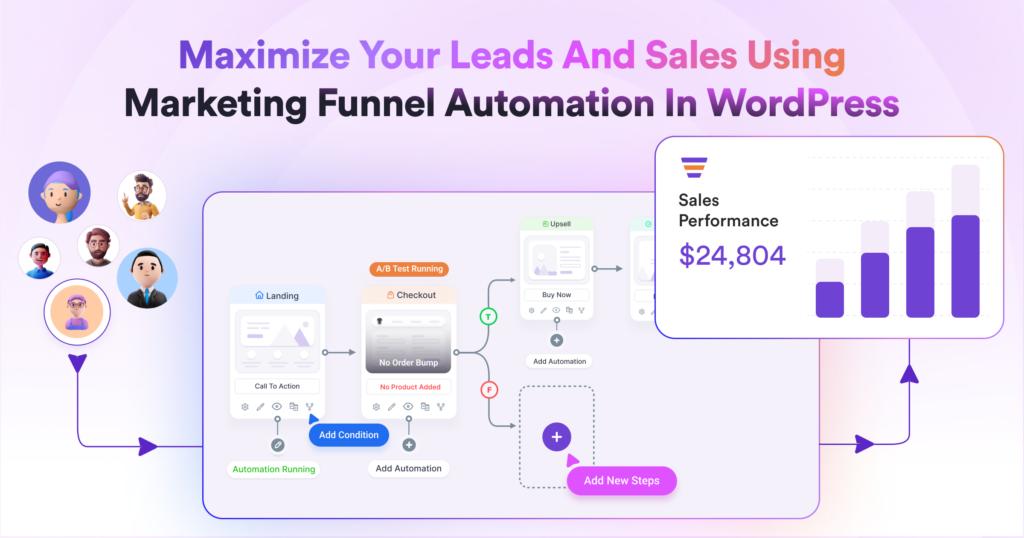
Modern websites are no longer just digital brochures. Today’s successful WordPress websites guide visitors through carefully designed user journeys that turn anonymous visitors into subscribers, customers, members, students, or loyal brand advocates.
However, manually managing every interaction is impossible as your website grows. This is where user journey automation becomes essential.
By automating user journeys in WordPress, businesses can deliver personalized experiences, increase conversions, improve engagement, and save countless hours of manual work.
In this guide, you’ll learn how to create and automate user journeys in WordPress using workflows, triggers, CRM integrations, email automation, and behavioral tracking.
What Is a User Journey?
A user journey is the path a visitor takes while interacting with your website.
Examples include:
- Visitor → Subscriber → Customer
- Visitor → Lead → Consultation Booking
- Visitor → Student → Course Completion
- Visitor → Member → Premium Upgrade
Every interaction contributes to the overall experience.
The goal of automation is to guide users toward desired actions without requiring manual intervention.
Why User Journey Automation Matters
Without automation, users often:
- Leave without taking action
- Forget about your website
- Abandon purchases
- Lose interest
Automation helps:
- Increase conversions
- Improve user engagement
- Reduce manual work
- Personalize experiences
- Improve customer retention
- Generate more revenue
Automated journeys ensure users receive the right message at the right time.
Understanding User Journey Stages
Most WordPress websites share common user journey stages.
Awareness Stage
Visitors discover your website through:
- Search engines
- Social media
- Advertising
- Referrals
Goal:
Build trust and encourage engagement.
Consideration Stage
Visitors begin exploring:
- Products
- Services
- Content
- Pricing
Goal:
Move users toward conversion.
Conversion Stage
Users take action such as:
- Making purchases
- Registering accounts
- Booking consultations
- Joining memberships
Goal:
Complete desired actions.
Retention Stage
After conversion, maintain engagement through:
- Email campaigns
- Loyalty programs
- Educational content
Goal:
Encourage repeat interactions.
Building Automated User Journeys
Automation begins with defining goals.
Examples:
Lead Generation
Visitor → Form Submission → Email Sequence → Consultation Booking
WooCommerce Store
Visitor → Product View → Cart → Purchase → Review Request
Membership Website
Visitor → Registration → Welcome Series → Membership Upgrade
LMS Platform
Student → Enrollment → Lessons → Completion Certificate
Mapping user journeys helps identify automation opportunities.
Trigger-Based Automation
Automation starts when specific actions occur.
Common triggers include:
Form Submission
User submits a contact form.
User Registration
New account created.
Product Purchase
WooCommerce order completed.
Course Enrollment
Student joins a course.
Membership Upgrade
User changes subscription level.
Each trigger launches automated workflows.
Welcome Email Automation
The first interaction is critical.
A welcome email sequence can:
- Introduce your brand
- Explain benefits
- Recommend resources
- Encourage next actions
Benefits include:
- Higher engagement
- Better retention
- Improved trust
Welcome emails often generate the highest open rates.
Personalized User Experiences
Personalization increases conversions.
Customize experiences based on:
User Behavior
Pages viewed.
Purchase History
Previous purchases.
Location
Geographic targeting.
Interests
Categories and content preferences.
Personalized experiences create stronger connections.
Automated Lead Nurturing
Many users aren’t ready to convert immediately.
Lead nurturing workflows provide:
Educational Content
Help users understand solutions.
Case Studies
Build credibility.
Product Demonstrations
Show value.
Special Offers
Encourage action.
Lead nurturing gradually moves users toward conversion.
WooCommerce Customer Journeys
WooCommerce stores benefit greatly from automation.
Common workflows include:
Welcome Series
For new customers.
Cart Abandonment Recovery
Recover lost sales.
Product Recommendations
Suggest related products.
Review Requests
Collect customer feedback.
Loyalty Rewards
Encourage repeat purchases.
Automation improves customer lifetime value.
Membership Website Automation
Membership sites often require sophisticated workflows.
Examples:
New Member Onboarding
Guide users through account setup.
Membership Renewal Reminders
Reduce cancellations.
Upgrade Campaigns
Promote premium memberships.
Community Engagement
Encourage participation.
Automation improves member retention significantly.
Learning Management System Automation
Online education platforms benefit from automated journeys.
Examples:
Course Enrollment Emails
Welcome new students.
Lesson Reminders
Encourage course progress.
Completion Certificates
Reward achievements.
Advanced Course Recommendations
Promote additional learning opportunities.
Educational automation improves completion rates.
CRM Integration
A CRM acts as the central hub for user journey automation.
Benefits include:
- Contact management
- Segmentation
- Behavioral tracking
- Personalized campaigns
Popular WordPress CRM solutions include:
- FluentCRM
- HubSpot
- ActiveCampaign
- Groundhogg
CRM integration allows advanced automation workflows.
Behavioral Tracking
Understanding user behavior is critical.
Track:
Page Views
Identify interests.
Click Activity
Monitor engagement.
Form Submissions
Measure intent.
Purchases
Track customer value.
Behavioral data improves automation accuracy.
Multi-Channel Automation
Modern user journeys extend beyond email.
Channels include:
Most common communication method.
SMS
High open rates.
Push Notifications
Instant engagement.
WhatsApp Messaging
Growing customer communication channel.
Multi-channel strategies improve response rates.
User Segmentation
Not all users should receive identical experiences.
Segment users by:
New Visitors
First-time users.
Returning Visitors
Repeat engagement.
Customers
Existing buyers.
VIP Customers
High-value users.
Inactive Users
Re-engagement opportunities.
Segmentation improves relevance and conversion rates.
Analytics and Journey Optimization
Monitor automation performance regularly.
Track:
Conversion Rates
Measure success.
Email Open Rates
Evaluate engagement.
Click-Through Rates
Assess interest.
Customer Lifetime Value
Measure long-term impact.
Funnel Drop-Off Points
Identify weaknesses.
Optimization should be continuous.
Security and Privacy Compliance
User journey automation must respect privacy regulations.
Implement:
GDPR Compliance
Protect user data.
Cookie Consent
Collect permissions properly.
Secure Data Storage
Protect customer information.
Opt-In Systems
Confirm communication preferences.
Trust is essential for long-term relationships.
Performance Optimization
Automation systems generate database activity.
Optimize performance using:
LiteSpeed Cache
Improve website speed.
Redis Object Cache
Reduce database load.
Cloudflare
Improve global delivery.
Optimized Hosting
Support growing automation workflows.
Fast websites improve user experiences and conversions.
Recommended Plugin Stack
For advanced WordPress user journey automation:
FluentCRM
Email marketing and automation.
Fluent Forms
Lead capture and triggers.
WooCommerce
Customer journey automation.
OneSignal
Push notifications.
WP Mail SMTP
Reliable email delivery.
LiteSpeed Cache
Performance optimization.
This stack supports highly scalable user journeys.
Common Automation Mistakes
Too Many Emails
Over-communication can reduce engagement.
Lack of Segmentation
Generic messaging performs poorly.
Poor Timing
Messages should align with user behavior.
No Analytics
Optimization requires data.
Complex Workflows
Overly complicated journeys are difficult to maintain.
Keep automation focused and strategic.
User Journey Automation Checklist
✓ Define User Journey Stages
✓ Configure Automation Triggers
✓ Welcome Email Series
✓ Lead Nurturing Workflows
✓ CRM Integration
✓ Behavioral Tracking
✓ User Segmentation
✓ Multi-Channel Communication
✓ Analytics Setup
✓ Security Compliance
✓ Performance Optimization
✓ Continuous Testing
Final Thoughts
Automating user journeys in WordPress is one of the most effective ways to improve engagement, increase conversions, and build stronger customer relationships.
By combining CRM systems, behavioral tracking, email automation, segmentation, and personalized experiences, businesses can guide users through every stage of the customer lifecycle automatically.
Whether you’re running a WooCommerce store, membership platform, LMS website, agency site, SaaS platform, or content-driven business, user journey automation can dramatically improve both customer experience and business growth.
The more relevant and timely your interactions become, the more successful your website will be.

Hire Me on Upwork – Dokan & WooCommerce Expert

 Chat on WhatsApp