


Building a multi-vendor marketplace is only half the job — the real success comes from how you monetize it.
If you are using WordPress, WooCommerce, and Dokan, you have multiple ways to generate revenue from your platform.
In this guide, you’ll learn all major Dokan marketplace monetization models and how to choose the right one.
🔴 Why Monetization Strategy Matters
Without a proper monetization model:
❌ Low revenue
❌ Poor vendor retention
❌ Unsustainable growth
With the right strategy:
✔ Consistent income
✔ Vendor motivation
✔ Scalable business model
👉 Monetization = foundation of your marketplace success
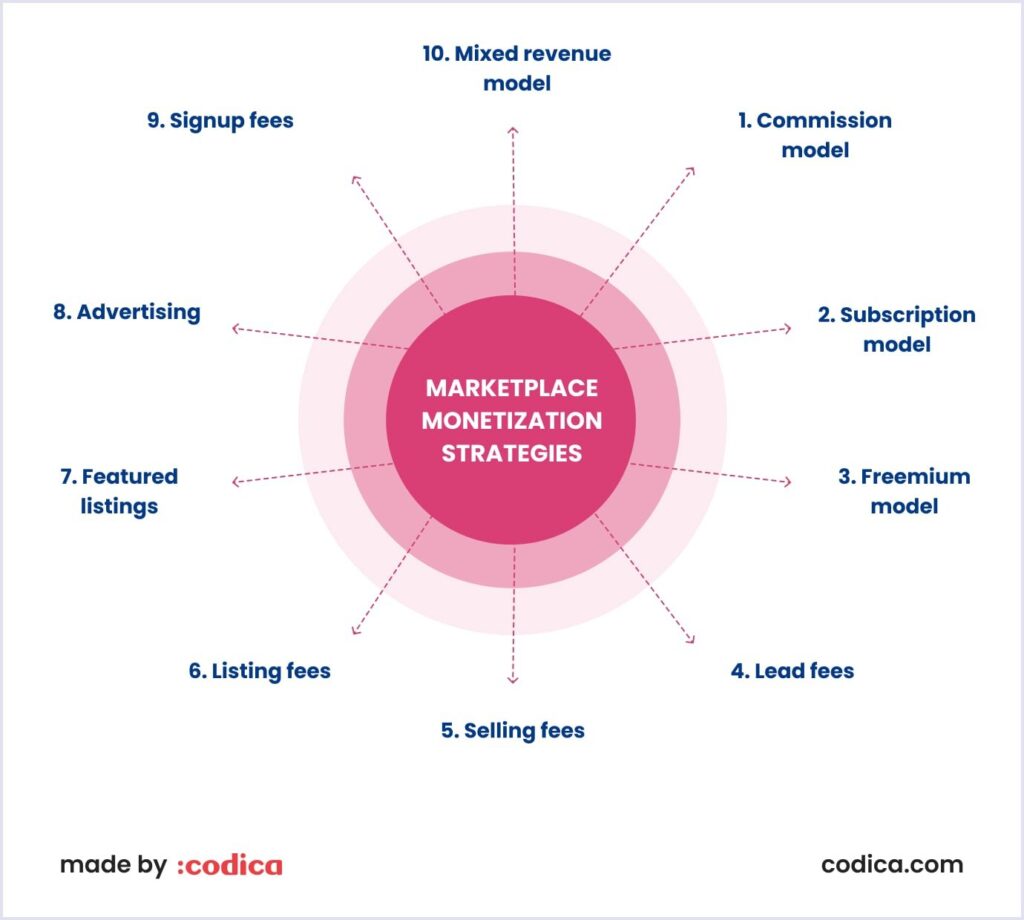
🧠 Types of Marketplace Monetization Models
There are several proven ways to monetize a marketplace built with Dokan.
1️⃣ Commission-Based Model
This is the most popular model.
How it works:
You take a percentage from every vendor sale.
Example:
-
Product price: ₹1000
-
Commission: 10%
-
You earn: ₹100
Benefits:
✔ Easy to implement
✔ Scales with sales
✔ No upfront cost for vendors
👉 Best for: General marketplaces
2️⃣ Subscription-Based Model
Vendors pay a monthly or yearly fee to sell on your platform.
Example:
-
₹999/month vendor subscription
Benefits:
✔ Predictable revenue
✔ Serious vendors only
✔ Stable cash flow
👉 Best for: B2B or niche marketplaces
3️⃣ Listing Fee Model
Charge vendors to list products.
Example:
-
₹50 per product listing
Benefits:
✔ Revenue even without sales
✔ Reduces spam listings
👉 Best for: High-quality curated marketplaces
4️⃣ Featured Product Fees
Charge vendors to promote their products.
Example:
-
₹500 for homepage feature
Benefits:
✔ Additional revenue stream
✔ Increased product visibility
👉 Best for: High-traffic marketplaces
5️⃣ Advertising Model
Allow vendors or brands to run ads on your platform.
Examples:
✔ Banner ads
✔ Sponsored listings
✔ Homepage promotions
Benefits:
✔ High earning potential
✔ Works well with traffic
👉 Best for: Established marketplaces
6️⃣ Hybrid Model (Recommended)
Most successful marketplaces use a combination of models.
Example:
✔ Commission + Subscription
✔ Listing fee + Featured ads
✔ Commission + Ads
👉 Hybrid = maximum revenue potential
⚙️ How to Set Up Monetization in Dokan
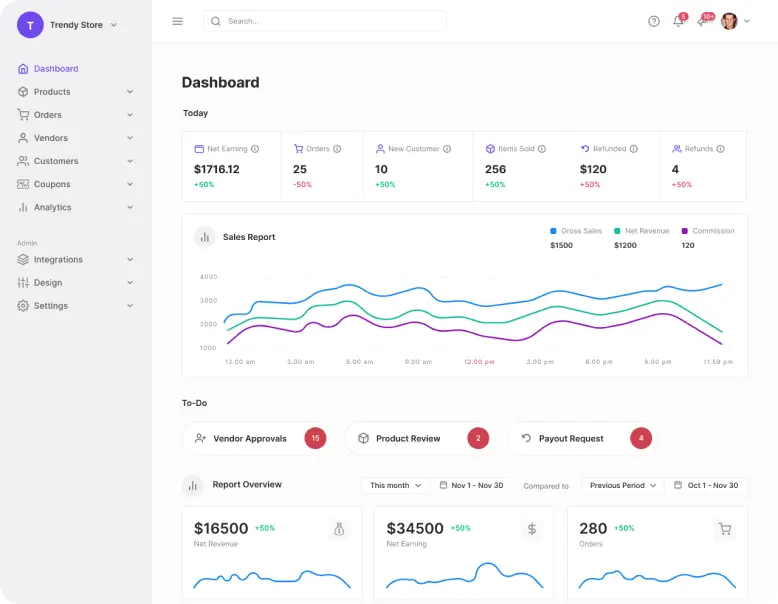
Dokan Pro provides built-in tools for monetization.
You can configure:
✔ Global commission rates
✔ Vendor-specific commission
✔ Subscription packages
✔ Product limits
✔ Featured product options
👉 Flexible system for different business models.
💡 Choosing the Right Model
Your monetization strategy depends on:
Marketplace Type
-
B2C → Commission
-
B2B → Subscription
Traffic Level
-
Low traffic → Subscription
-
High traffic → Ads + Featured
Vendor Quality
-
Open marketplace → Commission
-
Premium marketplace → Listing + Subscription
👉 Choose based on your business goals.
📊 Real Example Strategy
A balanced monetization setup:
✔ 10% commission on all sales
✔ ₹999/month vendor subscription
✔ Paid featured listings
👉 This creates multiple income streams.
🚨 Common Mistakes to Avoid
❌ Charging too much commission
❌ No clear pricing structure
❌ Ignoring vendor profitability
❌ Using only one revenue model
❌ Not testing pricing
👉 These can reduce vendor growth.
📈 Monetization Checklist
✔ Choose revenue model
✔ Set commission rates
✔ Create subscription plans
✔ Add featured listings
✔ Monitor performance
👉 Follow this for a profitable marketplace.

Hire Me on Upwork – Dokan & WooCommerce Expert

 Chat on WhatsApp